
Reading a Bubble ERD: What 47 Data Types Actually Tell You
An ERD is the highest-leverage diagnostic for a Bubble app. This guide reads a real 47-data-type diagram end-to-end — five recurring patterns, four red flags, and the schema decisions waiting to be made.
20 min read
You opened a Bubble app's data tab and counted forty-seven data types. You drew arrows between the ones you thought were related. You ended up with a diagram that looks roughly like a hairball. What does it actually tell you?
An entity-relationship diagram (ERD) is the single most diagnostic artifact about a Bubble application. It tells you how complex the schema design work will be in a migration, where the business-logic complexity actually lives, what query patterns will be expensive in the new system, and which integration points carry the most risk. Reading it well is a skill — and most teams skip past the diagram on their way to whatever they think the "real" work is. This guide walks through what a Bubble ERD reveals, the patterns and red flags to look for, and the schema decisions that fall out of the analysis. By the end you should be able to look at any Bubble ERD and produce a defensible migration plan from the picture alone.

What an ERD Tells You About a Bubble App
The diagram answers four questions at once. Read it that way and you save weeks of downstream rework.
Question 1 — How Big Is the Schema Design Job?
Entity count is the headline number, but the predictive signal is relationship density. Forty-seven types with clean one-to-many relationships migrate faster than twenty types tangled in circular references and list fields. Counting the arrows is the right starting move; counting the entities is misleading on its own.
Question 2 — Where Does the Business Logic Hide?
The entities with the most incoming arrows are usually the central business nouns — User, Order, Account, Workspace. Entities with many outgoing arrows are usually configuration or lookup types — Plan, Role, Region. The pattern of which arrows go where reveals the shape of the application's logic without you needing to read a workflow.
Question 3 — What Will Be Expensive to Query in the New System?
Privacy rules in Bubble act as query filters; the ERD does not show them directly, but the entity shapes that surround them do. Wide entities (many fields) joined across many relationships are the ones whose queries will be slow in the migrated database — and the ones where index strategy matters most.
Question 4 — Which Integration Points Carry the Most Risk?
Entities representing external resources (Stripe Customer, Sendgrid Contact, OAuth Identity) are migration risk concentrators because they have to stay synchronized with the external service across the cutover. Spotting them on the ERD lets you plan the synchronization strategy before the integration breaks at 2 AM on launch night.
The Five Patterns That Show Up in Every Bubble ERD
Across the Bubble ERDs we have audited, the same five patterns appear repeatedly. Naming them is most of the diagnostic work.

| Pattern | What It Looks Like | What It Means for Migration |
|---|---|---|
| List-field many-to-many | One entity holds an array reference to another | Needs a join table in the relational schema |
| Circular self-reference | Entity references itself via a list or single field | Recursive query handling, depth-limit decisions |
| Denormalized cache field | Field stores a derived value (e.g., post_count) | Needs trigger or compute strategy in the new DB |
| Option Set lookup | Field references an Option Set (Bubble's enum) | Becomes an enum type or lookup table |
| Orphan-prone soft-delete | Boolean "deleted" flag without referential cleanup | Requires data-quality pass during migration |
Pattern 1 — List Fields That Stand In for Join Tables
Bubble lets a field hold a list of references — a User's "favorites" pointing to a list of Post records, or a Project's "members" pointing to a list of User records. Visually clean in the editor; structurally a many-to-many relationship without a join table. Every list field becomes a join table during migration, and the join table inherits any extra metadata you wished you had captured along the relationship (joined_at, role_in_project, status). Surfacing these on the ERD pays off late.
Pattern 2 — Circular Self-References
Comment threads with parent_comment_id fields, manager hierarchies via reports_to, category trees via parent_category — all common, all clean to model in a relational schema with proper recursive CTEs, all problematic if the application code expects unbounded traversal. Spotting circular references early means deciding the depth-limit strategy before users hit the wall.
Pattern 3 — Denormalized Cache Fields
Fields that store a value computed from other entities — post_count on a User, total_amount on an Order, last_active_at on a Workspace — show up in Bubble because workflows are the only way to update derived values. In the migrated schema you choose between database triggers, application-layer hooks, or scheduled recalculation jobs. The ERD shows you which fields need the choice.
Pattern 4 — Option Set Lookups
Option Sets are Bubble's enums and lookup tables. Plan tier, status code, role name, region — all live as Option Sets that other entities reference. In the migrated schema each Option Set becomes either a Postgres enum type or a lookup table with foreign-key references. The choice depends on whether you need metadata beyond the value (icon, sort order, display name).
Pattern 5 — Orphan-Prone Soft Deletes
A boolean "deleted" flag on an entity is a soft-delete pattern that keeps the record but marks it inactive. It works in Bubble because every workflow and search remembers to filter on the flag. After migration, code that forgets the filter immediately leaks deleted records into queries — and orphaned references to deleted parent records start showing up in support tickets within days. The ERD is where you spot this risk.
Reading a 47-Data-Type ERD — A Walkthrough
Here is what reading a real ERD with forty-seven entities feels like. The methodology is the same regardless of size — the discipline is in the order of operations.
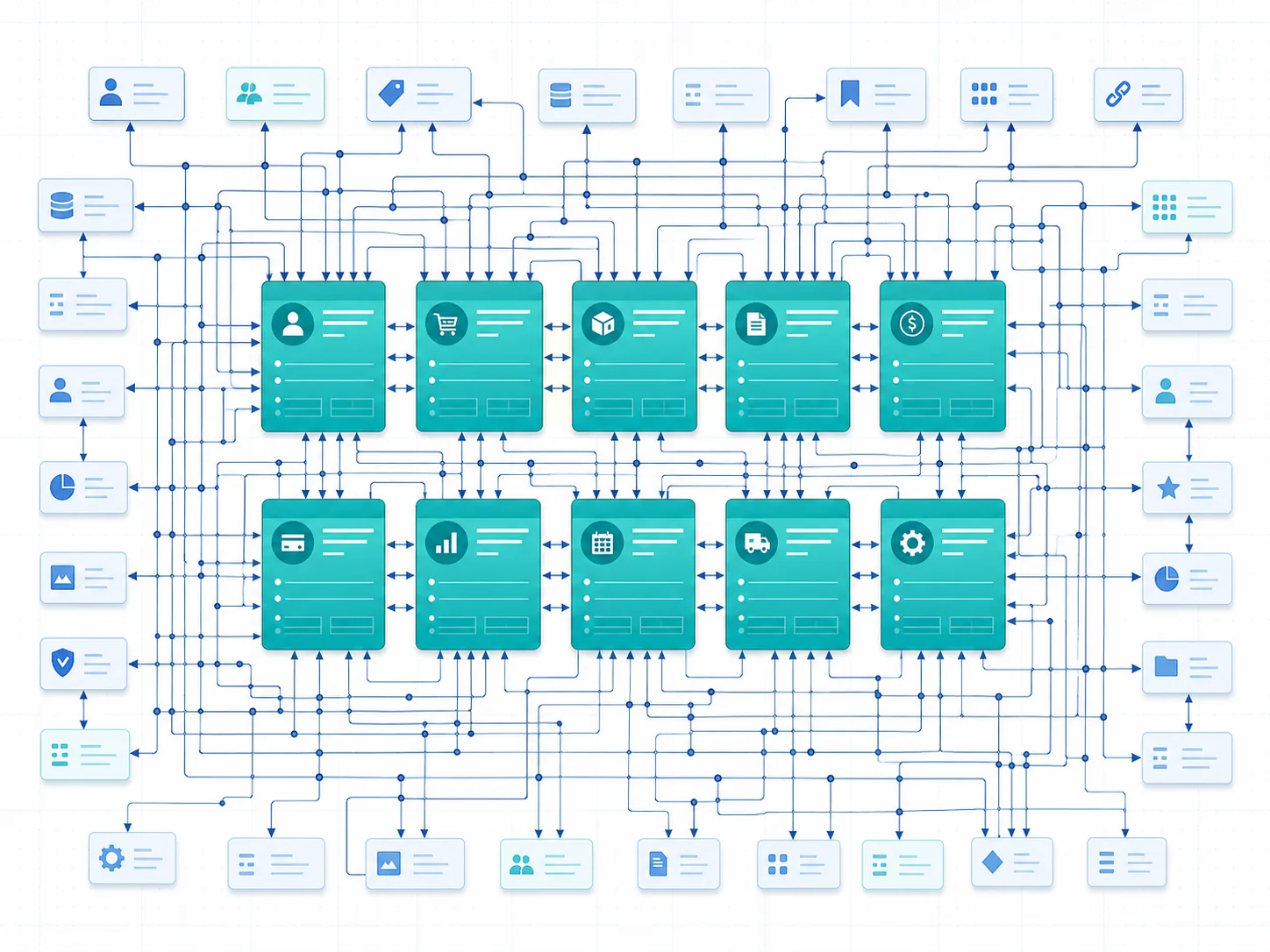
Step 1 — Identify the Core Entities
In a forty-seven-type schema, somewhere between eight and twelve entities are doing most of the work. They are the ones with the most incoming foreign keys, the highest field counts, and the heaviest involvement in privacy rules. Marking these on the diagram first turns the hairball into a hub-and-spoke layout. Everything else is a lookup, a join table, or a derived entity.
Step 2 — Group the Lookups
Option Sets and small reference tables (Country, Currency, Plan, Role) usually account for ten to fifteen of the forty-seven entities. They migrate trivially — Postgres enum or lookup table — and they rarely change after migration. Pull them visually into a corner of the diagram so they stop competing for attention.
Step 3 — Spot the Implicit Join Tables
Every list field in your data model becomes a join table during migration. In a forty-seven-type Bubble schema you typically find five to ten list-field relationships, each of which needs to become an explicit two-column or three-column join entity in the migrated schema. Adding the join entities to the diagram visualizes the actual relational shape — which is usually fifty-five to sixty entities, not forty-seven.
Step 4 — Annotate the Denormalization
Walk every entity and flag any field that stores a derived value. These are the fields that need a strategy in the new system — trigger, application hook, or scheduled job. Marking them on the diagram surfaces the maintenance surface that does not exist in your current Bubble runtime but will exist in your custom code stack.
Step 5 — Mark the Integration Boundaries
Any entity that mirrors an external resource (Stripe Customer, Auth0 Identity, Mailchimp Contact) needs an integration-sync strategy across cutover. Marking the boundary on the ERD makes the integration risk visible — and forces you to write down the synchronization plan before the cutover weekend, not during it.
What the Walkthrough Produces
By the end of the five-step pass, the forty-seven-type diagram has resolved into a clear picture: a core of around ten central entities, a corner of around fifteen lookups, five to ten list-field join tables, a list of denormalized fields needing a strategy, and a list of integration boundaries needing a synchronization plan. That is no longer an architecture mystery; it is a migration backlog you can scope.
The Red Flags Inside the Diagram
Some patterns on a Bubble ERD signal expensive migration work or future operational pain. Spot these before they become surprises.
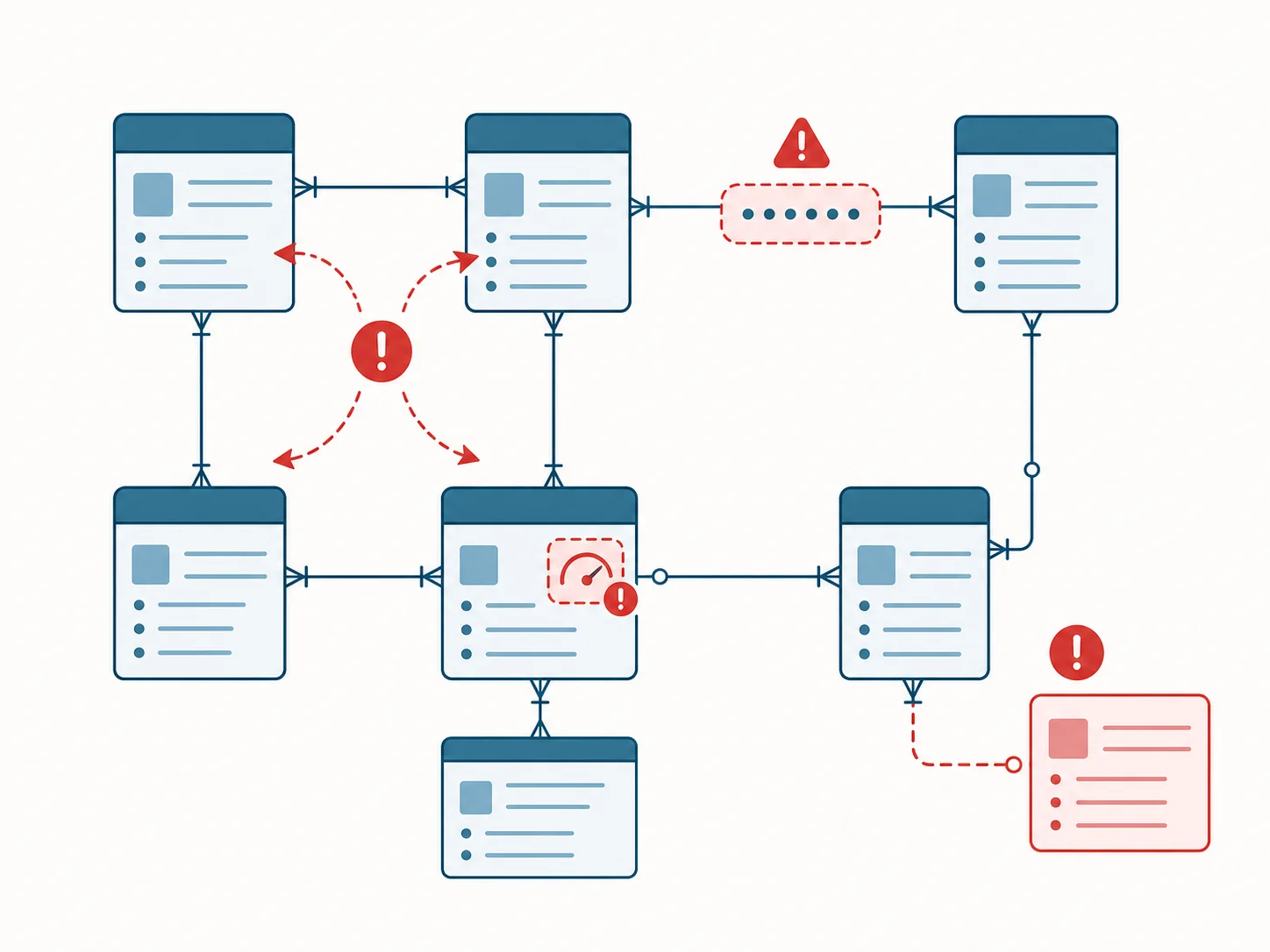
Red Flag 1 — Circular References Without Depth Limits
Self-referencing entities (parent_comment, reports_to, parent_category) are normal. Circular references with no application-level depth limit are a red flag. The migrated database can handle recursion, but the application that issues unbounded traversals will eventually hit a query that runs forever. Note these on the diagram and decide the depth strategy before the code is written.
Red Flag 2 — Wide List Fields With Hidden Metadata
A list field that holds bare references (User → favorites: list of Post) is straightforward. A list field where the relationship implicitly carries metadata that is stored elsewhere — the join order matters, or there is a separate table tracking when the relationship was created — is a red flag because the data is fragmented. The migrated join table needs to consolidate the metadata, which means a data-cleanup pass during migration.
Red Flag 3 — Stale Denormalized Counts
A post_count field that says 47 but the actual count of related posts is 51 means workflow drift has set in — somewhere in the workflow graph, an action that should update the count is being skipped. The ERD does not show the discrepancy, but spotting denormalized fields on the diagram tells you which ones to validate against actual counts during the migration prep. Discrepancies are common and are silent until a customer asks about a number.
Red Flag 4 — Orphan Records From Soft Deletes
If a parent entity has a soft-delete flag and any child entity is missing the equivalent flag (or fails to filter on it), child records will reference deleted parents in production. The ERD makes the risk visible: every child entity of a soft-deleted parent needs a clean-up policy. Without it, queries return ghost rows after migration.
From ERD to Schema — Translation Decisions
The ERD does not migrate itself. Each pattern produces a translation decision the rebuild team has to make, and most of them are easier when the ERD has surfaced them.
| Pattern on ERD | Decision Required | Common Choice |
|---|---|---|
| List field many-to-many | Join table shape and metadata | Two FK columns + audit fields (joined_at, joined_by) |
| Circular self-reference | Recursive query strategy | Recursive CTEs + depth limit at app layer |
| Denormalized cache field | Update strategy | Postgres trigger for hot fields, app hook for warm, batch job for cold |
| Option Set lookup | Enum vs lookup table | Postgres enum if value-only; lookup table if metadata needed |
| Soft-delete flag | Cascade and filter rules | Partial indexes excluding deleted + cascade-soft-delete on children |
| Wide entity (50+ fields) | Split vs keep | Split if fields cluster by access pattern, otherwise keep |
| External resource mirror | Sync strategy | Webhook-driven idempotent upsert + reconciliation job |
Why the Translation Choice Order Matters
The translation decisions interact. If you choose "Postgres enum" for an Option Set, you cannot easily add per-row metadata later. If you choose "trigger" for a denormalized field, you take on schema-coupled logic that is harder to refactor than an application hook. Making the choices in the wrong order forces rework. The ERD is where you sequence the decisions before any migration code exists.
The Document That Falls Out
An ERD walked end-to-end with translation decisions captured beside each pattern produces a schema migration spec — the artifact your developers (or AI coding tools) actually need to do the work. Common Bubble database design mistakes are the patterns that make this spec longer; spotting them on the ERD shortens the rebuild rather than the inverse.
How to Generate One in 10 Minutes
Drawing a forty-seven-type ERD by hand from a Bubble app takes most teams a working day or more. There is a shorter path.
Manual Path
Open the Bubble data tab, transcribe each entity into a diagramming tool (dbdiagram.io, Lucidchart, Mermaid), draw the relationships from memory or by re-reading each field's reference target, and walk the result against your workflows to confirm the picture matches the runtime. The work is mechanical but unforgiving — missing a list-field reference is the kind of error that surfaces in week 12 of a migration.
Automated Path
Relis extracts your full Bubble architecture — data schemas, API specs, backend workflow logic, and app settings — into nine standardized document types, typically in under ten minutes for medium-complexity apps. The output includes the ERD diagram, the DDL script ready for PostgreSQL or MySQL, the data dictionary, and the table specification with field-level detail. The five patterns above are visible in the output without you having to redraw the diagram.
What the Tool Does Not Replace
Automated extraction produces the picture. Reading it for the patterns, naming the red flags, sequencing the translation decisions — that is still founder or architect work, and it is the work that matters. The combination of automated extraction plus a thirty-minute reading pass is the cheapest way to produce a defensible migration plan.

Frequently Asked Questions
Q. Do I really need an ERD if my Bubble app is small?
A small app's ERD is small and quick to produce, but the diagnostic value scales with how often someone other than the original builder will need to understand the schema. Onboarding an engineer, answering an investor, or considering a migration all benefit from the diagram regardless of app size. The cost-to-produce is low; the cost-of-not-having is amortized across every future event.
Q. What does Bubble's data tab give me directly?
The data tab shows entities and fields. It does not visualize relationships, does not flag list-field many-to-many, does not surface circular references, and does not separate core entities from lookups. The data tab is a list view; an ERD is the analytical view that the list cannot produce on its own.
Q. Does the entity count predict migration cost?
Loosely. Relationship density is the better predictor — five to ten list-field many-to-many relationships in a forty-seven-type schema implies more migration work than thirty list-field-free types in a sixty-type schema. Counting entities is a starting move; counting and classifying the arrows is the diagnostic move.
Q. What ERD tool should I use?
For a manual draft, dbdiagram.io and Mermaid are quick and free. Lucidchart and Miro work well for collaborative reading sessions. The output of automated extraction is typically rendered in a structured format you can paste into any of these tools; the choice of viewer matters less than the discipline of walking the diagram.
Q. How often should I update the ERD?
Quarterly is enough for steady-state operation; before any major event (fundraise, hiring, migration planning) is mandatory. The ERD is not a write-once artifact — schema changes in Bubble keep happening, and an ERD that lags reality six months becomes wrong in subtle ways that hurt during diligence.
Q. Can I share the ERD with developers I am evaluating?
Yes — and you should. A clean ERD plus a one-page data dictionary is the artifact that lets multiple developers or agencies quote on the same migration scope. Without it, every quote is based on a different mental model, and the variance reflects guesswork rather than the actual job. The ERD is the single most concrete thing you can hand a vendor before signing.
The Diagram Is the Decision
- An ERD is the highest-leverage single artifact in a Bubble audit: it answers schema-design size, where logic hides, query expense, and integration risk in one picture.
- Five patterns explain most of the structural noise: list-field many-to-many, circular self-reference, denormalized cache, Option Set lookup, soft-delete. Naming them sharpens every downstream decision.
- A 47-entity diagram becomes tractable in five steps: identify core, group lookups, spot implicit joins, annotate denormalization, mark integration boundaries.
- Four red flags signal expensive migration work: unbounded circular references, hidden join metadata, stale denormalized counts, orphan-prone soft deletes — especially when they appear together.
- The translation decisions fall out of the diagram: walking the ERD pattern-by-pattern produces the schema migration spec your developers (or AI coding tools) actually need.
The diagram looks static. It is the most decision-dense artifact you will produce in an architecture audit — and the cheapest insurance against a migration that doubles its timeline because someone forgot to look.
Generate the Diagram in Minutes, Then Read It
Skip the day-long manual transcription. Extract your Bubble app's full architecture — ERD, DDL script, data dictionary, table specification — into developer-ready documents in minutes, then walk the diagram with the framework above.
Scan My App — FreeYour Bubble App Has No Export Button — Until Now
Relis extracts your complete Bubble.io architecture automatically. ERD diagrams, DDL scripts, API docs, workflow specs — all in under 10 minutes.
Your Bubble App Has No Export Button — Until Now
Relis extracts your complete Bubble.io architecture automatically. ERD diagrams, DDL scripts, API docs, workflow specs — all in under 10 minutes.