The Bubble Data Migration Playbook: Moving Your Data to SQL Without Losing Anything
A step-by-step guide to migrating Bubble.io data to PostgreSQL or MySQL — covering CSV export limitations, schema translation from Bubble types to SQL columns, data cleaning for orphaned records and null fields, file URL migration from Bubble's CDN, and staging validation before cutover.
22 min read
You have chosen your target tech stack. Your developers have the architecture documentation. The new codebase is taking shape. Now comes the part that breaks more Bubble migrations than any code bug: moving your production data from Bubble to a relational database without losing records, corrupting relationships, or discovering on cutover weekend that half your file URLs are broken.
Data migration is not a CSV export. It is an engineering project with its own planning phase, tooling requirements, and failure modes. Migration cost retrospectives typically place data migration around 10 to 20 percent of total project budget — and teams that underestimate it pay the difference in cutover delays and emergency weekend debugging sessions. This playbook covers every step from Bubble's export limitations to staging validation, so your data arrives intact.
Why Data Migration Is Harder Than It Looks
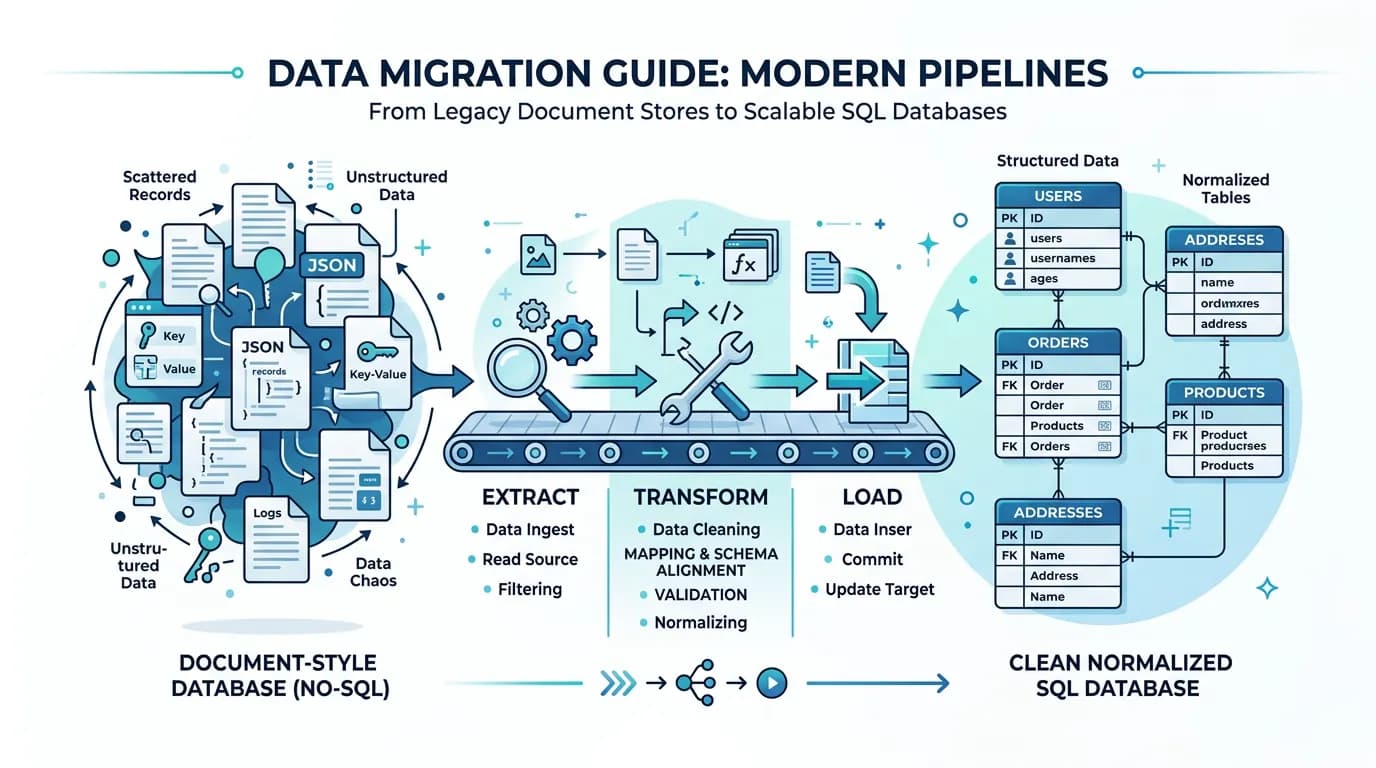
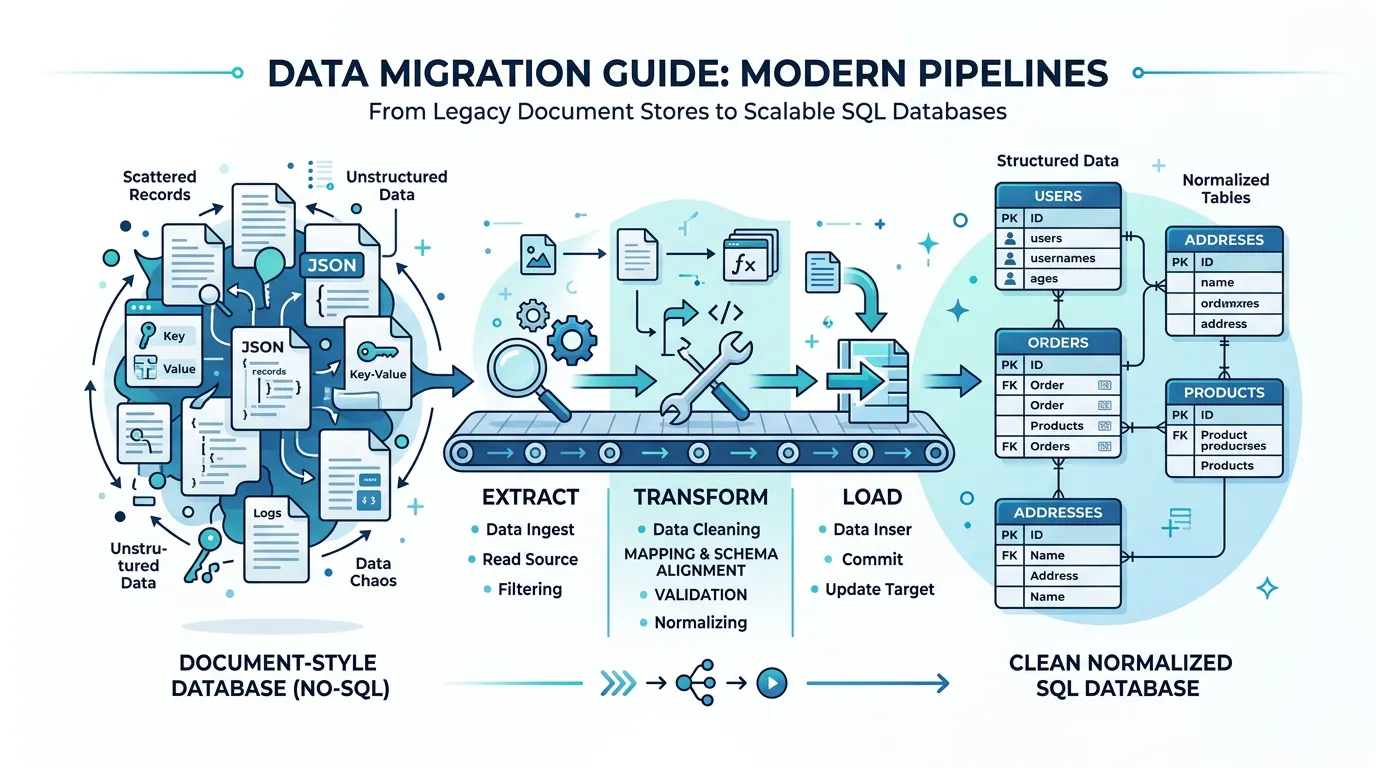
On the surface, data migration seems straightforward: export from Bubble, import to PostgreSQL. In practice, three structural mismatches between Bubble's data model and relational databases turn this into the most technically demanding phase of migration.
Mismatch 1: Document-Style vs. Relational
Bubble's database looks relational but behaves like a document store. A field on a User type can contain a list of Projects — a many-to-many relationship stored as an array of references inside a single field. In PostgreSQL, this becomes a join table with foreign keys, indexes, and constraint definitions. Every list field in Bubble requires a new table in SQL. An app with 20 data types and 15 list fields does not become a 20-table database — it becomes a 35-table database with 15 junction tables that did not exist in Bubble.
Mismatch 2: Implicit vs. Explicit Relationships
Bubble relationships are implicit. A Project has a Creator field of type User — but there is no foreign key constraint, no cascade rule, and no index. The relationship exists in Bubble's internal engine and works because Bubble handles it automatically. In PostgreSQL, you must explicitly define the foreign key, decide what happens on delete (CASCADE, SET NULL, RESTRICT), and create an index for query performance. Every relationship decision that Bubble made invisibly becomes a decision you must make explicitly.
Mismatch 3: Schema Evolution Without History
Bubble apps evolve over months or years. Fields get added, renamed, repurposed. Data types get created for features that were later abandoned. There is no migration history, no changelog, no way to know why a field called "temp_status_v2" exists or whether it still matters. Your production database is the sum of every schema decision anyone ever made — without documentation of any of them.
What Bubble Actually Exports — and What It Does Not
Understanding Bubble's export capabilities — and their gaps — is the first step to planning a migration that does not stall at the data phase.
What You Get: CSV Data Export
Bubble's built-in export gives you CSV files — one per data type. Each CSV contains the records with their field values, the unique ID for each record, creation date, and modification date. For apps under 10,000 records per type, the export is straightforward. For larger datasets, Bubble may time out or produce incomplete exports, requiring the Data API for batch extraction.
What You Get: Data API
Bubble's Data API provides programmatic access to records with cursor-based pagination (up to 100 records per response by default). It returns JSON with field values and relationship IDs. For large datasets (50,000+ records), the Data API is more reliable than CSV export but requires scripting to handle pagination, rate limiting, and error recovery. Expect extraction to take hours for apps with hundreds of thousands of records.
What You Do Not Get
| You Get | You Do Not Get | Why It Matters |
|---|---|---|
| Record values (CSV/JSON) | Schema definition (field types, constraints) | Cannot auto-generate CREATE TABLE statements |
| Unique IDs per record | Foreign key definitions | Relationship integrity must be manually mapped |
| Creation/modification dates | Data type metadata (field descriptions) | Business meaning of fields is lost |
| File URLs (Bubble CDN links) | Actual file binaries | Files must be downloaded and re-hosted separately |
| Option Set values in records | Option Set definitions (all possible values) | Cannot generate enum types without separate extraction |
Bubble does not export password hashes. The hashing algorithm is proprietary and undisclosed. Every user must re-authenticate after migration — via magic link, one-time password, or forced password reset. Plan this flow before cutover, not during it. Teams that discover this on migration weekend face a user communication crisis.
Translating Bubble Types to SQL Columns
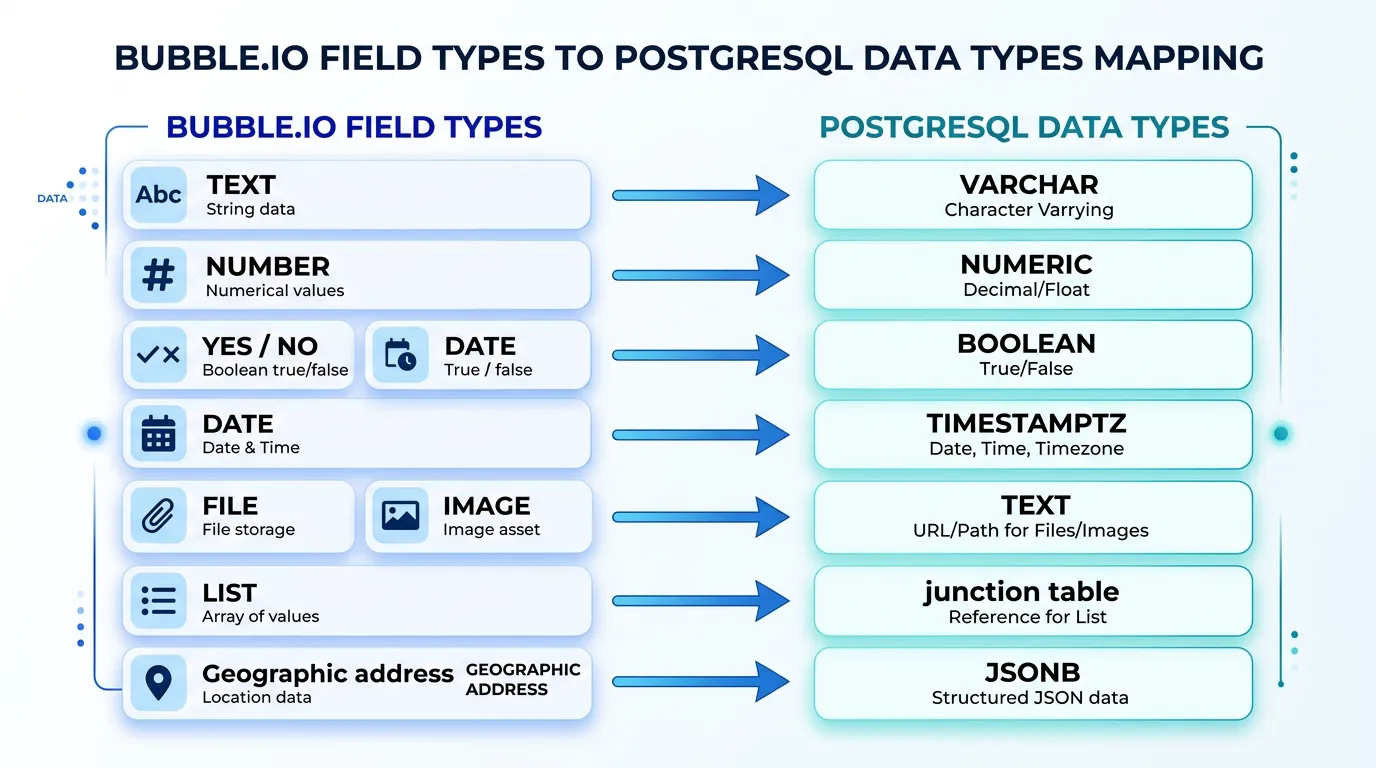
Every Bubble field type maps to a SQL column type — but the mapping is not always one-to-one. Getting this right prevents data truncation, precision loss, and query performance issues in your new database.
| Bubble Type | PostgreSQL Type | Notes |
|---|---|---|
| text | VARCHAR(255) or TEXT | Use TEXT for user-generated content; VARCHAR for constrained fields |
| number | NUMERIC(12,2) or INTEGER | NUMERIC for currency/decimals; INTEGER for counts/IDs |
| yes/no | BOOLEAN | Direct mapping; handle NULL as third state if needed |
| date | TIMESTAMPTZ | Always use timezone-aware; Bubble stores in UTC |
| date range | TSTZRANGE or two TIMESTAMPTZ columns | Range type enables overlap queries; two columns are simpler |
| file | TEXT (URL) | Store new CDN URL after file migration; add metadata columns |
| image | TEXT (URL) | Same as file; consider adding width/height/format columns |
| geographic address | JSONB or separate columns | JSONB preserves full address object; separate columns enable search |
| list (of Type) | Junction table | Requires a new table with two foreign keys + optional ordering column |
| Type reference | UUID or BIGINT (FK) | Foreign key with ON DELETE policy; index for join performance |
| Option Set | ENUM or reference table | ENUM for static sets; reference table if values change frequently |
The List Field Problem
List fields are the single biggest source of migration complexity. In Bubble, a Project can have a "Members" field of type "list of Users." In the Bubble editor, this is one field. In PostgreSQL, this becomes a junction table — project_members — with columns for project_id, user_id, and potentially added_at and role. You need to: create the junction table, extract the list data from Bubble's CSV (where it appears as comma-separated IDs in a single cell), parse and insert each relationship as a separate row, and validate referential integrity.
An app with 15 list fields across its data types generates 15 junction tables — 15 additional CREATE TABLE statements, 15 additional insert scripts, and 15 additional validation checks.
Option Sets: Enum or Reference Table?
Bubble Option Sets are predefined value lists — statuses, roles, categories. In PostgreSQL, you have two options. PostgreSQL ENUMs are type-safe and performant but difficult to modify (adding a value requires an ALTER TYPE). Reference tables (a separate table with id and value columns) are flexible but require joins. Rule of thumb: use ENUMs for sets that will never change (gender, currency codes) and reference tables for sets that might grow (project status, user role).
The Five Data Quality Problems Every Bubble App Has
Production Bubble databases accumulate structural debt over months or years of development. These problems are invisible in Bubble — the platform handles them silently — but they surface immediately when you try to insert data into a SQL database with constraints and type enforcement.
Problem 1: Orphaned Records
When a User is deleted in Bubble, records that reference that User do not automatically update. The Project still has a "Creator" field pointing to a User ID that no longer exists. In Bubble, this shows as empty. In PostgreSQL, a foreign key constraint will reject the insert. Solution: identify and handle orphaned references before migration — either delete the orphaned records, set the reference to NULL, or create a placeholder record.
Problem 2: Null Fields from Schema Evolution
Every field added after initial launch creates NULL values in all existing records. A Bubble app that has been in production for two years might have 30 percent of its fields containing NULL for records created before those fields existed. Solution: define default values for each field in your SQL schema and apply them during the transform phase.
Problem 3: Inconsistent Data Types
Bubble's loose typing allows a "number" field to contain text if it was manually edited or imported incorrectly. A "date" field might contain invalid dates. An "email" field might contain strings that are not valid email addresses. PostgreSQL will reject all of these. Solution: validate every field against its target SQL type during the transform phase and quarantine records that fail validation for manual review.
Problem 4: Duplicate Records
Without unique constraints in Bubble, duplicate records accumulate over time — two Users with the same email, three Products with the same SKU. Your SQL schema likely has UNIQUE constraints that will reject these during import. Solution: run deduplication before migration. Define the business rules for which duplicate to keep (most recent, most complete, most active) and merge or delete the others.
Problem 5: Bubble CDN File URLs
Every file and image in Bubble is stored on Bubble's CDN with URLs like https://dd7tel2830j4w.cloudfront.net/f1234567890.png. After migration, these URLs still work — until they do not. Bubble makes no guarantee about CDN availability for deleted apps or expired accounts. Solution: download every file, re-host on your own storage (S3, Cloudflare R2, Supabase Storage), and update all URL references in your database.
- Orphaned references: For each relationship field, count records where the referenced ID does not exist in the target type
- Null density: For each field, calculate the percentage of NULL values — fields above 80% NULL may not need migration
- Type violations: For each field, validate values against the target SQL type (dates, numbers, emails)
- Duplicates: For each type with a natural key (email, SKU, slug), count records with duplicate values
- File URLs: Count total file/image references and verify a sample (10%) for accessibility
The Migration Pipeline: Extract, Transform, Load
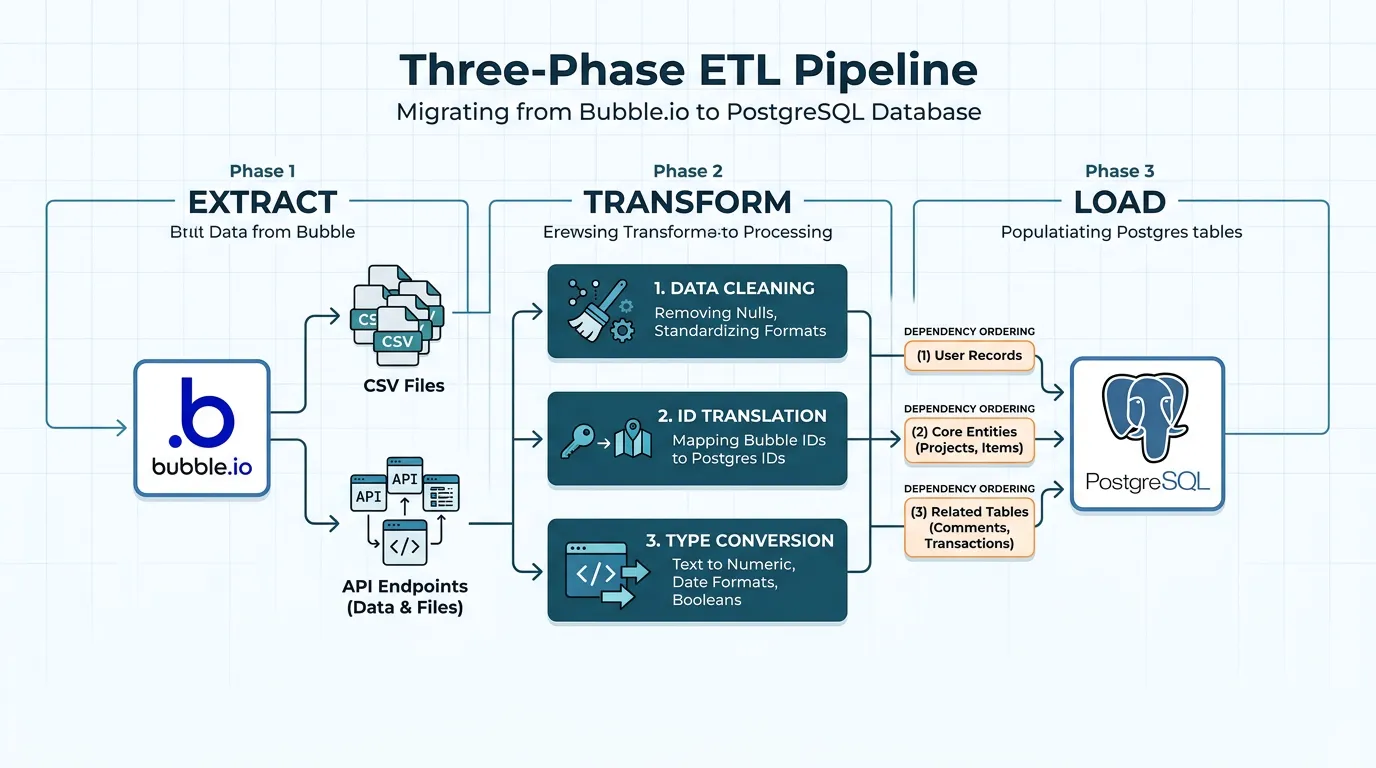
Data migration follows the classic ETL (Extract, Transform, Load) pattern — but each phase has Bubble-specific challenges that generic ETL guides do not cover.
Phase 1: Extract
Choose your extraction method based on dataset size. For apps under 50,000 total records: Bubble's built-in CSV export works. Download one CSV per data type. For larger apps: use Bubble's Data API with a pagination script. Set up rate limiting (respect Bubble's API limits), error retry logic, and incremental extraction (extract only records modified since last run for repeat migrations).
Extract everything in a single session to ensure referential consistency. If you extract Users on Monday and Projects on Wednesday, any Projects created on Tuesday will reference Users that might not be in your User export.
Phase 2: Transform
The transform phase handles five operations:
- ID translation: Bubble uses internal IDs (like
1609459200000x123456789). Map each Bubble ID to your new ID format (UUID, ULID, or auto-increment). Maintain a mapping table — you will need it for relationship resolution. - Relationship resolution: Replace Bubble IDs in relationship fields with their translated IDs from the mapping table. For list fields, split the comma-separated IDs and create junction table rows.
- Type conversion: Convert each field value from Bubble's format to the target SQL type. Dates from ISO strings to TIMESTAMPTZ, numbers from strings to NUMERIC, booleans from "yes"/"no" to true/false.
- Data cleaning: Apply the fixes from the data quality audit — handle orphaned references, fill defaults for NULLs, resolve duplicates, validate type constraints.
- File URL rewriting: Replace Bubble CDN URLs with your new storage URLs (after file migration).
Phase 3: Load
Load order matters because of foreign key constraints. Insert in dependency order: tables with no foreign keys first (typically User, Organization), then tables that reference them (Project, Team), then junction tables last. Use transactions — if any insert fails, roll back the entire batch rather than leaving the database in an inconsistent state.
For large datasets (100,000+ records), use PostgreSQL's COPY command instead of INSERT statements. COPY is 5 to 10 times faster for bulk loading because it bypasses the query parser and writes directly to the table storage.
Maintain a persistent mapping table that links every Bubble ID to its new SQL ID. This table serves three critical purposes: (1) relationship resolution during transform, (2) debugging when records are missing or mislinked after migration, and (3) incremental re-migration if you need to re-extract and re-load updated data before final cutover.
File and Image Migration from Bubble's CDN
File migration is the most overlooked step in data migration planning. Every file and image uploaded to your Bubble app lives on Bubble's CDN — and that CDN is not yours.
Why You Cannot Leave Files on Bubble's CDN
Bubble CDN URLs work after migration — initially. But Bubble provides no SLA on CDN availability for apps that are no longer active. If you downgrade or cancel your Bubble plan, file availability becomes unpredictable. More importantly, your new application should not have a runtime dependency on a platform you are leaving. A broken image URL at 2 AM should be your ops problem, not Bubble's.
The File Migration Process
- Inventory: Extract all file and image URLs from your database export. Typically a medium-complexity app might have 5,000 to 50,000 files.
- Download: Script a batch download with concurrency limiting (10 to 20 parallel downloads), retry logic for failed downloads, and progress tracking. Expect 50,000 files to take 2 to 6 hours depending on file sizes and network speed.
- Upload to new storage: Upload to S3, Cloudflare R2, Supabase Storage, or your preferred provider. Preserve the original file names or use a consistent naming convention (e.g.,
{type}/{id}/{filename}). - URL rewriting: Update every file reference in your database to point to the new storage URLs. This must happen during the transform phase of your ETL pipeline.
- Verification: Sample 5 to 10 percent of migrated files and verify they load correctly from the new URLs. Check file integrity (size, format) against the originals.
| Storage Provider | Cost (10K files, ~5GB) | Best For |
|---|---|---|
| AWS S3 + CloudFront | ~$1–$3/month | Production apps with global CDN needs |
| Cloudflare R2 | ~$0.75–$1.50/month | Cost-sensitive apps (zero egress fees) |
| Supabase Storage | Included in plan | Apps already migrating to Supabase |
| Vercel Blob | ~$2–$5/month | Next.js apps on Vercel |
Staging Validation: Catching Problems Before Cutover
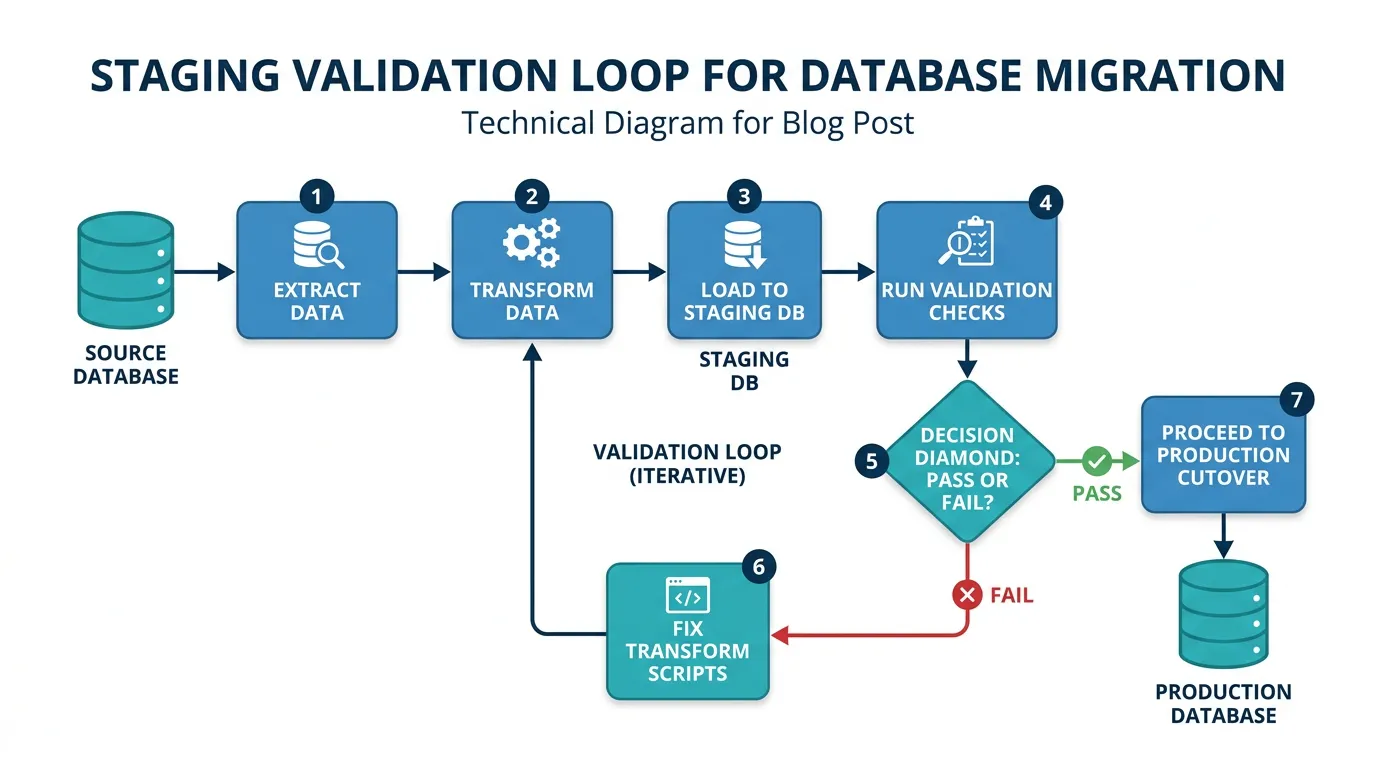
Never migrate directly to production. Always migrate to a staging environment first, validate, fix issues, and repeat until the staging migration runs cleanly. Teams that skip staging validation discover data problems on cutover weekend — the worst possible time to debug.
The Validation Checklist
- Record count parity: For every data type, compare the record count in Bubble to the record count in PostgreSQL. They should match (minus intentionally excluded records like test data or orphans).
- Relationship integrity: For every foreign key, verify that every referenced record exists. Run:
SELECT COUNT(*) FROM projects WHERE creator_id NOT IN (SELECT id FROM users). The result should be zero. - Junction table completeness: For every list field that became a junction table, verify that the relationship count matches. If a Project had 5 members in Bubble, the junction table should have 5 rows for that project.
- Data type validation: For every column, verify that values conform to the SQL type. No text in number columns, no invalid dates, no malformed URLs in file columns.
- File accessibility: Load a random sample of 100 file URLs from the new storage and verify they return 200 OK with correct content types.
- Application smoke test: Run your new application against the staging database and verify that key pages load, lists display correct data, and user profiles show the right information.
The Staging Loop
Expect to run 2 to 4 staging migrations before cutover. Each run surfaces new issues: a field type mismatch, a relationship that was not in the initial schema mapping, a batch of records with unexpected NULL values. Fix the issue in your transform scripts, re-run the entire pipeline, and validate again. This loop is not overhead — it is the process that prevents cutover failures.
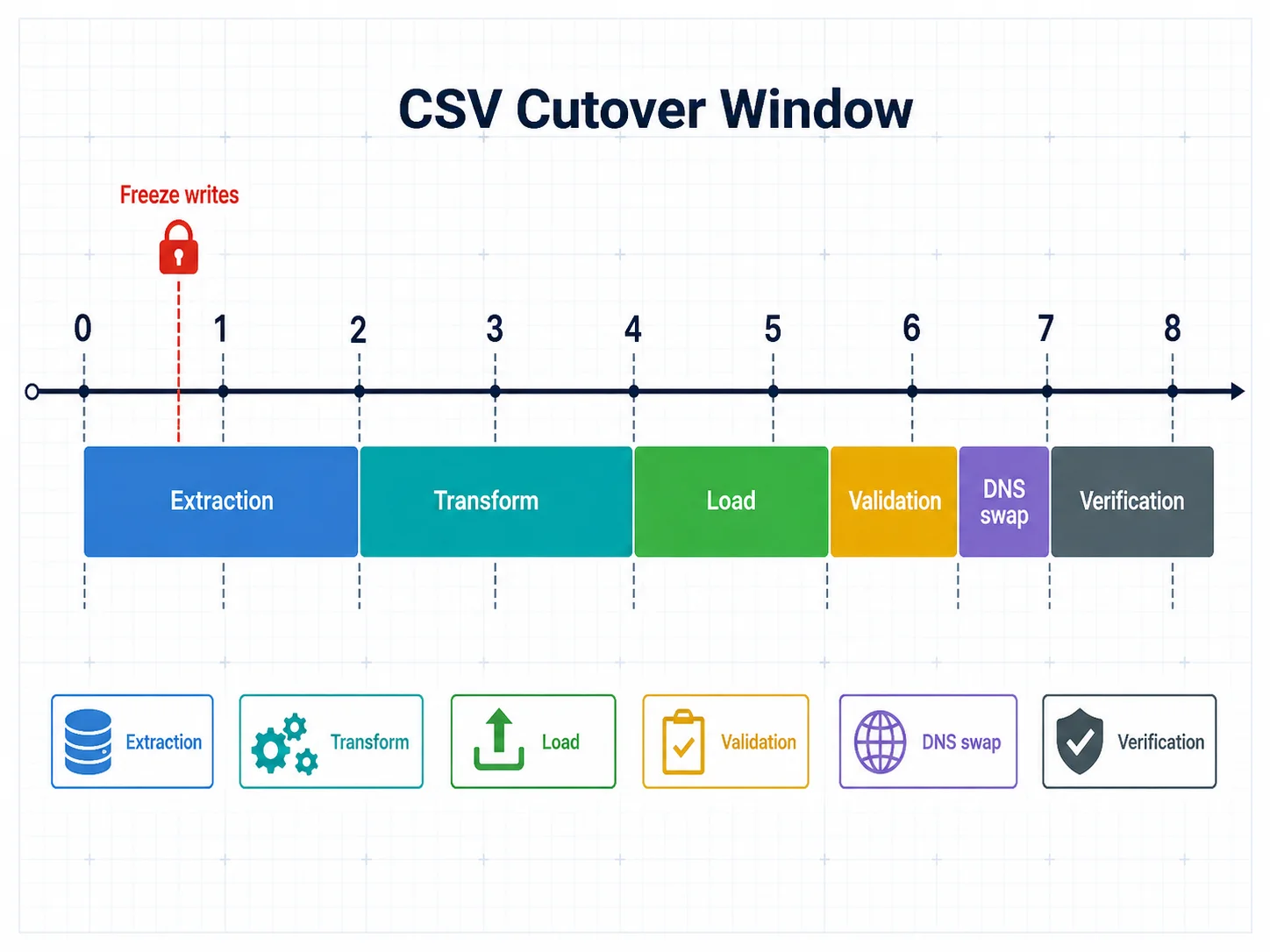
Your final migration must happen on real-time data — not an export from last week. Plan a cutover window: freeze writes to Bubble (read-only mode), run the final extraction, transform, and load pipeline, validate in staging, swap DNS to the new application, and verify in production. For apps under 100,000 total records, this window is typically 4 to 8 hours. For larger apps, plan for 12 to 24 hours.
Frequently Asked Questions
Q. How long does data migration take for a typical Bubble app?
The ETL pipeline itself runs in hours — extraction takes 1 to 4 hours for large apps, transformation takes 30 to 60 minutes, and loading takes 15 to 30 minutes. The real time investment is preparation: schema mapping (2 to 5 days), data quality audit and cleanup (3 to 7 days), file migration (1 to 2 days), and 2 to 4 staging validation cycles (1 to 2 weeks). Total elapsed time: 3 to 5 weeks.
Q. Can I migrate data incrementally instead of all at once?
Yes, but it adds complexity. Incremental migration requires tracking which records have changed since the last extraction (using Bubble's modified_date field), handling deletions separately, and resolving conflicts when the same record is modified in both systems during a parallel-run period. For most teams, a single cutover migration with a planned downtime window is simpler and safer.
Q. What happens to Bubble's unique IDs after migration?
Bubble IDs (format: 1609459200000x123456789) are replaced with your new ID format — UUIDs, ULIDs, or auto-incrementing integers. A mapping table preserves the relationship between old and new IDs for debugging and audit purposes. Do not try to reuse Bubble IDs as your primary keys — they are strings optimized for Bubble's internal engine, not for SQL query performance.
Q. How do I handle Bubble's geographic address fields?
Bubble stores geographic addresses as objects with street, city, state, country, latitude, and longitude. You have two options: store as JSONB for simplicity (preserves the full object), or normalize into separate columns (street VARCHAR, city VARCHAR, lat NUMERIC, lng NUMERIC) for query performance. If your app does proximity searches, use PostGIS with a GEOGRAPHY column type.
Q. Should I clean data before or during migration?
Both. Clean known issues before migration — deduplicate records, resolve orphaned references, delete test data — to reduce the volume of data going through the pipeline. Handle remaining issues during the transform phase — type conversions, NULL defaults, format normalization — as part of the automated pipeline. This two-pass approach catches problems that manual cleaning misses.
Q. What if my Bubble app has more than 500,000 records?
Use the Data API instead of CSV export, implement pagination with cursor-based extraction (not offset-based, which degrades at scale), use PostgreSQL COPY for bulk loading instead of INSERT statements, and run the pipeline during off-peak hours. Consider partitioning large tables by date or tenant if query performance is a concern. For apps above 1 million records, consult a database engineer before designing the migration pipeline.
Migrate Data Like a Database Engineer
- Bubble exports records, not schemas: CSV files contain data but not the field types, relationships, or constraints your SQL database needs. Architecture documentation — ERD diagrams, DDL scripts, data dictionaries — fills the gap between what Bubble exports and what migration requires.
- List fields create junction tables: Every list field in Bubble becomes a separate junction table in SQL. An app with 15 list fields generates 15 additional tables. Plan for this in your schema design and your ETL scripts.
- Data quality debt is real: Orphaned records, NULL fields, inconsistent types, and duplicates accumulate in every production Bubble database. Budget 30 to 50 percent of data migration time for cleanup — this is not optional overhead, it is required work.
- Migrate files before cutover: Download every file from Bubble's CDN, re-host on your own storage, and rewrite URLs in your database. Do not depend on Bubble's CDN after migration.
- Stage before you cut over: Run 2 to 4 complete migration cycles against a staging database. Each cycle surfaces issues that would otherwise appear on cutover weekend. The staging loop is the process — not a delay.
Data migration is engineering, not copying. The teams that treat it as a CSV export discover their problems in production. The teams that build a proper ETL pipeline with staging validation discover them in a spreadsheet — weeks before cutover, when fixing them is cheap.
Get Your Schema Documentation Before You Migrate Data
Relis extracts your complete Bubble data schema — every type, every field, every relationship — into ERD diagrams and DDL scripts ready for PostgreSQL or MySQL. Start your data migration with the blueprint, not guesswork.
Scan My App — FreeSee Your Bubble Architecture — Automatically
Stop reverse-engineering by hand. Relis extracts your complete database schema, API connections, and backend workflows in under 10 minutes.
See Your Bubble Architecture — Automatically
Stop reverse-engineering by hand. Relis extracts your complete database schema, API connections, and backend workflows in under 10 minutes.