Anatomy of a Bubble App: The 4 Layers Every Migration Team Misses
Most Bubble migration quotes miss the layers below the visible surface. This guide breaks down data, APIs, workflows, and settings — and why each matters for accurate scoping.
23 min read
Migration agencies quote Bubble-to-code projects every week. And in our experience reviewing post-mortems, a meaningful share of those quotes come back wrong — not by a marginal amount, but by a margin large enough to reshape the project. The client signs, the project starts, and somewhere around week six the team discovers a wall of backend workflows they never scoped, or a cluster of API integrations with retry logic no one documented, or an app settings layer whose Stripe and email configurations require full reconstruction from scratch.
The pattern is consistent enough to suggest a structural cause rather than careless estimation. When an agency scopes a Bubble migration from the editor alone, they are looking at the surface of the application — the parts that are visible without deliberate navigation. The parts that are invisible require knowing where to look. Most teams do not look, because they do not know that those parts exist as separate, distinct layers with their own scope weight.
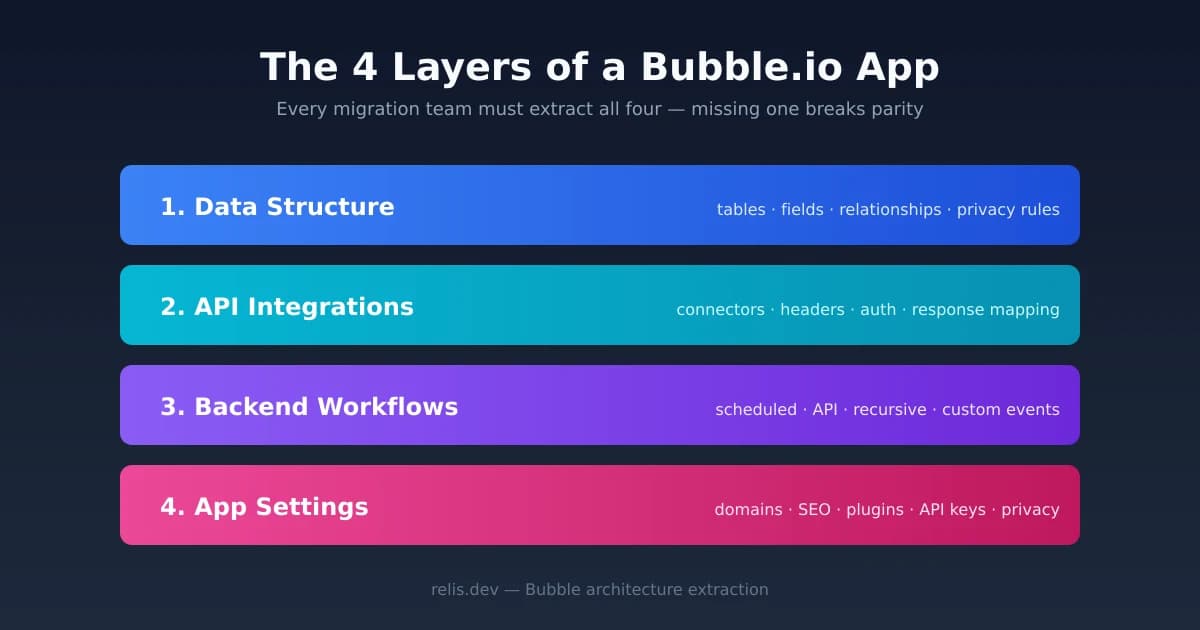
A Bubble.io application has four architecture layers: data structure, API integrations, backend workflows, and app settings. Each layer carries its own migration workload. Each can be documented, estimated, and priced. But only if you have seen it. This article breaks down what each layer contains, why two of them are routinely missed during scoping, and how to surface all four before you write a quote or sign a contract.
Why 'Just Look at the Editor' Fails
The Bubble editor is a visual interface built for building, not for auditing. When you open a Bubble app as a viewer or collaborator, the screen presents pages, UI elements, and a data tab. That presentation creates a mental model: the app is its pages and its data. Both are visible. Both are countable. A scoping team can click through twelve pages, count twenty data types, and arrive at a number with genuine confidence — and be completely wrong.
The Visible Surface
Two things are genuinely visible without navigation effort. Data types appear in the Data tab: their names, field counts, and field types are readable at a glance. Pages appear in the page selector: the number of pages gives a rough proxy for frontend complexity. Both are real inputs to a migration estimate. Neither is sufficient.
The Invisible Interior
Four things require deliberate navigation to find, and are therefore routinely skipped during fast scoping sessions. Backend workflows live on a separate editor screen — not the Data tab, not any page — labeled "Backend workflows." A team that does not navigate there will not know those workflows exist. API Connector configurations are accessible through the plugin menu, but the authentication headers, token structures, and per-call parameters are nested several clicks deep and are easy to misread as simpler than they are. Privacy rules occupy their own tab within each data type — not the type overview, but a separate sub-panel. And app settings are scattered across a Settings tab with a dozen subsections, none of which appear in any overview.
The result is predictable: teams count what they can see, skip what requires navigation, and produce a scope that covers roughly half the application. The other half appears during implementation, when it is too late to reprice.
Layer 1 — Data Structure
The data layer is the most visible of the four. It is also the most frequently documented — and the most frequently documented incompletely. Understanding what "complete" means for this layer is the first step toward a scope that holds.
What the Data Layer Contains
A Bubble data structure consists of custom data types, each with a set of fields. Each field has a type — text, number, date, boolean, file, a reference to another data type, or a list of any of those. The relationships between types (one-to-many, many-to-many implemented through list fields) define the relational structure of the application. Layered on top are privacy rules: per-type access rules that govern which users can view, create, modify, or delete records, with conditions that can reference the current user, field values, or roles.
Privacy rules are the most commonly missed component of the data layer. They do not appear in the data type overview. Each type has a separate Privacy tab, and a typical production app has non-trivial conditions in those rules that encode authorization logic — the same logic that must be rebuilt as middleware or row-level security in the target stack. Migrating Bubble privacy rules to code is a scope item in its own right, not a footnote to the data migration.
Option Sets: The Invisible Enums
Option Sets are Bubble's equivalent of enums or lookup tables. They define fixed sets of values — plan tiers, status codes, role names, category labels — that are referenced throughout the data model and workflows. They do not appear in the Data tab's type list. They live in a separate Option Sets section. Option Sets in the apps we have extracted typically number from a handful to a few dozen. In the target stack, each becomes an enum type or a reference table. Missing them at scope time means missing a nontrivial schema design task. Bubble database design patterns that use Option Sets heavily require careful mapping to avoid data integrity problems after migration.
| Bubble Component | Code Equivalent | Migration Task | Often Missed? |
|---|---|---|---|
| Custom data type | Database table / ORM model | DDL + ORM schema definition | No |
| Field (scalar) | Column (typed) | Column definition + type mapping | No |
| Field (reference) | Foreign key + relation | FK constraint + ORM relation | Sometimes |
| Privacy rules | Row-level security / middleware | Auth logic rebuild per type | Frequently |
| Option Sets | Enum type / lookup table | Enum definition + data seeding | Frequently |
| Calculated fields | Computed property / DB view | Logic extraction + reimplementation | Often |
Complete data layer documentation produces an ERD diagram, a DDL script ready for PostgreSQL or MySQL, a table specification with field-level detail, and a data dictionary explaining the business meaning of each field. The Bubble data migration playbook covers the full sequence from extraction to seeding in the target database.
Privacy rules encode authorization logic that must be rebuilt as middleware or row-level security in your target database. Before finalizing your ERD, list every privacy rule condition for every data type. Rules that reference the current user, role fields, or parent record ownership each map to a distinct middleware pattern. A single undocumented privacy rule becomes a security gap that may not surface until a penetration test — or a user complaint.
Layer 2 — API Integrations
The API integration layer is semi-visible. The API Connector plugin appears in the plugin list. Each connector has a name. A scoping team can count five or eight connectors and note that the app integrates with Stripe, Twilio, and a few others. What they cannot see without deliberate inspection is what those connectors actually do — and that gap is where the most expensive migration surprises originate.
What the API Layer Contains
Each API Connector configuration in Bubble stores endpoint URLs, authentication methods (bearer token, API key, OAuth2), custom request headers, query parameters, and JSON body structures for each API call. Plugins contribute their own third-party API calls — many Bubble plugins are thin wrappers around external services, and the actual HTTP surface they expose is not documented anywhere in the Bubble editor. Rebuilding these integrations in code requires knowing the exact endpoint, the auth pattern, the expected request shape, and the error handling behavior expected by the downstream service.
What Gets Missed
Three things consistently escape documentation during API layer scoping. First, the authentication configuration — API keys and tokens are often obscured or marked as sensitive in the connector UI, causing reviewers to skip the detail. Second, the call-level parameters: a single API Connector can have eight named API calls, each with different headers and body shapes, that represent distinct integration touchpoints. Third, plugin-sourced API calls: when a Bubble plugin handles an integration (payment processing, address validation, file storage), the underlying API surface is invisible unless the reviewer knows to check the plugin's documentation against what is configured in the app.
The total number of external API endpoints your rebuilt application must support is not the number of API Connectors — it is the sum of every named call across all connectors, plus every third-party service invoked by plugins. These are separate scope items. Document each one before writing a quote.
The migration consequence is concrete: in our experience, API integrations rank among the most common sources of post-launch failures after a Bubble migration. Rate limiting policies, retry logic, and webhook verification requirements that were never documented become production incidents. Migrating Bubble API Connector configurations to code requires per-call documentation, not just a connector count.
Layer 3 — Backend Workflows
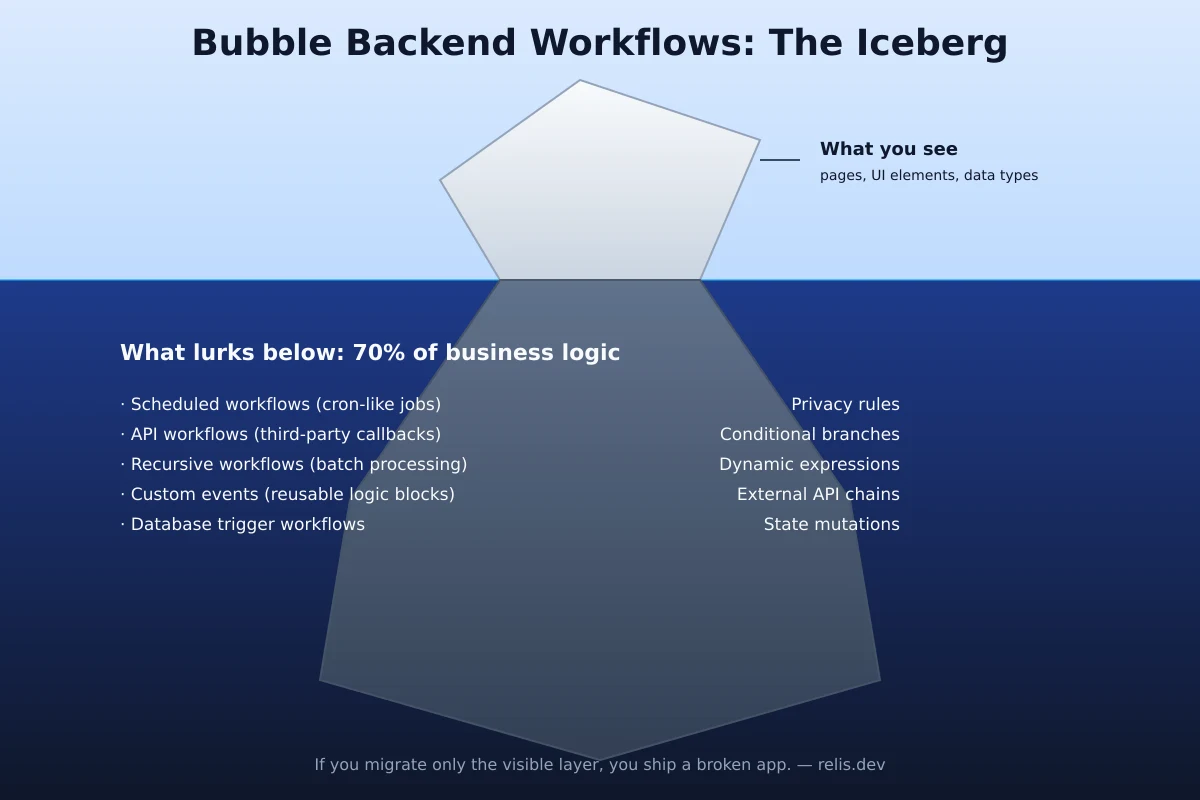
Backend workflows are the most consequential layer for migration scoping and the most reliably invisible to teams that do not know to look for them. They are where the business logic lives — the logic that makes the application do what it does beyond storing and displaying data. Underestimating this layer is the single leading cause of Bubble migration overruns.
What the Backend Workflow Layer Contains
Bubble's backend workflow system runs on a dedicated editor screen that is entirely separate from the page designer. It contains four categories of server-side logic. API workflows are callable endpoints — functions that can be triggered via HTTP request from external systems or from frontend workflows. Database triggers fire automatically when records are created, updated, or deleted. Recurring events are scheduled jobs — run hourly, daily, weekly, or on a custom interval. Custom events are internal triggers, callable from other workflows, that function as named subroutines.
Each workflow contains a trigger definition, optional conditions (which determine whether the workflow runs at all), and a sequence of action steps. Action steps can modify database records, send emails, call API connectors, create child workflows, or trigger other custom events. In the apps we have extracted, this layer typically dominates the workflow count and covers payment processing, notification delivery, data aggregation, access control enforcement, and scheduled maintenance tasks.
What Gets Missed
Two patterns cause recurring scope misses in the backend workflow layer. Recursive workflows — where a workflow schedules a copy of itself to run again — implement looping behavior in Bubble's non-loop execution model. They appear as a single workflow in the list but represent unbounded iteration logic that requires a queue-based redesign in code. Conditional branching — where a workflow has multiple condition groups that produce different action paths — is easy to undercount as a single workflow when it is functionally several distinct execution paths that each require separate implementation.
The migration translation for converting Bubble backend workflows to background jobs is not one-to-one. API workflows become REST handlers. Database triggers become ORM hooks or database-level triggers. Recurring events become cron jobs or scheduled queue processors. Custom events become named functions or queue job types. Each translation requires design judgment, not just transcription — and that judgment costs engineering time that must appear in the scope.
| Bubble Trigger Type | Code Equivalent | Migration Complexity |
|---|---|---|
| API Workflow | REST endpoint / webhook handler | Medium — requires auth + routing |
| Database Trigger Event | ORM lifecycle hook / DB trigger | Medium-High — conditional logic varies |
| Recurring Event | Cron job / scheduled queue processor | Medium — requires scheduler setup |
| Custom Event | Named function / queue job type | Low-Medium — depends on call depth |
| Recursive Workflow | Queue-based loop with termination condition | High — requires architectural redesign |
Layer 3 is, in the projects we have audited, the largest single bucket of backend engineering time — often by a wide margin over data and API work combined. It is also the layer where business logic errors — incorrect translation of a workflow condition, missed branching path, or unhandled edge case — produce the most visible production failures. Incomplete documentation going into a migration does not save time. It defers the discovery cost to a point where it is multiplied by debugging overhead.
Layer 4 — App Settings
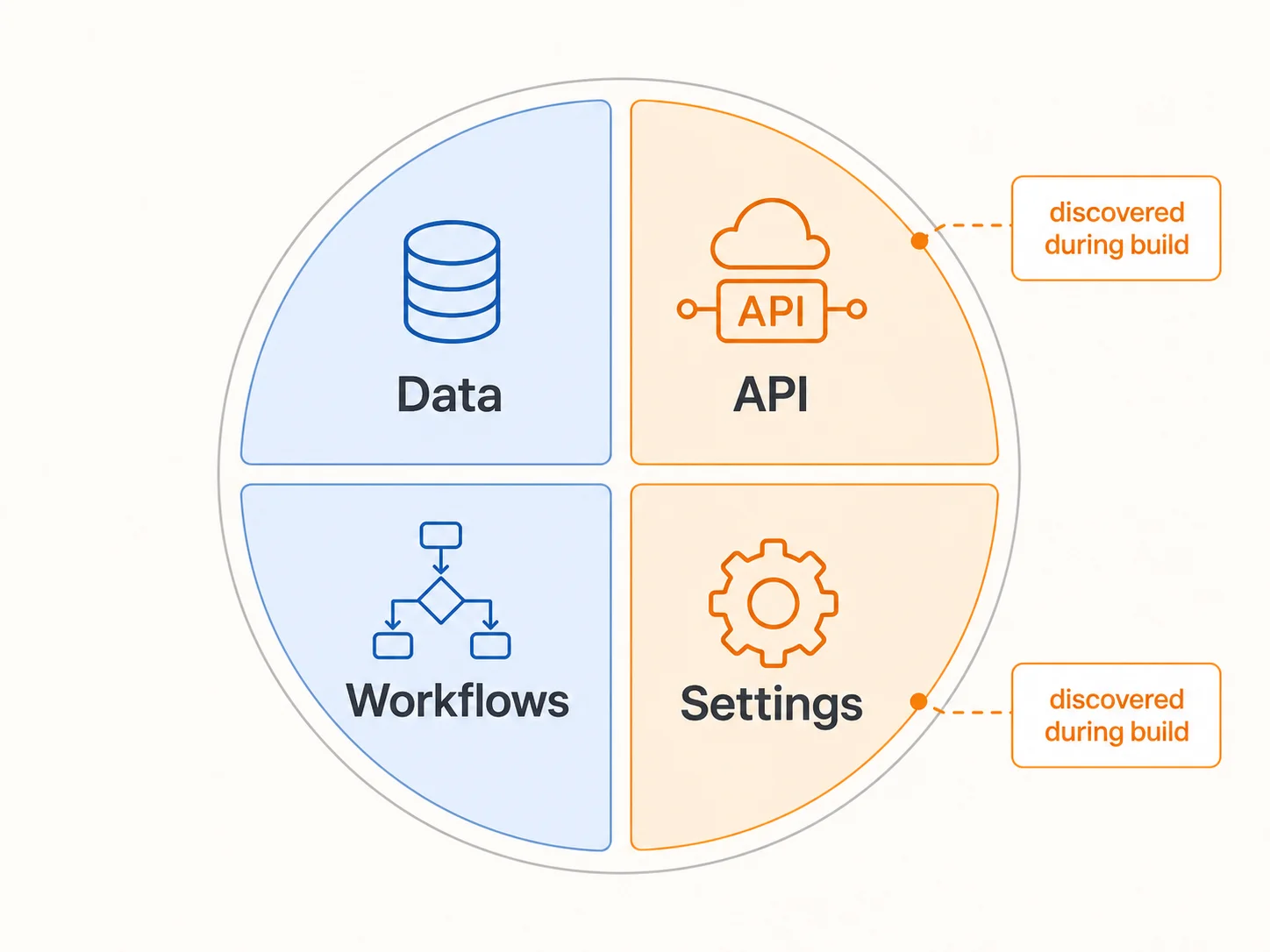
App settings is the layer that migration teams most consistently treat as a postscript — the last few items on the checklist, addressed during deployment. That treatment is wrong, and the miscategorization creates predictable problems at the final stages of a project when timelines are tightest.
What the App Settings Layer Contains
Bubble's Settings tab contains a dozen subsections covering domain configuration (custom domain, SSL), SEO defaults (page title templates, meta description templates, social sharing images), language settings, privacy policy URLs, and third-party service integrations. The service integrations subsection is where payment processing (Stripe publishable and secret key configuration, webhook endpoint registration), transactional email providers (Sendgrid, Mailgun, or Postmark API keys), and analytics integrations (Google Analytics tracking IDs, Facebook Pixel) live.
Each of these is an independent migration task. Domain configuration requires DNS changes, SSL provisioning at the new hosting provider (Vercel, Cloudflare, or equivalent), and redirect rule setup to preserve incoming link equity. SEO defaults that Bubble handles automatically — canonical tags, sitemap generation, robots.txt — require explicit implementation in the target framework. The equivalent in a Next.js application is manual metadata configuration per page, a sitemap generation script, and a static robots.txt file. None of this is complex, but all of it is billable scope that does not show up in a data-and-workflows audit.
Why It Gets Skipped
The app settings layer contains no code-equivalent concepts that feel like "engineering work" to a scoping team primarily thinking in terms of data models and API routes. Domain configuration sounds like DevOps. SEO sounds like marketing. Email provider setup sounds like configuration, not development. The result is that these items are either omitted from the scope or estimated in aggregate as a two-day "deployment and go-live" line item — which is sufficient for straightforward cases and catastrophically insufficient for apps with complex Stripe webhook configurations, multiple active email flows, or SEO-dependent traffic.
The Stripe webhook reconnection case is worth isolating. A Bubble app that processes payments has a Stripe webhook endpoint registered in the Stripe dashboard pointing at Bubble's infrastructure. After migration, that endpoint must be updated to point at the new application's webhook handler, the handler must implement Stripe's signature verification, and every webhook event type the app subscribes to must have a corresponding handler implemented and tested. Missing this during scoping means discovering it during go-live, when it blocks payment processing from day one.
Walk through every subsection of Bubble's Settings tab and create a checklist: custom domain and SSL setup, SEO metadata, email provider API keys, analytics tracking IDs, and every registered webhook endpoint. Assign a migration task and owner to each item. This inventory takes two hours before the project starts — and prevents multi-day go-live delays when these items surface at the last minute under deadline pressure.
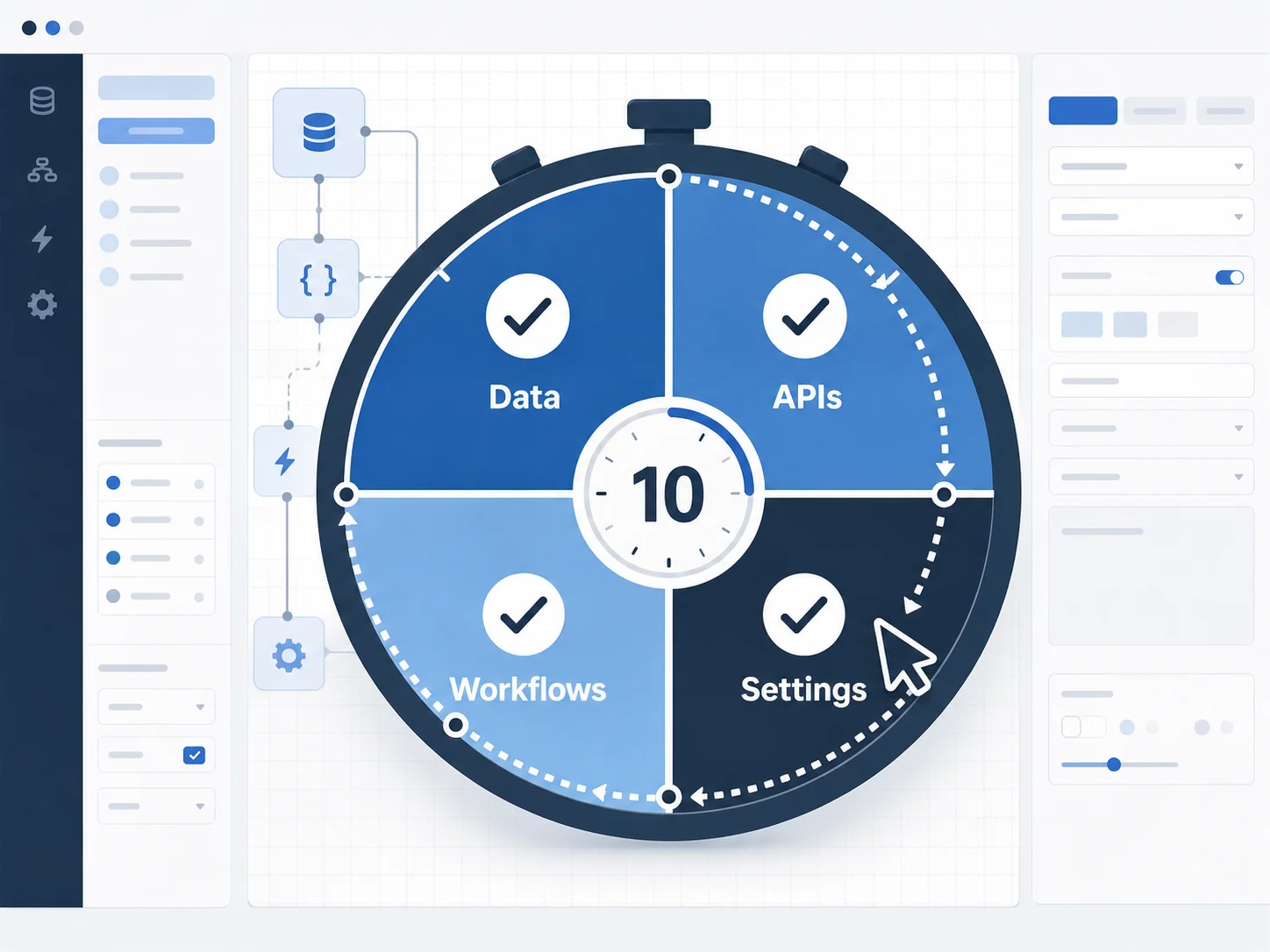
How to Audit All 4 Layers in 10 Minutes
Manual auditing of all four layers is possible. The process involves navigating the Bubble editor systematically: Data tab for types and fields, Privacy sub-tabs for each type, Option Sets section, API Connector plugin configuration, Backend Workflows screen (with every workflow opened and documented), and Settings tab (all subsections). For a medium-complexity app, this measures in weeks of professional effort and scales with workflow density and integration count. The output is accurate if the auditor is thorough. Most scoping engagements do not allocate that block of time before writing a quote.
Relis extracts all four architecture layers automatically — without write access to your Bubble app. The extraction navigates the editor programmatically — reading every data type, field, and privacy rule; every API Connector call configuration; every backend workflow with its triggers, conditions, and action sequences (workflow extraction depth depends on plan tier); and every app settings subsection — and generates nine standardized documentation outputs, typically in under ten minutes for medium-complexity apps.
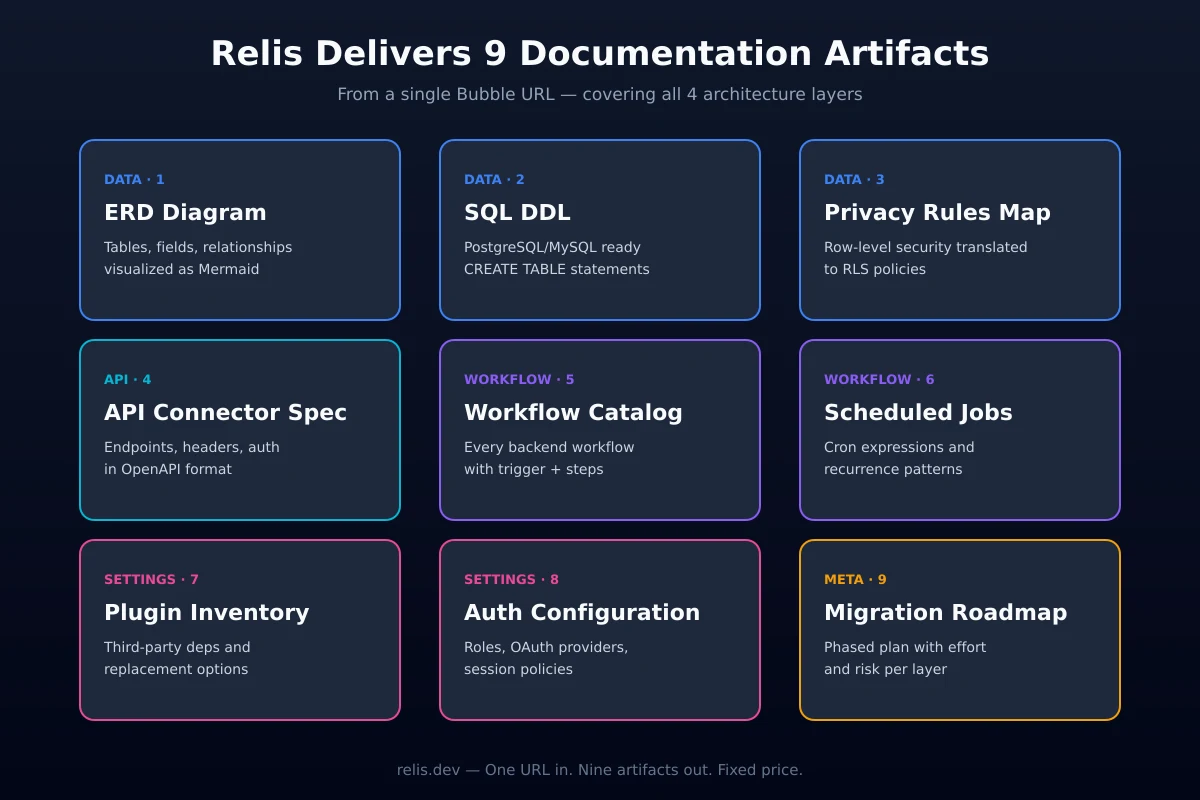
Layer-to-Deliverable Mapping
Each of the nine outputs maps directly to one or more architecture layers:
- Layer 1 (Data Structure): ERD diagram, DDL script, table specification, data dictionary, enum/constants definition
- Layer 2 (API Integrations): API specification document per connector
- Layer 3 (Backend Workflows): backend workflow documentation with trigger conditions and action sequences, workflow screenshots
- All Layers: full markdown export structured for AI coding tools (Cursor, Claude, Copilot)
The full markdown export is the input that allows an AI coding assistant to generate a target-stack implementation from the documented Bubble architecture — rather than from a walkthrough call and a partial mental model. Complete four-layer documentation gives a migration team scope coverage that an editor walkthrough cannot match — every workflow, every API call, every privacy rule visible in the same artifact.
The comparison is straightforward: weeks of manual auditing at agency rates versus minutes of automated extraction. The output quality is not a trade-off — automated extraction covers the layers that manual audits routinely miss, including scheduled backend workflows and nested API connector parameters. If you are quoting a Bubble migration or preparing one, the audit should come first. Try Relis Free and have all four layers documented before the first scoping call.
Frequently Asked Questions
Q. Can I just export from Bubble and skip the architecture audit?
No. Bubble's native export covers database records in CSV, JSON, or NDJSON format — one table at a time. As Bubble's own documentation states, there is no way to export your application as code. Workflows, API connector configurations, privacy rules, and app settings have no export path. A data export tells you what your app stores. An architecture audit tells you what your app does. These are different things, and only the second one supports accurate migration scoping.
Q. Which layer takes the longest to migrate?
Layer 3 — backend workflows — is the largest single bucket of backend engineering time in the projects we have audited, often by a wide margin over data and API work combined. This is because workflows contain the business logic that must be translated into server-side code, and that translation requires design judgment, not just transcription. Every workflow trigger type maps to a different code architecture pattern (REST handler, cron job, ORM hook, queue processor), and each pattern requires independent implementation and testing.
Q. Do I need to document Layer 4 if I am redesigning the frontend entirely?
Yes. Layer 4 contains service integrations — Stripe, email providers, analytics — that must be reconnected regardless of whether the frontend changes. A full frontend redesign does not reset the requirement to register new webhook endpoints with Stripe, reconfigure email provider API keys, or implement SEO metadata that Bubble previously handled automatically. Treating app settings as a deployment afterthought causes go-live delays on the day when downtime is most visible to users.
Q. Can AI tools handle Bubble migration without documentation?
No. AI coding tools generate code from structured input — they do not reverse-engineer undocumented systems. An AI assistant given editor access to a Bubble app cannot read workflows, inspect API connector configurations, or enumerate privacy rules. It can only describe what is visible. An AI assistant given complete four-layer documentation — ERD, DDL, API specs, workflow docs — can generate target-stack implementations with high fidelity. The documentation is the input that makes AI-assisted migration possible at speed.
Q. How long does a manual audit of all four layers take?
For what we informally call a medium-complexity Bubble app — a few dozen data types, scores of workflows, and roughly a dozen API integrations — a thorough manual audit of all four layers measures in weeks of professional effort, scaling with workflow density and the number of nested API call configurations. Teams that attempt to compress this to two or three days produce incomplete documentation that misrepresents scope, typically in the backend workflows and privacy rules sections where the most billable complexity is hidden.
Quote Like You've Seen All 4 Layers
A Bubble migration quote that is based on page count and data type count is a quote based on roughly half the application. The other half — backend workflows, API connector configurations, privacy rules, Option Sets, and app settings — determines whether the project comes in on budget or runs two to four times over. The difference between these outcomes is not engineering skill. It is documentation completeness before the first line of code is written.
Every layer that is missing from a scope is a discovery that happens during implementation, at a point where the cost to address it is multiplied by schedule pressure, client expectations, and the sunk cost of work that depended on the incomplete model. The migration industry's track record on Bubble projects reflects this: overruns are not random. They concentrate in the layers that were not audited.
The four-layer model — data structure, API integrations, backend workflows, app settings — is not a framework for making migrations harder. It is a framework for making them accurate. When you have seen all four layers, you can scope what you are actually building. When you have not, you are quoting a project you have not yet discovered.
Extract All 4 Layers Before You Quote
Relis documents your Bubble app's complete architecture — data schemas, API specs, backend workflows, and app settings — across all four layers and nine document types. Viewer-only access. Under 10 minutes. No risk to your production app.
Extract All 4 Layers FreeReady to Plan Your Migration?
Get a complete architecture blueprint — ERD, DDL, API docs, workflow specs — everything your developers need to start rebuilding.
Ready to Plan Your Migration?
Get a complete architecture blueprint — ERD, DDL, API docs, workflow specs — everything your developers need to start rebuilding.