Bubble Privacy Rules Are Business Logic — Here's How to Translate Them to Code
Bubble.io privacy rules do more than control access — they filter queries, enforce business logic, and shape data visibility. This guide maps every Bubble privacy rule pattern to its code equivalent: PostgreSQL Row-Level Security, API middleware, and role-based access control.
19 min read
Every migration guide tells you to translate your Bubble data model into a SQL schema and your backend workflows into background jobs. Almost none of them tell you what to do with privacy rules — and that omission causes more post-launch security bugs than any other documentation gap.
In most web frameworks, authorization is something you add on top of your data model. In Bubble, authorization is woven into the data model itself. Privacy rules do not just control who can see what — they change what data is returned by every search, every list display, and every API response. When you migrate without translating these rules, your new app either leaks data (no rules) or breaks features (wrong rules). This guide maps every Bubble privacy rule pattern to its code equivalent.
Privacy Rules Are Not What You Think They Are
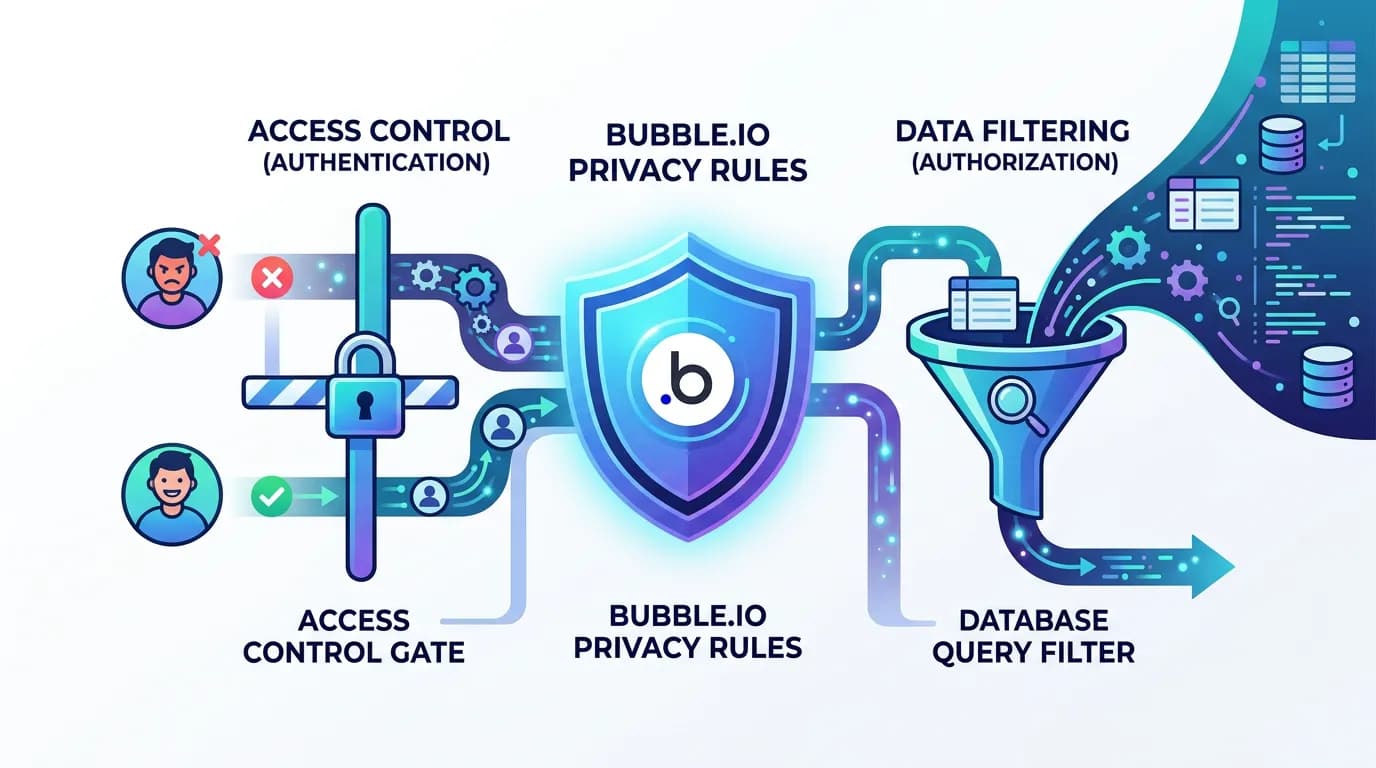
Developers new to Bubble assume privacy rules are access control — the equivalent of middleware that checks permissions before serving a response. This is only half true. In Bubble, privacy rules have a dual function that makes them far more impactful than simple access checks.
Function 1: Access Control
Privacy rules determine which operations (Search, View all fields, View specific fields, Modify, Delete) each user can perform on each data type. A rule like "Only the Creator can delete" prevents unauthorized deletion. This maps straightforwardly to authorization middleware in any web framework.
Function 2: Query Filtering
This is the part that catches migrating teams off guard. In Bubble, when a privacy rule says "User can only search for Things they created," it does not just block unauthorized access — it silently filters every search result. A repeating group showing "All Projects" actually shows "All Projects where Current User is Creator" because the privacy rule acts as an invisible WHERE clause. Remove this rule during migration and suddenly every user sees every project. Add it incorrectly and users see nothing.
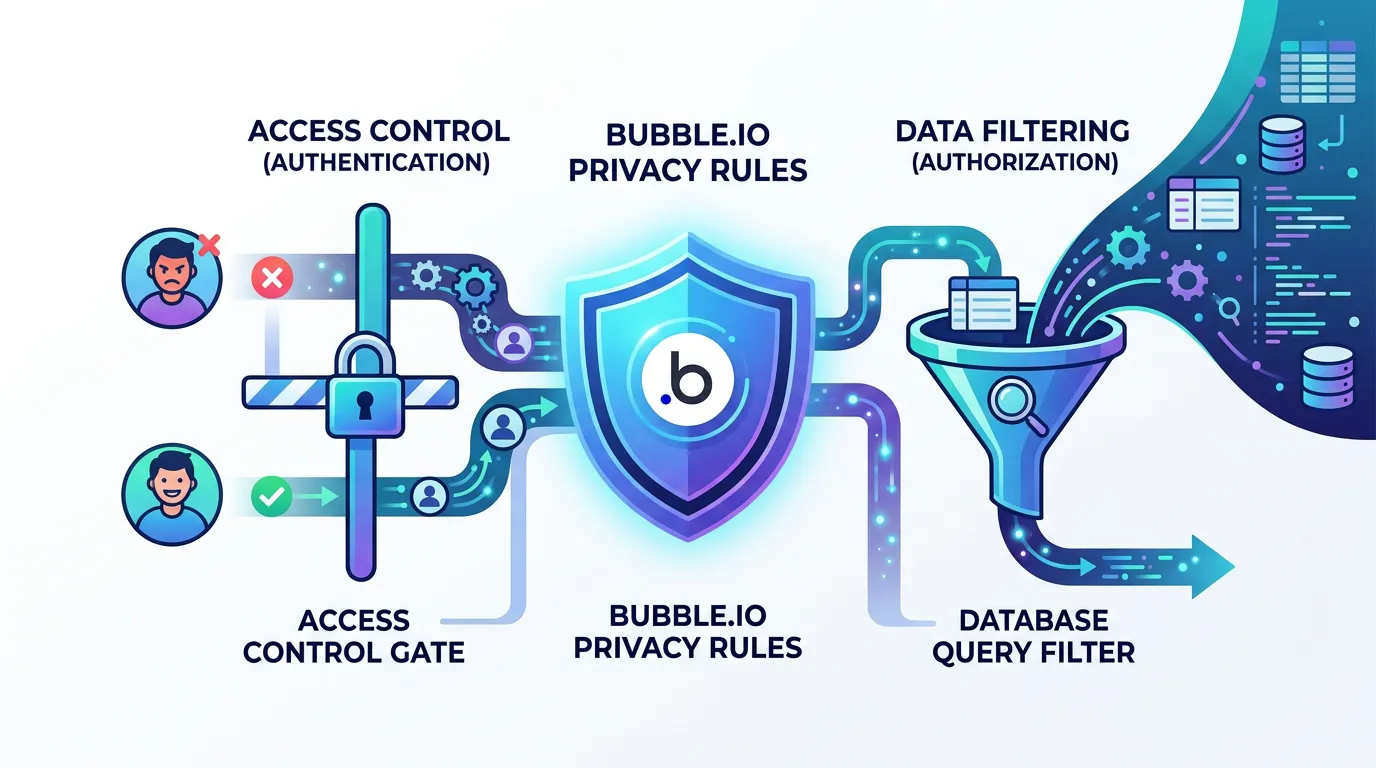
If you migrate your data model and API endpoints without translating privacy rules, your application has zero authorization by default. Every authenticated user can read, modify, and delete every record. This is not a theoretical risk — it is the default state of a migrated app that skipped privacy rule translation. The first person to notice will likely be a user who sees someone else's data.
The Four Privacy Rule Patterns in Bubble
Across the Bubble applications we have audited and the patterns documented in published authorization guides, privacy rules follow four consistent patterns. Each pattern maps to a specific authorization strategy in custom code.
| Pattern | Bubble Implementation | Code Equivalent | Complexity |
|---|---|---|---|
| Ownership | "Current User is Creator" | PostgreSQL RLS with auth.uid() | Low |
| Role-Based | "Current User's Role is Admin" | RBAC middleware + role enum checks | Low-Medium |
| Relationship-Based | "Current User is in Thing's Members list" | Query scoping with JOIN-based filters | Medium |
| Compound | "Creator OR Admin AND NOT Archived" | Policy engine or combined RLS + middleware | High |
How to Inventory Your Privacy Rules
Before translating anything, you need a complete inventory. In Bubble's editor, open the Privacy tab for each data type and document: the data type name, which operations are controlled (Search, View, Modify, Delete), the condition for each operation, and any field-level restrictions (hiding specific fields from certain users). A medium-complexity app typically has 20 to 50 privacy rules across all data types. Complex apps with multi-tenant architecture can have 80 or more.
Relis extracts privacy rules as part of its architecture documentation — every data type, every rule condition, every field-level restriction — giving your developers a complete authorization specification before they write a single line of code.
Pattern 1: Ownership Rules to Row-Level Security
Ownership rules are the most common pattern. "Current User is Creator" means users can only access records they created. This pattern appears on almost every data type in every Bubble app.
The Bubble Rule
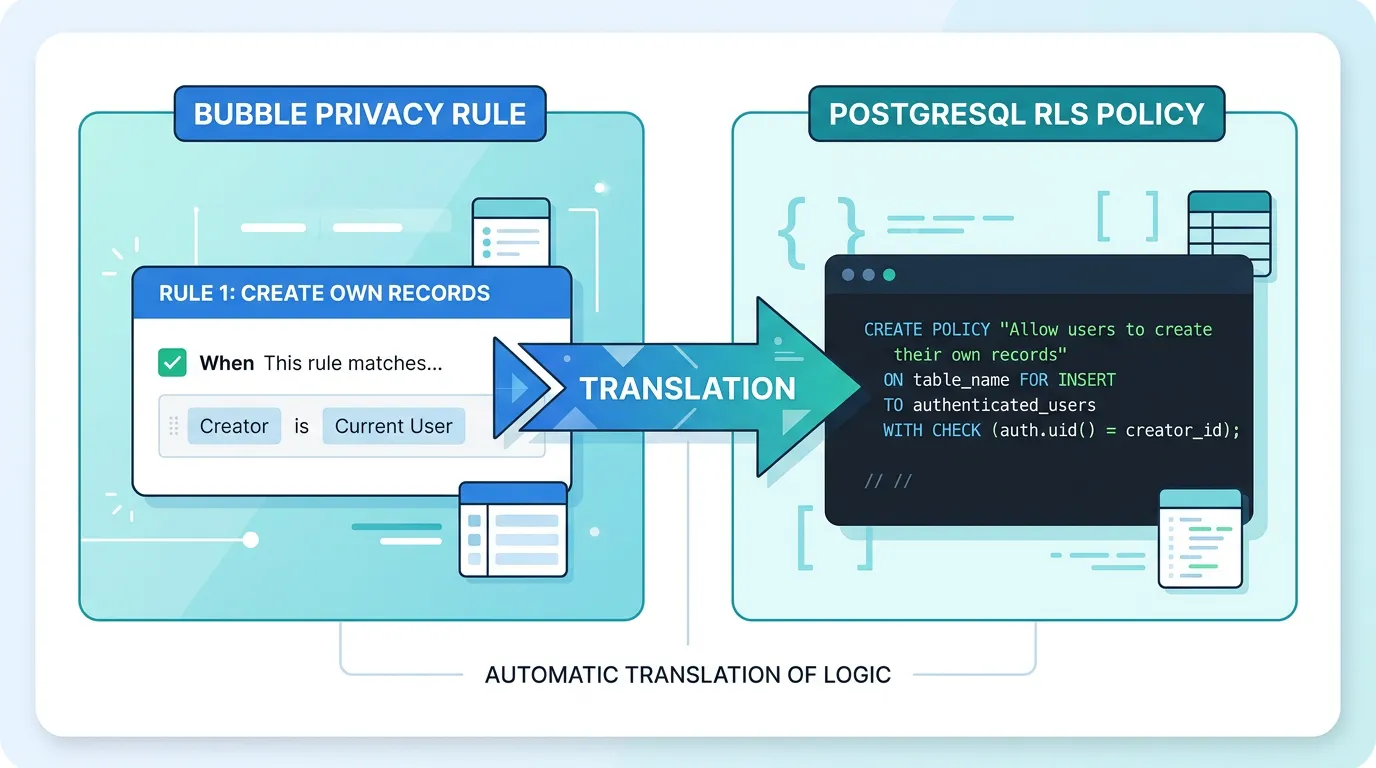
In Bubble's Privacy tab: "Everyone else (default permissions) — this type: Find this in searches: when This Thing's Creator is Current User." This means: when any user searches for records of this type, only return records where the Creator field matches the logged-in user.
PostgreSQL Row-Level Security
PostgreSQL RLS is the most direct translation. It enforces the same filtering at the database level — no application code needed.
The RLS policy attaches to the table and filters every SELECT, UPDATE, and DELETE automatically. Application queries do not need WHERE clauses for authorization — the database handles it. This mirrors Bubble's behavior exactly: the filtering is invisible to the application layer.
When to Use RLS vs. Application Middleware
Use RLS when: the rule is purely data-based (ownership, tenant isolation), you want defense-in-depth (even a bug in your API cannot leak data), and your ORM supports passing the user context to PostgreSQL (Supabase, Prisma with RLS extensions). Use application middleware when: the rule involves complex business logic beyond simple column comparisons, you need to return different error messages for different denial reasons, or your database does not support RLS (MySQL before 8.0, SQLite).
Pattern 2: Role-Based Rules to RBAC Middleware
Role-based rules use a user's role (Admin, Manager, Member, Viewer) to determine access. In Bubble, this is typically implemented with an Option Set for roles and a privacy rule that checks "Current User's Role is [value]."
The Bubble Rule
"Everyone else — this type: Find this in searches: when Current User's Role is Admin or Current User's Role is Manager." Admins and Managers can search all records. Members can only see records they are assigned to (handled by a separate relationship rule).
RBAC Middleware Implementation
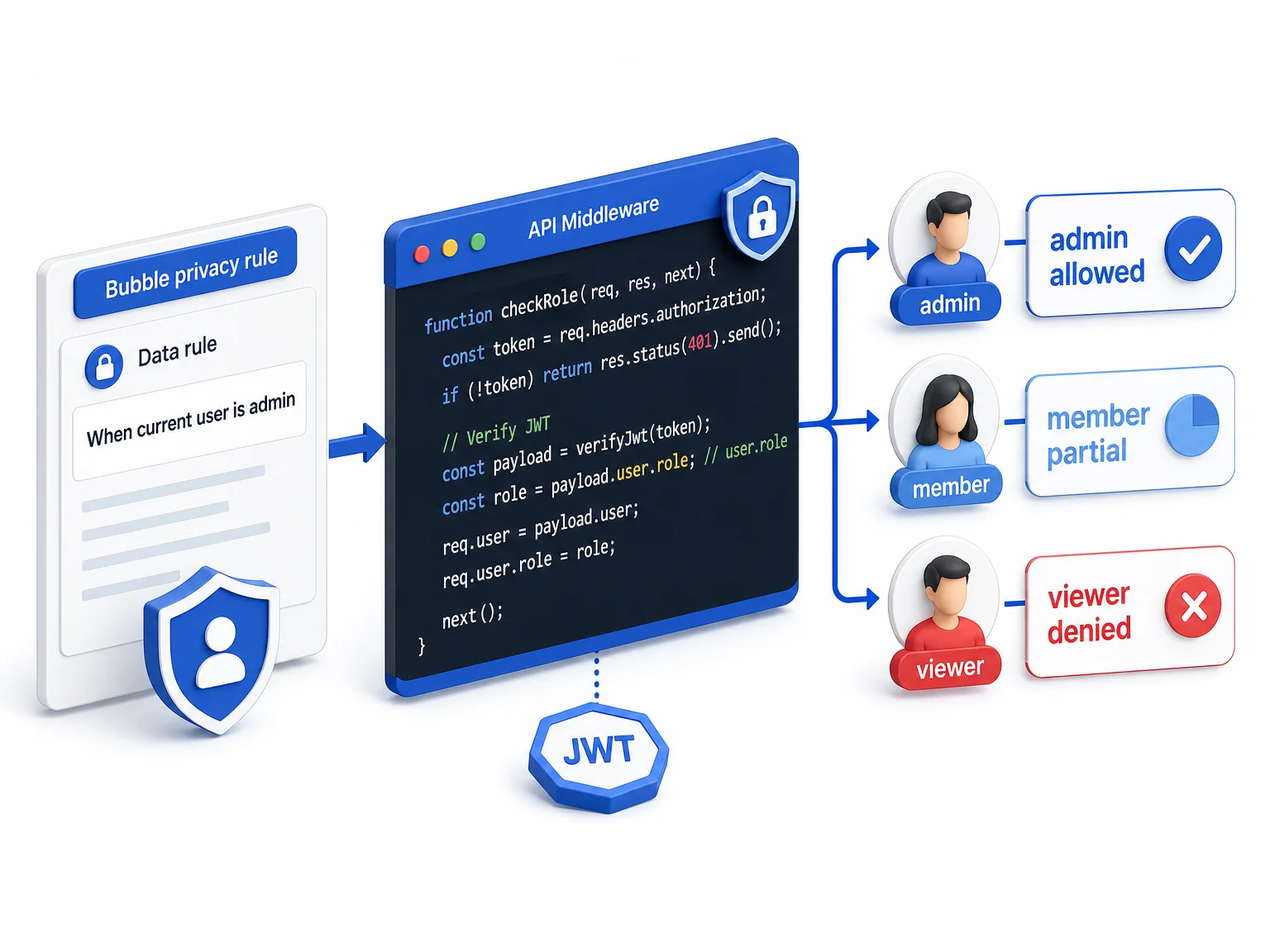
Role-based access control in custom code requires three components: a role definition (enum or reference table), a role assignment (column on the user table or a separate user_roles junction table for users with multiple roles), and authorization middleware that checks the user's role before processing the request.
The middleware pattern is consistent: extract the user's role from the JWT token or session, compare it against the required roles for the endpoint, and reject with 403 Forbidden if the role does not match. For Bubble apps that use Option Sets for roles, the Option Set values map directly to your role enum values.
| Bubble Pattern | Code Implementation | Where to Enforce |
|---|---|---|
| Single role per user (Option Set field) | role ENUM column on users table | API middleware + RLS |
| Multiple roles per user (list of Option Set) | user_roles junction table | API middleware with role lookup |
| Role hierarchy (Admin > Manager > Member) | Role hierarchy function with level comparison | API middleware with hierarchy check |
| Context-dependent role (role varies by project) | project_members junction table with role column | Resource-scoped middleware |
Every Bubble Option Set used in privacy rules should be translated to a PostgreSQL ENUM type or reference table. Document the complete list of values — not just the ones currently in use, but all possible values including deprecated ones that might exist in historical records. The data migration playbook covers Option Set translation in detail.
Pattern 3: Relationship-Based Rules to Query Scoping
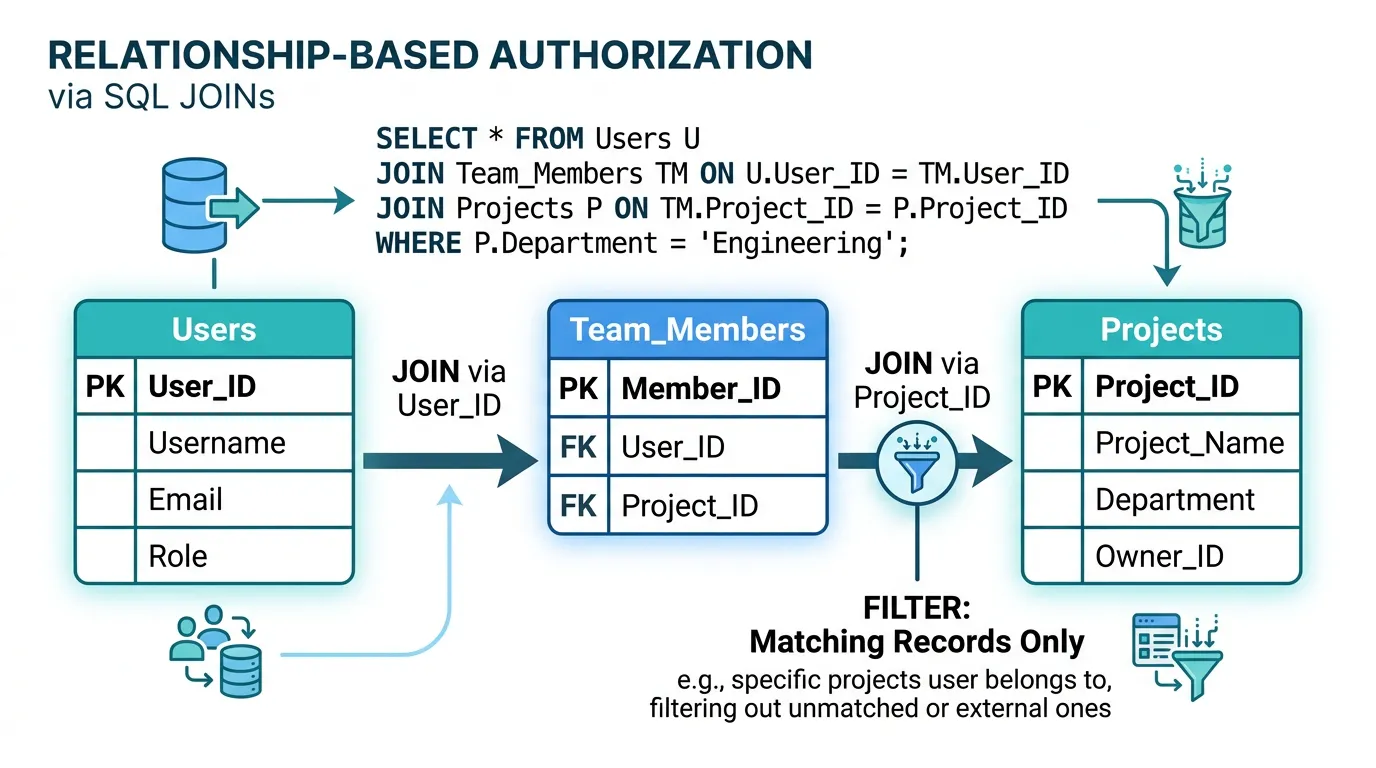
Relationship-based rules are the most complex common pattern. "Current User is in this Thing's Members list" means access depends on a many-to-many relationship between the user and the resource. This is the pattern behind multi-tenant SaaS applications, project management tools, and any app where users belong to teams or organizations.
The Bubble Rule
"Everyone else — this type: Find this in searches: when This Thing's Team's Members contains Current User." This chains two relationships: the Thing belongs to a Team, and the Team has a Members list. Users only see Things that belong to Teams they are members of.
Query Scoping with JOINs
In custom code, relationship-based rules translate to JOIN conditions in your queries. Instead of a simple WHERE clause, you join through the relationship chain: Thing → Team → team_members → user. This ensures that every query only returns records the user has access to through the relationship graph.
The critical implementation detail: this scoping must be applied to every query that touches the data type — not just the main list endpoint, but also search, count, aggregate, and export endpoints. Missing even one endpoint creates a data leak. Consider implementing this as a base query builder that automatically applies the relationship scope, rather than adding WHERE clauses to individual queries.
Performance Considerations
Relationship-based queries are more expensive than ownership queries because they require JOINs. For apps with large datasets (100,000+ records) and deep relationship chains (User → Org → Team → Project → Task), query performance can degrade. Mitigations: index all foreign key columns, consider denormalizing the user-to-resource relationship for frequently queried paths, and use materialized views for complex permission checks that do not need real-time accuracy.
Pattern 4: Compound Rules to Policy Engines
Compound rules combine multiple conditions with AND/OR logic. "Creator OR Admin AND NOT Archived" means: you can access this record if you created it, OR if you are an Admin, but in either case only if the record is not archived. These rules are the hardest to translate correctly and the most likely to contain subtle bugs.
The Bubble Rule
Bubble evaluates compound rules with implicit AND logic between conditions on the same rule, and implicit OR logic between separate rules on the same data type. Two rules — "Creator can view" and "Admin can view" — create an OR condition. A single rule with two conditions — "Creator is Current User" and "Status is not Archived" — creates an AND condition.
Policy Engine Approach
For apps with more than 10 compound rules, consider implementing a policy engine rather than individual middleware checks. A policy engine evaluates a set of rules against the current context (user, resource, action) and returns allow/deny. This centralizes authorization logic, makes it testable, and prevents the "spaghetti middleware" problem where authorization checks are scattered across dozens of endpoints.
Lightweight policy engines can be implemented as a single function that accepts user context, resource data, and the requested action, then evaluates rules in order. For complex enterprise applications, dedicated libraries like CASL (JavaScript), Casbin (multi-language), or Oso (multi-language) provide declarative policy definitions with relationship-based access control support.
| Rule Complexity | Example | Implementation |
|---|---|---|
| Simple compound (2 conditions) | Owner AND Active | Combined RLS policy |
| OR with ownership (2 paths) | Owner OR Admin | RLS with OR clause |
| Multi-path with relationships | Owner OR Team Member OR Admin | Query scoping function |
| Cross-entity compound | Owner AND Project.Status = Active AND Org.Plan != Free | Policy engine (CASL/Casbin) |
Compound rules have exponential test cases. A rule with 3 conditions (Owner/Admin/Active) has 8 possible combinations (2^3). Write a test for each combination — not just the happy paths. The bugs hide in the combinations you did not test: "What happens when the user IS the owner but the record IS archived and they are NOT an admin?" If you cannot answer that question from your code, you have an authorization gap.
The Performance Trap: Privacy Rules as Query Filters
In Bubble, privacy rules improve performance. A rule that limits users to their own records means Bubble's database engine queries a smaller subset of data. In custom code, the equivalent authorization logic can degrade performance if implemented incorrectly.
The N+1 Authorization Problem
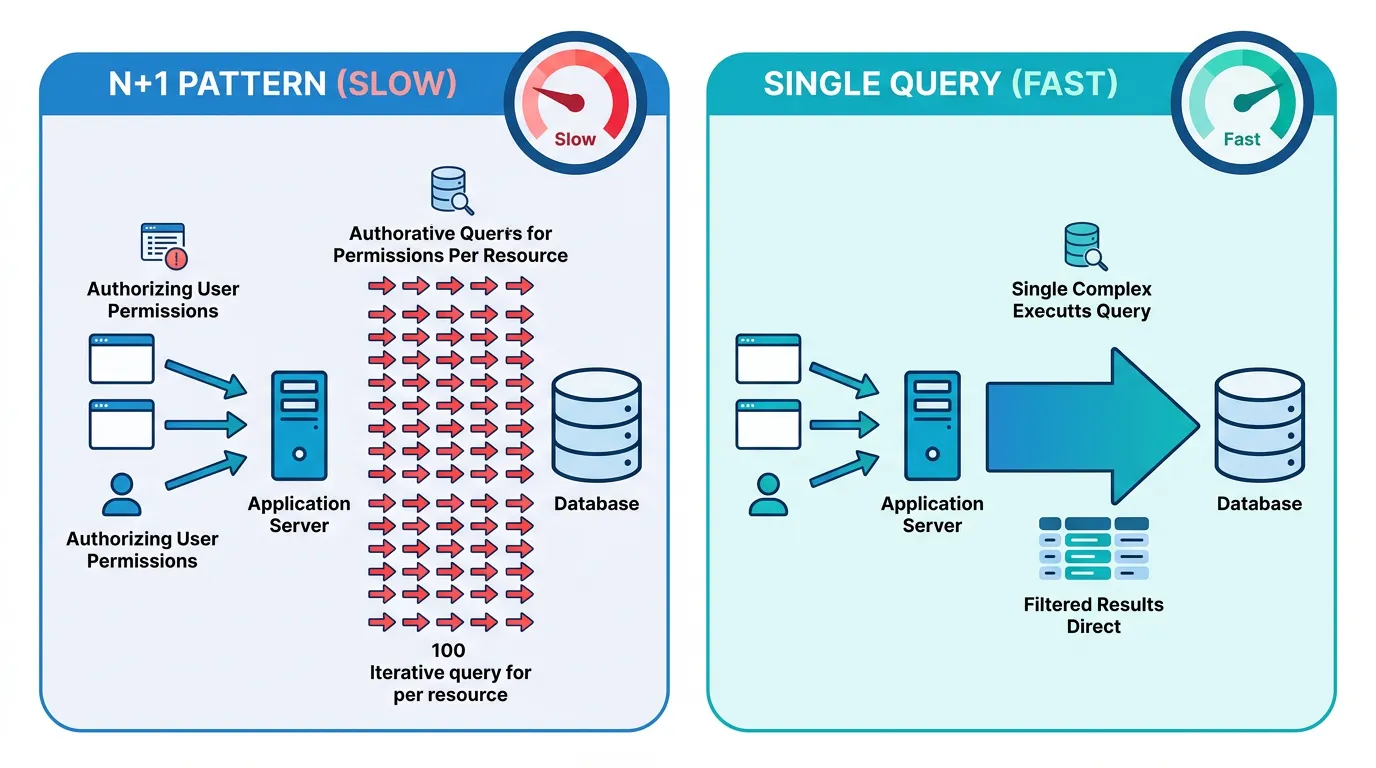
The most common performance mistake: checking authorization for each record individually. Fetch 100 projects, then check if the user has access to each one — this creates 100 additional database queries. Instead, build the authorization check into the original query: fetch only the projects the user has access to in a single query with JOIN conditions.
Index Strategy for Authorization Queries
Every column used in authorization conditions needs an index. If your RLS policy checks creator_id = auth.uid(), the creator_id column must be indexed. If your query scoping JOINs through a team_members table, both team_id and user_id columns need indexes. Missing indexes on authorization columns create the most insidious performance problem: the app works fine with 1,000 records and slows to a crawl at 100,000.
Caching Authorization Decisions
For relationship-based rules that require expensive JOINs, consider caching the authorization decision. A Redis set containing the project IDs a user can access, refreshed when team membership changes, eliminates the JOIN from every project query. The trade-off is eventual consistency — a user added to a team might not see the team's projects for a few seconds until the cache refreshes. For most applications, this is acceptable.
Frequently Asked Questions
Q. How many privacy rules does a typical Bubble app have?
A simple app (under 10 data types) typically has 15 to 25 privacy rules. A medium-complexity SaaS app has 30 to 60 rules. Complex multi-tenant applications with fine-grained permissions can have 80 or more rules. Each rule needs to be documented, translated, and tested individually.
Q. Should I use PostgreSQL RLS or application middleware for authorization?
Use both. RLS provides defense-in-depth at the database level — even if your application code has a bug, the database will not leak data. Application middleware provides user-friendly error messages and handles complex business logic that cannot be expressed in SQL. The combination is stronger than either alone.
Q. What happens if I skip privacy rule translation during migration?
Your migrated application has zero authorization by default. Every authenticated user can read, modify, and delete every record in every table. This is not a gradual degradation — it is an immediate, complete security failure that exposes all user data from the moment you launch.
Q. How do Bubble field-level privacy rules translate to code?
Bubble can hide specific fields from certain users (e.g., hiding email from non-admins). In code, implement this as response filtering middleware that strips restricted fields from API responses based on the user's role or relationship. Do not rely on frontend filtering — the API response itself must exclude the restricted fields.
Q. Can I use Supabase RLS to replicate Bubble privacy rules?
Yes — Supabase is the closest match to Bubble's privacy rule model because it uses PostgreSQL RLS with a built-in auth system. Ownership rules, role-based rules, and many relationship-based rules translate directly to Supabase RLS policies. This is one reason Supabase is a popular migration target for Bubble apps.
Q. How do I test that my authorization translation is correct?
Write integration tests with multiple user personas (admin, member, owner, non-member, unauthenticated). For each persona, test every CRUD operation on every data type and verify the response matches Bubble's behavior. Automate these tests — manual testing misses edge cases in compound rules. A 20-data-type app with 4 personas needs approximately 320 test cases (20 types x 4 operations x 4 personas). (CRUD here is shorthand; Bubble's privacy editor splits this further into 5 operation types — Search, View all, View specific, Modify, Delete.)
Translate Every Rule Before You Write a Single Query
- Privacy rules are authorization AND query filters: Bubble privacy rules do not just block unauthorized access — they silently filter every search result. Translating only the access control part and missing the query filtering part is the most common authorization bug in migrated apps.
- Four patterns cover 95% of rules: Ownership (RLS), role-based (RBAC middleware), relationship-based (query scoping with JOINs), and compound (policy engines). Identify which pattern each rule follows before choosing an implementation strategy.
- Use RLS and middleware together: Database-level enforcement (RLS) prevents data leaks even when application code has bugs. Application-level enforcement (middleware) provides user-friendly error handling and complex business logic. Defense-in-depth is not optional for authorization.
- Performance requires intentional design: Build authorization into queries (JOINs and WHERE clauses), not around them (per-record checks). Index every column used in authorization conditions. Cache expensive relationship lookups in Redis when eventual consistency is acceptable.
- Test with personas, not assumptions: Write integration tests for every user role, every data type, and every CRUD operation. Compound rules have exponential test cases — automate them. The authorization bugs you do not test for are the ones your users will find.
Privacy rules are the invisible architecture of your Bubble app. They enforce business logic that no demo reveals, no feature list captures, and no schema diagram shows. Document them completely, translate them precisely, and test them exhaustively — because authorization is the one thing you cannot afford to get wrong.
Extract Your Privacy Rules Automatically
Relis documents every privacy rule on every data type — conditions, operations, field-level restrictions — so your developers have a complete authorization specification before writing a single policy.
Scan My App — FreeSee Your Bubble Architecture — Automatically
Stop reverse-engineering by hand. Relis extracts your complete database schema, API connections, and backend workflows in under 10 minutes.
See Your Bubble Architecture — Automatically
Stop reverse-engineering by hand. Relis extracts your complete database schema, API connections, and backend workflows in under 10 minutes.