
From Bubble to Code with AI: The Documentation-First Migration Workflow
AI coding tools can meaningfully cut Bubble.io migration development time — but only with structured architecture documentation as input. A step-by-step workflow for using Claude, Cursor, and Copilot to generate database schemas, API routes, background jobs, and authorization policies from extracted Bubble blueprints.
22 min read
AI coding tools like Cursor, Claude, and GitHub Copilot have changed the economics of software development. A feature that took a developer two weeks can now take two days. Naturally, teams migrating from Bubble.io look at AI and see a shortcut — describe your Bubble app to Claude, ask it to generate a Next.js equivalent, and ship it. This does not work. Not because AI is bad at generating code, but because it is bad at archaeology.
The bottleneck in every Bubble migration is not writing code — it is knowing what code to write. Your Bubble app contains data schemas with implicit relationships, API connector configurations with conditional headers, backend workflow logic with branching conditions, and privacy rules that act as business logic. None of this is visible in a demo. None of it is exportable from Bubble. AI cannot discover what it cannot see. But when you give it structured, complete architecture documentation, the results are dramatically different. This guide shows the exact workflow that turns AI from a hallucination machine into a genuine migration accelerator.
AI Accelerates Development, Not Discovery
Every Bubble migration has two phases: figuring out what your app actually does (discovery) and rebuilding it in code (development). AI transforms the second phase. It does nothing for the first.
The Discovery Problem AI Cannot Solve
AI coding tools have no access to Bubble's visual editor. There is no API to query your app's structure. There is no export that captures your complete architecture. When you tell Claude "I have a Bubble app with users, projects, and tasks," it generates a plausible-looking schema — and gets most of it wrong. It does not know about the 12 fields on your User type that drive privacy rules. It does not know about the scheduled backend workflow that runs nightly to process expired subscriptions. It does not know about the API connector with 6 endpoints that handles your Stripe integration with conditional retry logic.
The five discovery failures that cause migrations to take 3x longer — hidden backend workflows, privacy rules encoded as business logic, implicit data relationships, plugin replacement complexity, and conditional visibility logic — are all problems that AI cannot detect. They require someone or something to look inside the Bubble editor and extract what is there.

Where AI Creates Real Value
Once you have the complete picture — every data type, every field, every workflow, every API connector — AI becomes extraordinarily productive. It excels at translating structured specifications into working code. A detailed data schema becomes a PostgreSQL migration script. An API connector specification becomes a set of route handlers with proper authentication. A backend workflow document becomes a background job with the correct trigger conditions. The code is not perfect, but it is 80% correct — and the remaining 20% is refinement, not invention.
Why Unstructured Input Produces Unusable Output
The quality of AI-generated code is directly proportional to the quality of the input specification. This is not a limitation of current models — it is a fundamental constraint of code generation from natural language.
The Hallucination Spectrum
Consider two ways to ask AI to generate your database schema. The first: "I have a Bubble app for project management with users, projects, tasks, and comments." The second: "I have 22 custom data types. The User type has 18 fields including role (option set: Admin, Manager, Member), company (relation to Company), department (relation to Department), and preferences (JSON). The Project type has 14 fields including members (list of Users), status (option set: Draft, Active, Archived, Completed), deadline (date), and budget_remaining (number, currency). Privacy rules: Users can only search Projects where they are in the members list OR their role is Admin."
The first prompt produces a generic four-table schema that works for a tutorial. The second produces a migration script that matches your actual application. The difference is not cleverness in prompting — it is the presence of concrete architectural data.
AI output quality is bounded by input quality. "I have a Stripe integration" generates a generic payment module. A complete API connector specification with 6 endpoints, OAuth2 headers, webhook configurations, and conditional retry parameters generates route handlers that match your actual payment flow. No amount of prompt engineering compensates for missing architecture data.
What Structured Documentation Contains That Descriptions Do Not
A Bubble app description tells AI what the app does. Architecture documentation tells AI how it is built. The distinction matters because migration requires reproducing the implementation, not the concept. Your Bubble app is a black box — it looks simple from the outside while hiding layers of backend complexity. Documentation opens that box and hands AI the exact specifications it needs.

The Four Architecture Layers AI Needs as Input
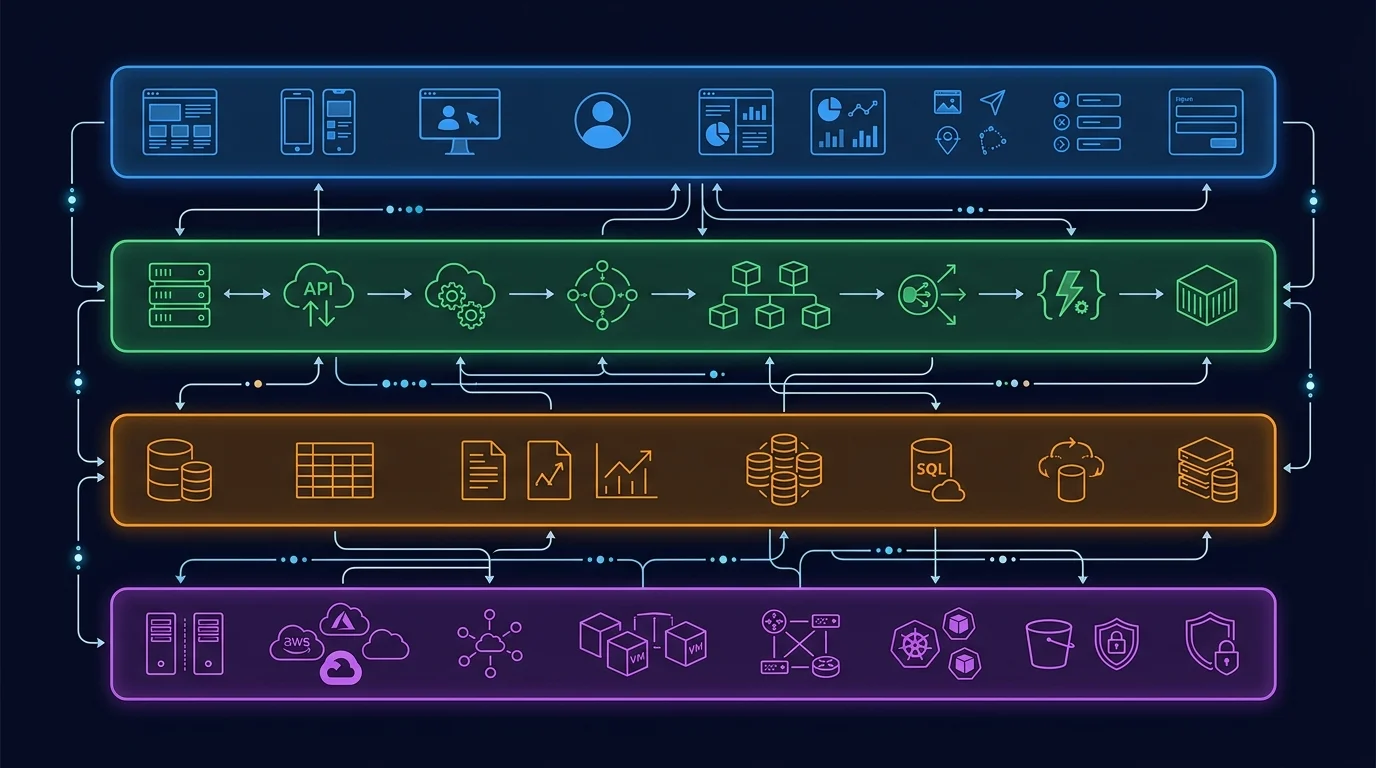
Bubble applications have four distinct architecture layers, each containing information that AI needs to generate accurate migration code. Missing any layer means the generated code will have structural gaps that compound during integration.
| Architecture Layer | What It Contains | AI Generates |
|---|---|---|
| Data Structure | Custom types, fields, field types, relationships, Option Sets | Database migration scripts, ORM models, TypeScript interfaces, enum definitions |
| API Connectors | External endpoints, auth configs, headers, parameters, JSON bodies | API route handlers, service clients, webhook processors, retry logic |
| Backend Workflows | Triggers, conditions, action sequences, scheduled workflows | Background job handlers, cron jobs, event-driven processors, queue workers |
| App Settings | Environment variables, domains, language settings, global configs | Environment configuration, i18n setup, deployment configs |
Layer 1: Data Structure — The Foundation of Everything
Your data schema is the single most valuable input for AI code generation. A complete data structure export — with every custom type, every field, field types, default values, and relationships — lets AI generate PostgreSQL CREATE TABLE statements, ORM model definitions, and TypeScript interfaces in minutes. Without it, AI guesses at your schema and creates a simplified version that breaks when you try to migrate real data. The migration roadmap starts here for a reason: everything else depends on getting the schema right.
Layer 2: API Connectors — External Integration Blueprints
Bubble's API Connector stores the complete configuration of every external service your app talks to: endpoint URLs, authentication methods (API keys, OAuth2, custom headers), request parameters, and JSON body structures. When AI receives this specification, it generates typed service clients with proper error handling, not generic fetch wrappers. For a Stripe integration with 6 endpoints and webhook handling, the difference between "I use Stripe" and a complete connector spec is the difference between a day of AI output and a week of manual debugging.
Layer 3: Backend Workflows — The Hidden Logic
Backend workflows are the layer that breaks the most migrations. They run server-side, invisible to users and demo watchers. A medium-complexity Bubble app might have 15 to 30 backend workflows including scheduled nightly processes, database triggers, and custom event chains. AI can translate documented workflows — with their trigger conditions, action sequences, and conditional branches — into background job handlers with remarkable accuracy. AI cannot translate workflows it does not know exist.
Layer 4: App Settings — The Configuration Layer
Environment variables, domain configurations, language settings, and global feature flags round out the architecture. This layer is the simplest for AI to process but the easiest to forget. A missed environment variable means a production deployment that fails silently. A forgotten language setting means an i18n configuration that does not match your user base.
The Workflow: Documentation to AI to Working Code
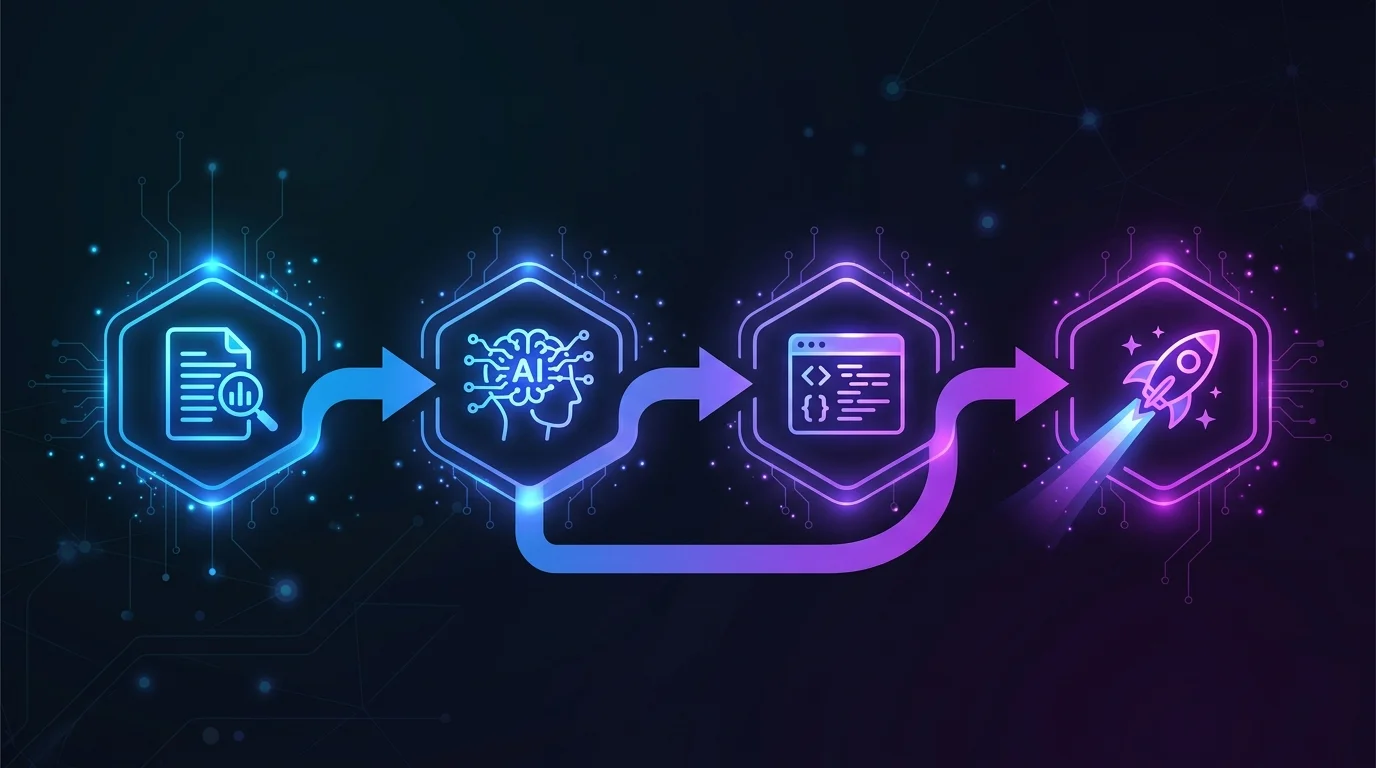
The documentation-first workflow has six steps. The first step is the bottleneck. The remaining five are where AI saves weeks of development time.
Step 1: Extract Your Complete Architecture
You have two options. The manual path: open every data type in the Bubble editor, document every field, open every backend workflow, document every action, open every API connector, document every endpoint. For a medium-complexity app, this takes 2 to 4 weeks of a developer's time. The automated path: Relis extracts all four architecture layers — data schemas, API connector configurations, backend workflow logic, and app settings — into 9 standardized document types in under 10 minutes. Both paths produce the same output: a complete architecture blueprint. The difference is time and completeness.
Step 2: Generate Database Schema and Models
Feed your data structure documentation to AI with a targeted prompt: "Here is the complete data schema for a Bubble.io application. Generate PostgreSQL CREATE TABLE statements with proper foreign keys, indexes on relationship columns, and enum types for Option Sets. Include TypeScript interfaces for each table." AI produces a migration file that handles type mapping (Bubble text → VARCHAR, Bubble number → NUMERIC, Bubble date → TIMESTAMPTZ, Bubble list → junction tables), relationship translation (Bubble's implicit many-to-many → explicit join tables), and constraint definitions. Review the output for edge cases — Bubble's geographic address type, file fields pointing to Bubble's CDN, and calculated fields that need to become computed columns or application logic.
Step 3: Generate API Route Handlers
Feed your API connector documentation to AI: "Here are the external API integrations for this application. Each entry includes the endpoint URL, HTTP method, authentication method, request headers, query parameters, and JSON body structure. Generate Next.js API route handlers using the fetch API with proper error handling, authentication header construction, and typed response parsing." The output is a set of service clients and route handlers that mirror your existing integrations. You will need to replace Bubble's dynamic parameter syntax with your application's variable references, but the structure — endpoints, auth, headers, error handling — translates cleanly.
Step 4: Generate Background Job Handlers
Feed your backend workflow documentation to AI: "Here are the backend workflows for this application. Each workflow includes its trigger type (API workflow, database trigger, scheduled, recurring), trigger conditions, and the sequence of actions with their parameters. Generate BullMQ job handlers (or your preferred queue) with proper error handling, retry logic, and logging." Scheduled workflows become cron job definitions. Database triggers become event listeners. API workflows become queue-triggered job handlers. The action sequences — creating records, updating fields, sending emails, calling external APIs — translate into function bodies that AI generates with high accuracy when the action parameters are fully specified.
- Always specify your target stack: "Generate for Next.js 15 + PostgreSQL + Prisma" — not just "generate code"
- Include type mappings: "Bubble text → VARCHAR(255), Bubble rich text → TEXT, Bubble number → NUMERIC(10,2)"
- Specify conventions: "Use kebab-case file names, named exports, Zod validation on all inputs"
- Request error handling: "Include try/catch blocks, structured error responses, and logging"
- Ask for tests: "Include a test file with at least 3 test cases per handler"
Step 5: Generate Authorization Policies
Privacy rules are the most complex layer to translate because they encode business logic as data access controls. Feed your privacy rule documentation to AI: "Here are the privacy rules for each data type. Each rule specifies which operations (Search, View, Modify, Delete) are allowed under which conditions. Generate PostgreSQL Row-Level Security policies for database-level enforcement and Express middleware for application-level checks." AI maps ownership rules (Current User is Creator) to RLS policies with auth.uid() checks. It maps role-based rules to role enum comparisons. It maps organization scoping to tenant isolation patterns. The compound rules — "Creator OR Admin AND NOT Archived" — require careful review because AI occasionally simplifies multi-condition logic.
Step 6: Human Review and Integration Testing
AI-generated code is a first draft, not a final product. Every generated file needs human review for three categories of issues: logic errors in complex conditional branches, security gaps in authentication and authorization, and integration mismatches where AI assumed a standard pattern but your app uses a custom one. Budget 20 to 30 percent of AI-assisted development time for review and refinement. This is not overhead — it is the step that prevents production bugs.
What AI Gets Right and What Requires Human Review
Understanding where AI excels and where it struggles determines how you allocate team time during migration. The pattern is consistent: AI handles volume well and nuance poorly.
| Task | AI Accuracy | Human Review Needed |
|---|---|---|
| Database schema generation from data types | High (85–95%) | Edge cases: geographic fields, file URLs, calculated fields |
| CRUD endpoint generation | High (90%+) | Validation rules, pagination patterns, error response format |
| Standard integrations (Stripe, SendGrid) | High (85–90%) | Webhook signature verification, retry logic, idempotency |
| Simple workflow translation | Moderate (70–85%) | Trigger conditions, error recovery, transaction boundaries |
| Complex conditional logic | Low-Moderate (50–70%) | Multi-branch conditions, nested workflows, state machines |
| Privacy rule translation | Moderate (65–80%) | Compound conditions, cross-table rules, performance impact |
| Cross-entity business rules | Low (40–60%) | Transaction isolation, eventual consistency, race conditions |
| Performance optimization | Low (30–50%) | Index strategy, query planning, caching, connection pooling |
The 80/20 Rule of AI Migration
AI handles approximately 80 percent of the code volume — the schemas, the CRUD operations, the standard integration patterns, the basic workflow handlers. This is genuine value: it represents weeks of development time compressed into hours. But humans must review 100 percent of the output and will likely rewrite approximately 20 percent. The 20 percent that needs rewriting is disproportionately important: authentication flows, payment processing, data validation, and the complex business logic that differentiates your application.
Review AI-generated code in this order: (1) anything touching authentication or authorization, (2) anything processing payments or sensitive data, (3) complex conditional business logic, (4) external API integrations, (5) everything else. The first two categories need line-by-line review. The last category needs functional testing.
When AI Saves the Most Time
AI provides the highest return on investment for migrations with: (a) many data types with straightforward relationships — schema generation at scale, (b) multiple API integrations with standard patterns — Stripe, SendGrid, Twilio, (c) numerous but simple backend workflows — scheduled emails, status updates, notification triggers, (d) well-documented architecture — the better the input, the better the output. AI saves the least time for migrations with complex, deeply nested conditional logic, custom business rules that combine multiple data types, and real-time collaborative features that require careful state management.
The Economics: Time and Cost Impact
The financial case for AI-assisted migration is strong — but only when paired with complete documentation. The savings come from accelerated development, not eliminated discovery.
Patterns from Migration Practitioners
Migration agencies and teams using AI coding tools commonly report substantial development-time reduction for standard, well-specified features — often on the order of feature work that previously took weeks now completing in days. This acceleration applies to the development phase only. The discovery and planning phases remain unchanged. For a migration where development represents roughly half of total effort, AI-assisted development meaningfully reduces total project time, though the exact percentage varies by app complexity, team familiarity with AI tools, and the quality of the architecture documentation feeding the prompts.
Translating to cost: a migration that would otherwise be quoted in the $20K–$60K range can land meaningfully lower when AI handles schema generation, CRUD endpoints, and standard integrations. The savings concentrate in eliminated boilerplate coding, faster integration scaffolding, and accelerated testing setup from AI-generated test stubs. The discovery phase, human review, and deployment costs remain roughly constant.
The Documentation Investment
The entire AI acceleration depends on having structured architecture documentation. This creates a clear ROI calculation. Manual architecture audit: 2 to 4 weeks of developer time, with developer-rate fully-loaded costs that can run in the multi-thousand-dollar range depending on app complexity (illustrative; verify against your team's blended rate). Automated extraction with Relis: under 10 minutes. The automated path makes AI-assisted migration economically viable even for smaller projects where a 2-week manual audit would consume a meaningful share of the migration budget.
Architecture documentation does not just enable AI code generation. It also produces accurate agency quotes (eliminating the cost uncertainty that inflates budgets), prevents late-discovered scope (the primary cause of timeline overruns), and serves as the specification for integration testing. The documentation investment pays dividends across every phase of migration — AI acceleration is the largest but not the only return.
When AI-Assisted Migration Makes Sense
AI-assisted migration is most effective for apps with 15 or more data types, 5 or more API integrations, and 10 or more backend workflows — the scale where manual coding of boilerplate becomes a significant time sink. For simpler apps (under 10 data types, 2 to 3 integrations), the overhead of structuring AI prompts and reviewing output may not save time over direct coding by an experienced developer. For complex apps (50+ data types, 20+ workflows), AI becomes nearly essential — manual migration at this scale is prohibitively slow and expensive.

Frequently Asked Questions
Q. Can AI fully automate a Bubble migration without human review?
No. AI generates approximately 80 percent of migration code accurately when given structured documentation, but the remaining 20 percent — complex business logic, security-critical flows, and cross-entity rules — requires human review and refinement. Treat AI output as an advanced first draft, not a finished product.
Q. Which AI coding tool works best for Bubble migrations?
Claude and Cursor both handle long architecture documents well and generate structured code from specifications. The tool matters less than the input quality. A complete architecture blueprint produces good results in any current AI coding tool. A vague description produces poor results in all of them.
Q. How much time does AI-assisted migration actually save?
Migration agencies using AI coding tools commonly report substantial development-time reduction for standard, well-specified features. Across a full migration project including discovery, planning, development, testing, and deployment, the total time savings is meaningful but smaller — discovery and review remain unchanged. Verify against your own project after a discovery phase rather than relying on aggregate ratios.
Q. Do I need structured documentation, or can I just describe my app to AI?
You need structured documentation. Describing your app produces generic code that matches the description but not the implementation. AI needs field-level data schemas, endpoint-level API specs, and step-level workflow documentation to generate code that matches your actual Bubble app. Architecture extraction tools like Relis produce exactly this level of detail.
Q. What parts of a Bubble app are hardest for AI to replicate?
Complex conditional business logic that spans multiple data types, real-time collaborative features, and compound privacy rules with nested conditions. These require human architectural decisions that AI cannot reliably make. AI excels at translating clear specifications into code — it struggles when the specification itself requires judgment about how to structure the solution.
Start with Documentation, Then Let AI Do the Heavy Lifting
- AI transforms the development phase, not the discovery phase: It generates working code from structured specifications but cannot reverse-engineer your Bubble app's hidden architecture. The discovery bottleneck remains the same with or without AI — what changes is the speed of building once you know what to build.
- Input quality determines output quality: Vague descriptions produce hallucinated code. Field-level data schemas, endpoint-level API specs, and step-level workflow documentation produce accurate migration scripts. No prompt engineering workaround exists for missing architectural data.
- AI handles 80% of code volume at high accuracy: Database schemas, CRUD endpoints, standard integrations, and simple workflow handlers translate well. Complex conditional logic, security-critical flows, and cross-entity business rules require human review and refinement.
- The economics work at scale: For migrations with 15+ data types and 10+ workflows, AI-assisted development is reported to reduce total project cost on the order of 25 to 35 percent when powered by complete documentation, though the exact share varies and the figure is hedged in the methodology note. Smaller apps may not justify the overhead of structured AI prompting.
- Documentation is the enabler: The entire AI acceleration depends on having complete architecture documentation. Automated extraction — which produces the same output as weeks of manual audit in minutes — makes the documentation-first workflow viable for projects of any size.
The teams that get the most from AI-assisted migration are not the ones with the best AI tools. They are the ones that start with the most complete picture of what needs to be built. Extract the architecture first. Then let AI handle the heavy lifting.
Extract Your Architecture for AI-Powered Migration
Get your complete Bubble backend — data schemas, API specs, backend workflows, app settings — in 9 structured documents ready to feed into Claude, Cursor, or any AI coding tool. Start migrating faster with documentation, not guesswork.
Scan My App — FreeReady to Plan Your Migration?
Get a complete architecture blueprint — ERD, DDL, API docs, workflow specs — everything your developers need to start rebuilding.
Ready to Plan Your Migration?
Get a complete architecture blueprint — ERD, DDL, API docs, workflow specs — everything your developers need to start rebuilding.