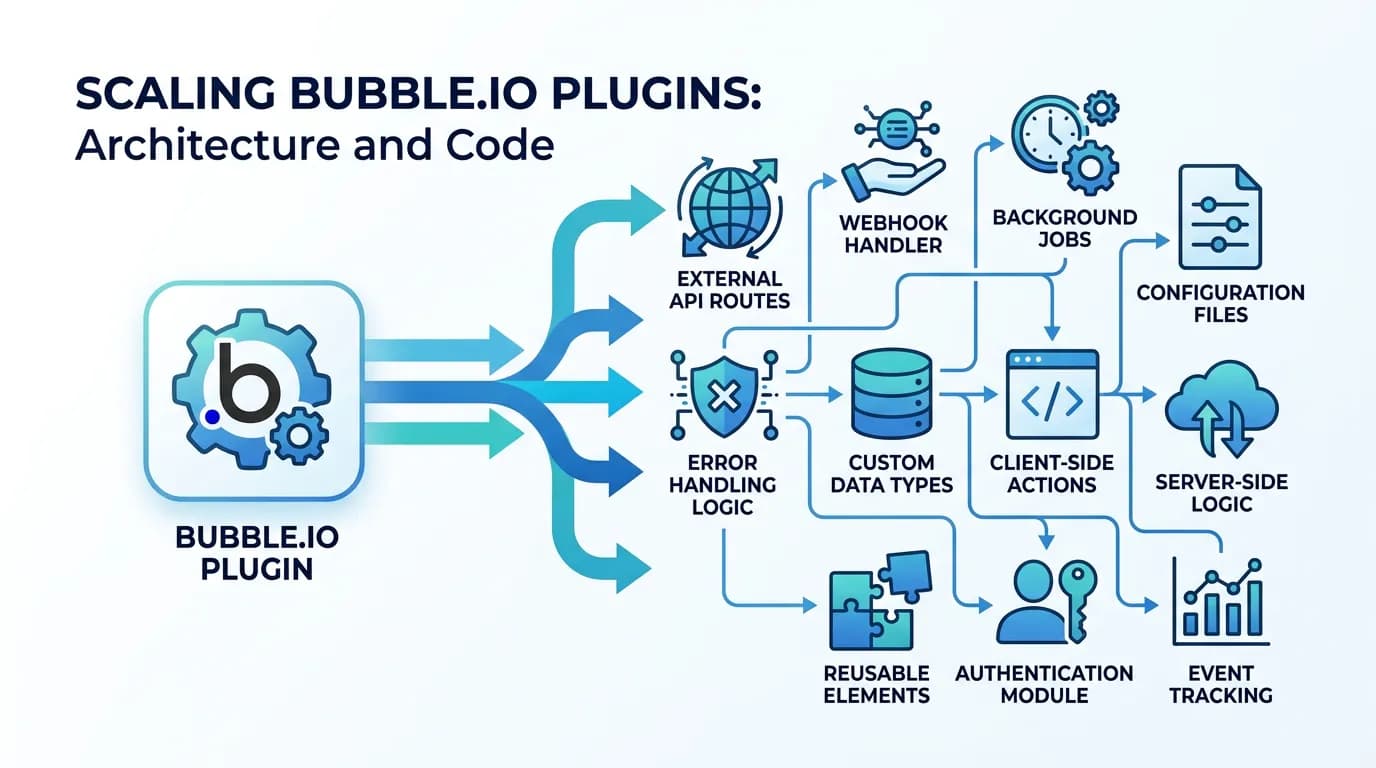
The Bubble Plugin Replacement Guide: What Your Plugins Actually Do and How to Rebuild Them
Bubble plugins hide significant functionality behind one-click installs. This guide maps the 15 most common Bubble plugins to their code equivalents — covering payment processing, email, file handling, maps, charts, and authentication — with estimated rebuild times and hidden complexity warnings.
19 min read
A Bubble plugin is a black box inside a black box. Your Bubble app is already undocumented. Plugins add another layer of hidden complexity — functionality that was installed with one click, configured with a few fields, and never thought about again. Until migration day, when your developer asks: "What exactly does this plugin do?" and nobody knows the complete answer.
The problem is not that plugins are difficult to replace. The problem is that plugins do more than their name suggests. A "Stripe" plugin is not just a payment button — it handles subscription lifecycle management, proration calculations, failed payment retry logic, and webhook event processing. A "SendGrid" plugin is not just email sending — it manages templates, tracks deliverability, handles bounces, and processes inbound email parsing. Each plugin is a compressed bundle of functionality that expands into weeks of development work when you unpack it. This guide unpacks the 15 most common plugins so your migration budget reflects reality.
Why Plugins Are the Hidden Complexity Multiplier
Plugins distort migration estimates in a specific, measurable way. Agencies scope work by counting visible features and integrations. Plugins compress multiple features into a single integration point — making the visible feature count lower than the actual functionality count.
The Compression Problem
A Bubble app with 3 plugins might appear to have 3 integrations. But those 3 plugins might contain: 12 API endpoints across 3 services, 6 webhook handlers for event processing, 4 scheduled processes for retry and cleanup logic, and 8 configuration parameters that need environment-specific values. The true integration count is not 3 — it is closer to 30 individual components that need rebuilding.
The Documentation Gap
Plugin behavior is documented on the plugin author's marketplace page — not in your Bubble app. When that marketplace page is updated, deprecated, or removed, the documentation of what your plugin does disappears with it. During migration, developers must reverse-engineer the plugin's behavior by: reading the plugin's marketplace documentation (if still available), testing the plugin in Bubble to observe its behavior, and inspecting network requests to understand the API calls it makes.
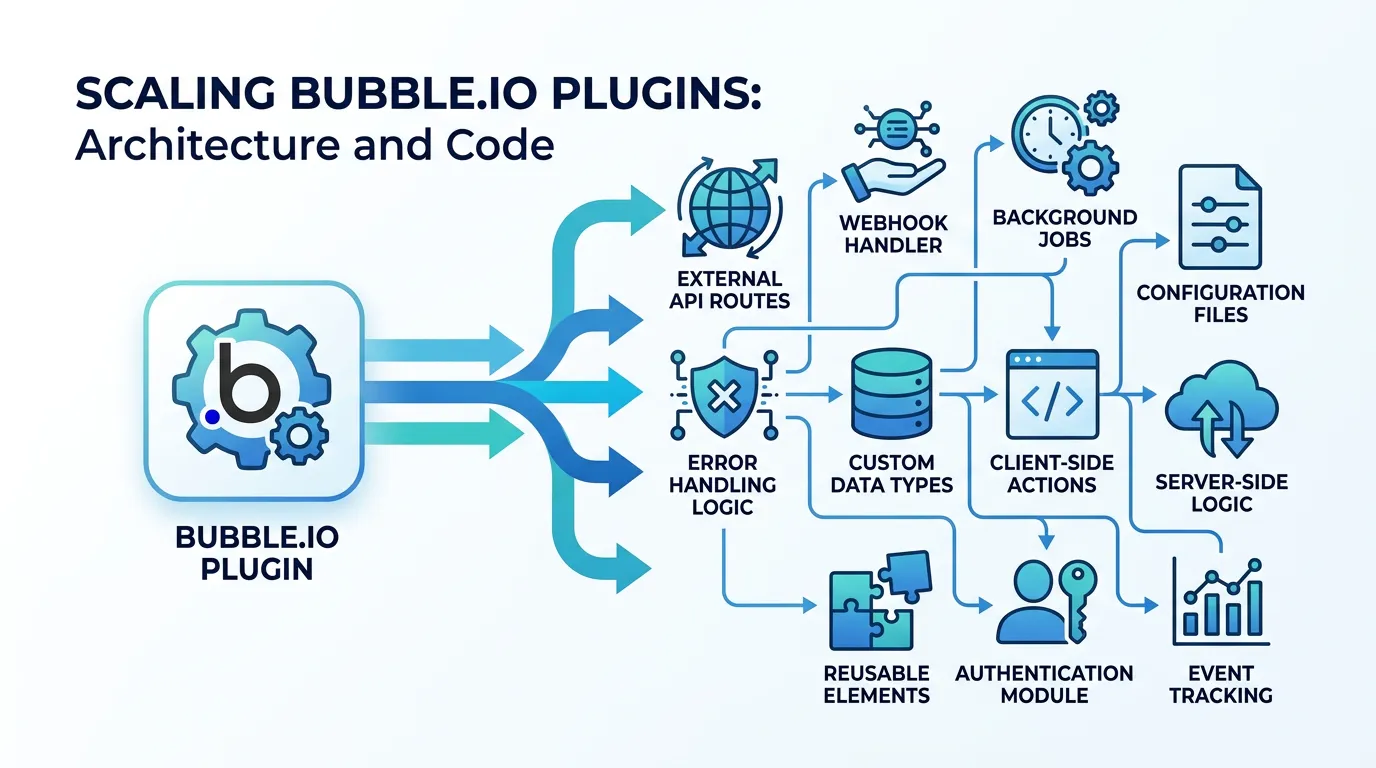
| Plugin Category | Typical Plugin Count | Hidden Components per Plugin | Rebuild Estimate |
|---|---|---|---|
| Payment/Billing | 1–2 | 8–15 (endpoints, webhooks, retry logic) | 2–4 weeks per plugin |
| Communication | 1–3 | 4–8 (templates, tracking, bounces) | 1–2 weeks per plugin |
| File/Media | 1–2 | 3–6 (upload, processing, CDN) | 3–5 days per plugin |
| Search/Data | 1–2 | 4–8 (indexing, sync, facets) | 1–3 weeks per plugin |
| Auth/Security | 1–2 | 5–10 (OAuth, MFA, session management) | 1–3 weeks per plugin |
Category 1: Payment and Billing Plugins
Payment plugins carry the highest migration risk because they handle revenue. A bug in payment processing stops money flowing. A bug in subscription management causes incorrect billing. These plugins must be rebuilt with zero tolerance for errors.
Stripe Plugin → Stripe SDK + Webhook Handlers
What the plugin does: Creates customers, manages subscriptions (create, upgrade, downgrade, cancel), processes one-time payments, handles checkout sessions, manages payment methods, processes refunds, and receives webhook events for payment success, failure, and subscription lifecycle changes.
What you need to rebuild: Stripe SDK integration with your server framework, customer creation and management API routes, subscription CRUD with proration handling, checkout session creation for new subscriptions, webhook endpoint with signature verification for 10+ event types, failed payment retry logic with dunning email triggers, and invoice generation and retrieval. Estimated rebuild time: 2 to 4 weeks.
The hidden complexity: Proration. When a user upgrades mid-billing-cycle, Stripe calculates prorated charges. The plugin handled this automatically. Your code needs to explicitly configure proration behavior for every subscription change. Get it wrong and customers are overbilled or underbilled.
PayPal Plugin → PayPal REST API + IPN/Webhook Handlers
What the plugin does: Creates orders, captures payments, handles refunds, and processes Instant Payment Notifications (IPN) or webhooks for payment status changes.
What you need to rebuild: PayPal REST API integration with OAuth2 authentication, order creation and capture flow, refund processing, webhook/IPN endpoint with verification, and currency conversion handling if your app supports multiple currencies. Estimated rebuild time: 1 to 2 weeks.
Never test payment code against production APIs. Both Stripe and PayPal provide sandbox/test environments with test card numbers and test accounts. Run your complete payment flow — create subscription, process payment, handle failure, process refund — in sandbox before touching production. A payment bug in production is a revenue emergency, not a code fix.

Category 2: Communication Plugins
Communication plugins handle email, SMS, and push notifications. They appear simple — "send an email" — but bundle template management, deliverability tracking, and inbound processing that adds significant rebuild scope.
SendGrid Plugin → SendGrid API or Resend
What the plugin does: Sends transactional emails (welcome, password reset, notifications), sends marketing emails, manages email templates with dynamic content, tracks opens and clicks, handles bounces and unsubscribes, and optionally processes inbound emails.
What you need to rebuild: Email service integration (SendGrid API, Resend, or Amazon SES), template management system (stored templates with variable interpolation), send queue with retry logic for failed deliveries, bounce and unsubscribe webhook handling, and email tracking if your app displays delivery status. Estimated rebuild time: 1 to 2 weeks.
Twilio Plugin → Twilio SDK + Webhook Handlers
What the plugin does: Sends SMS messages, makes and receives phone calls, handles two-factor authentication via SMS, and processes delivery status callbacks.
What you need to rebuild: Twilio SDK integration, SMS sending with template support, delivery status webhook handler, phone number formatting and validation, and rate limiting to prevent SMS abuse. If your app uses Twilio for 2FA, add TOTP (time-based one-time password) as a modern replacement. Estimated rebuild time: 3 to 5 days for SMS only; 1 to 2 weeks with voice and 2FA.
OneSignal / Firebase Push Plugin → Push Notification Service
What the plugin does: Registers device tokens, sends push notifications to web and mobile browsers, segments users for targeted notifications, and tracks notification engagement.
What you need to rebuild: Push notification service integration (OneSignal API, Firebase Cloud Messaging, or web-push library), device token registration and management, notification sending with segmentation, and engagement tracking if your app uses it. Estimated rebuild time: 3 to 5 days.
Category 3: File and Media Plugins
File plugins handle upload, processing, and storage. The plugin abstracts away the complexity of multipart uploads, image resizing, and CDN delivery — all of which you need to implement in your new stack.
File Uploader Plugins → Presigned Uploads + Processing Pipeline
What the plugin does: Handles multipart file uploads, validates file types and sizes, generates thumbnails for images, stores files on Bubble's CDN, and returns file URLs for database storage.
What you need to rebuild: Presigned upload URLs (S3, Cloudflare R2, or Supabase Storage) for direct browser-to-storage uploads, file type and size validation (server-side — never trust client-side only), image processing pipeline for thumbnail generation (Sharp, ImageMagick, or a service like Cloudinary), and CDN configuration for fast file delivery. Estimated rebuild time: 3 to 5 days.
PDF Generator Plugins → Server-Side PDF Generation
What the plugin does: Generates PDF documents from HTML templates with dynamic data, handles page layouts, headers, footers, and table formatting.
What you need to rebuild: PDF generation library (Puppeteer for HTML-to-PDF, PDFKit for programmatic generation, or a service like DocRaptor), HTML template engine with data binding, and file storage for generated PDFs. Estimated rebuild time: 2 to 4 days for basic PDFs; 1 to 2 weeks for complex multi-page reports.
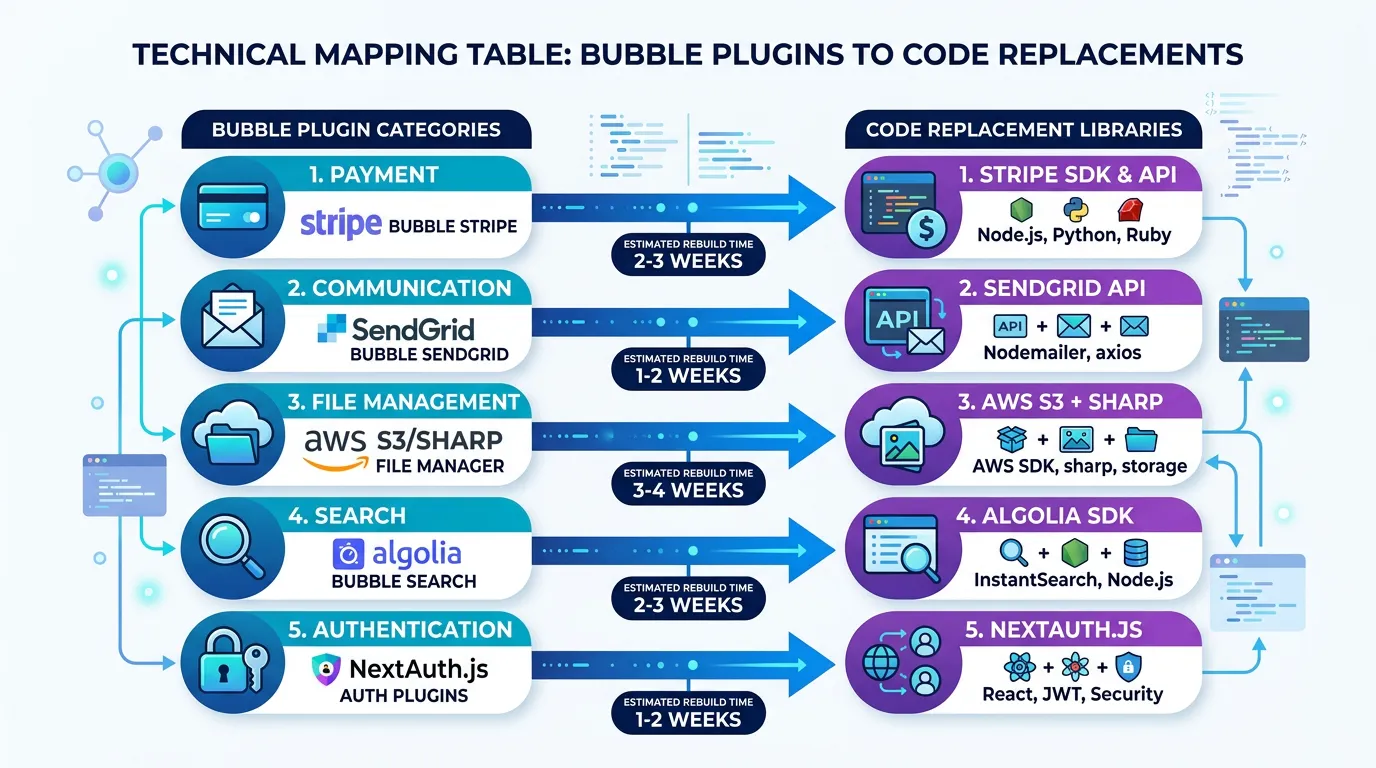
Category 4: Search and Data Plugins
Search plugins replace Bubble's built-in search with more powerful alternatives. They appear to add a single feature (better search) but actually maintain a parallel data index that needs continuous synchronization.
Algolia Plugin → Algolia SDK + Sync Pipeline
What the plugin does: Indexes Bubble data for fast full-text search, provides autocomplete suggestions, handles typo tolerance and relevance ranking, and supports faceted filtering.
What you need to rebuild: Algolia SDK integration for indexing and searching, data synchronization pipeline that keeps the Algolia index in sync with your PostgreSQL database (triggered by database writes), search API endpoint that queries Algolia and returns results, and index configuration for relevance tuning. Estimated rebuild time: 1 to 2 weeks.
The alternative: If your search needs are moderate, PostgreSQL full-text search (tsvector, tsquery) eliminates the Algolia dependency entirely. It handles most search use cases — keyword search, ranking, prefix matching — without a third-party service. Consider this before rebuilding the Algolia integration.
Google Maps Plugin → Maps SDK + Geocoding
What the plugin does: Displays interactive maps with markers, geocodes addresses to coordinates, provides address autocomplete, calculates distances and routes, and handles map events (click, drag, zoom).
What you need to rebuild: Google Maps JavaScript SDK (or Mapbox GL JS as an alternative), geocoding service integration for address-to-coordinate conversion, places autocomplete for address input fields, and map event handlers for interactive features. Estimated rebuild time: 3 to 7 days depending on map complexity.
Chart/Analytics Plugins → Chart.js or Recharts
What the plugin does: Renders bar charts, line charts, pie charts, and other data visualizations from Bubble database queries.
What you need to rebuild: Charting library integration (Chart.js, Recharts for React, or D3.js for complex visualizations), data aggregation API endpoints that query and format data for charts, and responsive chart components. Estimated rebuild time: 2 to 5 days for standard charts; 1 to 2 weeks for complex dashboards.
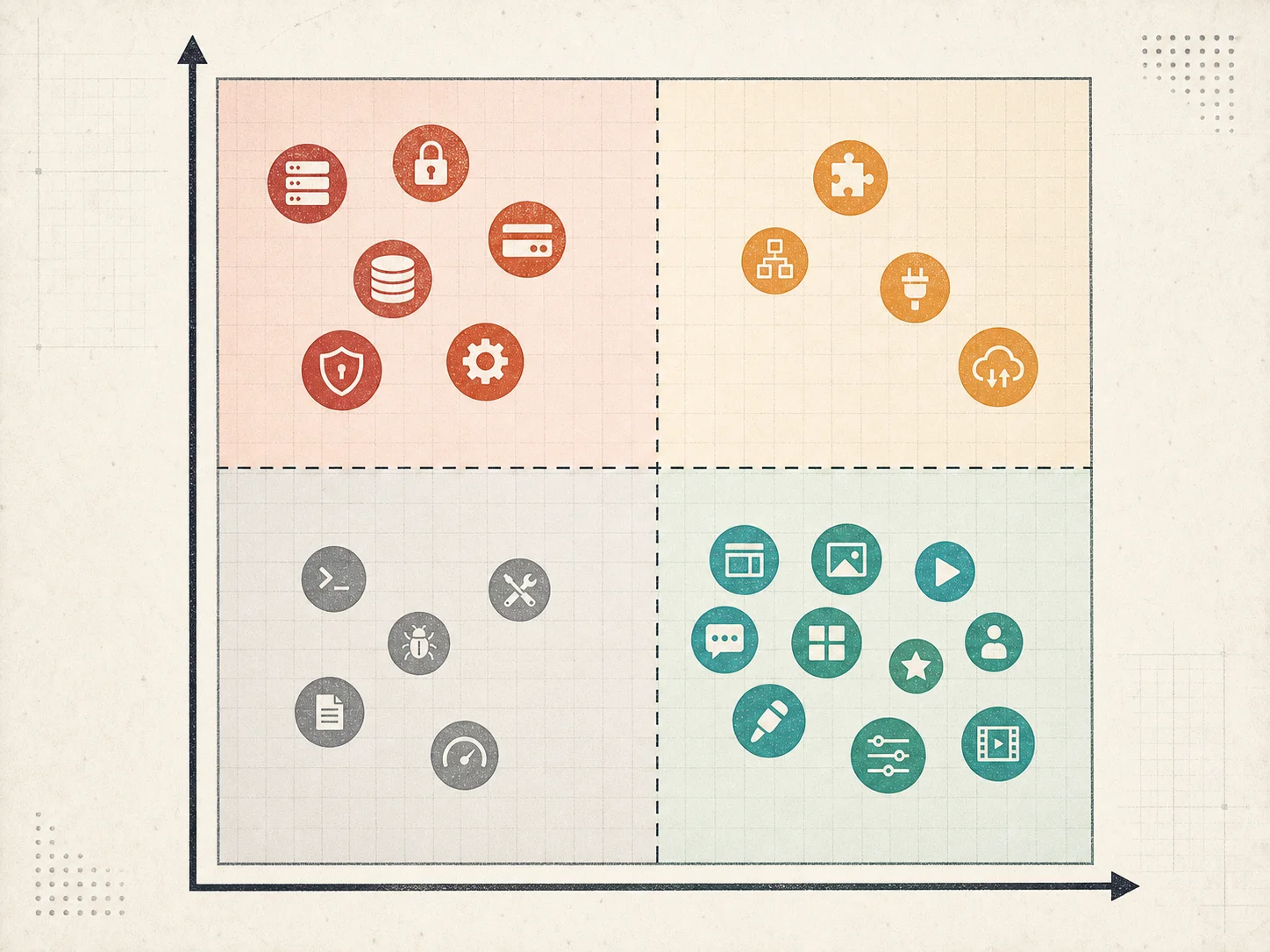
Category 5: Authentication and Security Plugins
Authentication plugins add login methods beyond Bubble's built-in email/password. They handle OAuth flows, social logins, and multi-factor authentication — each requiring careful security implementation in custom code.
OAuth/Social Login Plugins → NextAuth.js / Auth.js
What the plugin does: Adds Google, Facebook, Apple, GitHub, and other social login options. Handles the OAuth2 flow (redirect to provider, receive callback, extract user profile), creates or links user accounts, and manages token refresh.
What you need to rebuild: OAuth2 provider configuration (client IDs, secrets, callback URLs for each provider), authentication library integration (NextAuth.js, Auth.js, Lucia, or Supabase Auth), account linking logic (what happens when a user signs up with email and later tries Google login with the same email?), and token management (access tokens, refresh tokens, session cookies). Estimated rebuild time: 1 to 2 weeks for 2 to 3 providers.
MFA/2FA Plugins → TOTP + Recovery Codes
What the plugin does: Adds two-factor authentication via SMS codes, authenticator apps, or email verification codes.
What you need to rebuild: TOTP (Time-based One-Time Password) implementation for authenticator app support, QR code generation for TOTP enrollment, recovery code generation and secure storage, and SMS fallback (via Twilio) if your app requires it. Estimated rebuild time: 3 to 5 days.
The most commonly missed authentication edge case during plugin migration: a user who created an account with email/password later tries to sign in with Google using the same email address. Without explicit account-linking logic, your app creates a duplicate account instead of merging them. Define your account-linking strategy — merge on matching email, or prompt the user to link manually — before writing any authentication code. Retrofitting this after launch requires a database migration.
| Bubble Plugin | Code Replacement | Rebuild Time | Risk Level |
|---|---|---|---|
| Stripe | Stripe SDK + webhooks | 2–4 weeks | High (revenue) |
| PayPal | PayPal REST API + IPN | 1–2 weeks | High (revenue) |
| SendGrid | SendGrid API / Resend | 1–2 weeks | Medium |
| Twilio | Twilio SDK + webhooks | 3 days–2 weeks | Medium |
| OneSignal / Firebase | Push notification service | 3–5 days | Low |
| File Uploader | S3 presigned + Sharp | 3–5 days | Low |
| PDF Generator | Puppeteer / PDFKit | 2 days–2 weeks | Low |
| Algolia | Algolia SDK + sync pipeline | 1–2 weeks | Medium |
| Google Maps | Maps SDK + geocoding | 3–7 days | Low |
| Charts | Chart.js / Recharts | 2 days–2 weeks | Low |
| OAuth/Social Login | NextAuth.js / Auth.js | 1–2 weeks | High (security) |
| MFA/2FA | TOTP + recovery codes | 3–5 days | High (security) |
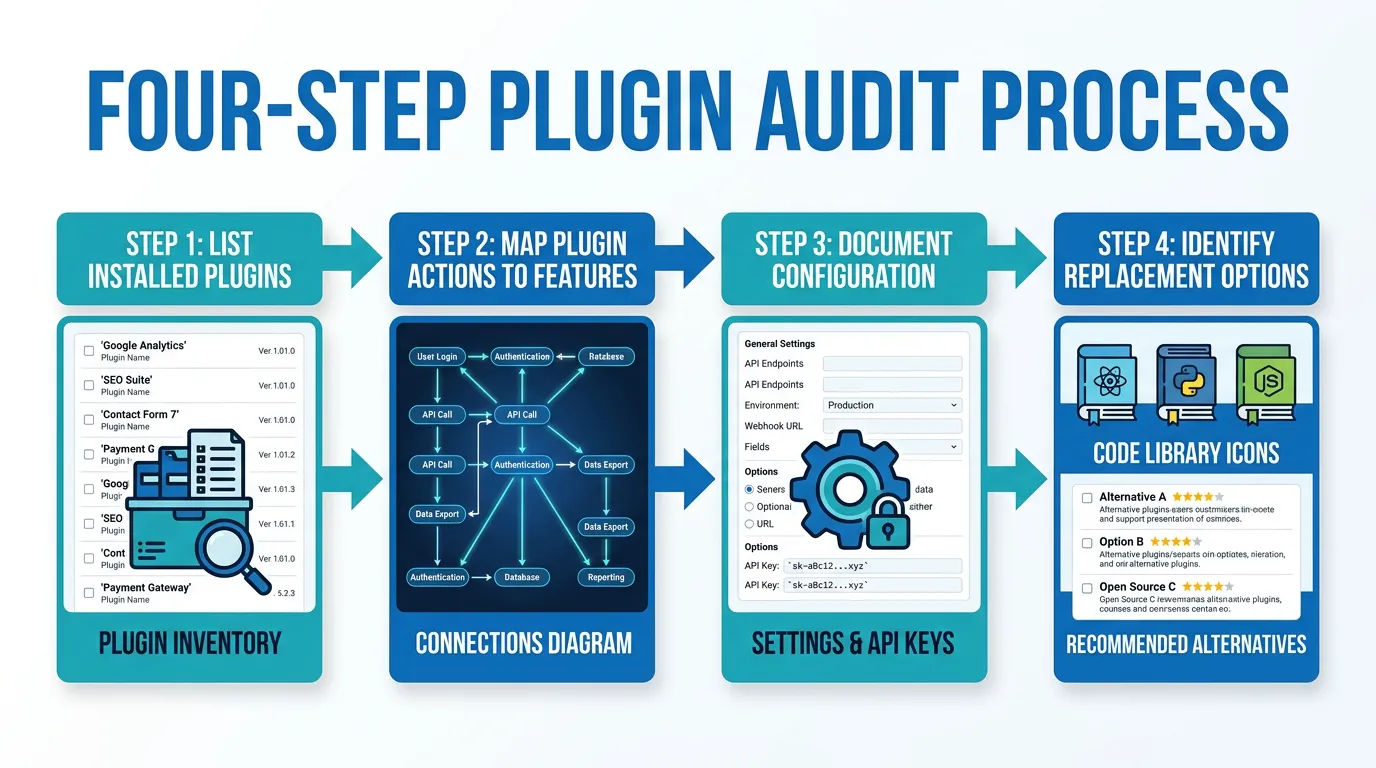
The Plugin Audit Process
Before budgeting for migration, audit every plugin in your Bubble app. The audit produces a plugin inventory with estimated rebuild scope — the document your agency or development team needs to quote accurately.
Step 1: List Every Installed Plugin
In Bubble's editor, go to Plugins and list every installed plugin — including plugins that were installed for features you later removed. Bubble does not clean up unused plugins. You might find 8 installed plugins but only 5 actively used. Document both counts — unused plugins can be dropped, but you need to verify they are truly unused before removing them from scope.
Step 2: Map Plugin Actions to Features
For each active plugin, identify every place it is used in your app. Check: page workflows that call plugin actions, backend workflows that use plugin server-side actions, conditions that reference plugin data, and elements that display plugin-generated content. A single plugin might be used in 15 different workflows across your app.
Step 3: Document the Configuration
Each plugin has configuration parameters — API keys, webhook URLs, environment-specific settings. Document every parameter. These become environment variables in your new codebase. Missing a webhook URL means a third-party service cannot notify your app of events — a silent failure that might not surface for days.
Step 4: Identify Replacement Options
For each plugin, determine: can you use the same service with a direct API integration (e.g., Stripe plugin → Stripe API), or do you need a different service entirely (e.g., a Bubble-specific PDF plugin → Puppeteer)? Direct API replacements are faster because the service behavior is identical — you are just changing how you call it. Service replacements require learning a new API and potentially different behavior.
Some teams use both plugins and API Connectors for the same service — for example, a Stripe plugin for checkout and an API Connector for custom Stripe API calls. During your audit, check for this overlap. Your architecture documentation should capture both the plugin usage and the API Connector configurations to give developers the complete integration picture.
Frequently Asked Questions
Q. How many plugins does a typical Bubble app use?
Simple apps use 3 to 5 plugins. Medium-complexity apps use 5 to 10. Complex apps can use 15 or more. The rebuild cost is not proportional to the count — one Stripe plugin takes longer to replace than five simple utility plugins combined. Focus on categorizing plugins by complexity tier rather than counting them.
Q. Can I keep using the same third-party services after migration?
In most cases, yes. Stripe, SendGrid, Twilio, Algolia, and Google Maps all have direct API access that works independently of Bubble. You are replacing the Bubble plugin wrapper, not the underlying service. The exception is Bubble-native plugins that do not correspond to an external service — these need complete replacement with equivalent libraries.
Q. What about Bubble plugins that do not have an obvious code equivalent?
Some Bubble plugins provide UI components (rich text editors, drag-and-drop builders, calendar views) that do not have one-to-one code equivalents. For these, find the closest open-source library (Tiptap for rich text, dnd-kit for drag-and-drop, FullCalendar for calendar views) and plan for customization time. Budget 1 to 2 weeks per complex UI plugin.
Q. Should I migrate all plugins at once or incrementally?
Migrate payment and authentication plugins first — they are the highest risk and most critical. Communication plugins (email, SMS) second. Data and file plugins last. This order ensures that your most critical integrations get the most testing time before launch.
Q. How do I handle plugin API keys during migration?
Plugin API keys should be moved to environment variables in your new codebase — never hardcoded. Create separate API keys for development, staging, and production environments. Rotate production keys after migration is complete and Bubble is decommissioned, to ensure no residual access through the old platform.
Q. What is the total rebuild time for a typical app's plugins?
For a medium-complexity app with Stripe, SendGrid, Google Maps, a file uploader, and social login: 5 to 8 weeks of development time. This is typically 20 to 30 percent of the total migration development budget. Apps with more complex integrations (multiple payment providers, Algolia search, real-time features) can add 3 to 6 additional weeks.
Audit Every Plugin Before You Budget
- Plugins compress weeks of functionality into one-click installs: A single Stripe plugin encapsulates subscription management, proration, webhooks, and retry logic. Replacing it is not "add Stripe" — it is 2 to 4 weeks of payment engineering. Every plugin needs its own rebuild estimate.
- Payment and auth plugins carry the highest risk: Bugs in payment processing stop revenue. Bugs in authentication compromise security. These plugins get rebuilt first, tested most thoroughly, and reviewed most carefully. Budget accordingly.
- Most services survive migration — their wrappers do not: Stripe, SendGrid, Twilio, Algolia, and Google Maps all work via direct API. You are replacing the Bubble plugin layer, not the service itself. This means your existing accounts, configurations, and data transfer seamlessly — only the integration code changes.
- Audit plugins separately from features: Plugins are not features — they are infrastructure. Include them in your architecture documentation as a separate integration inventory, not buried in feature descriptions. Your developer needs to see every plugin, every action it performs, and every configuration parameter.
- Budget 20 to 30 percent of development time for plugin replacement: For a medium-complexity app, plugin rebuilds consume 5 to 8 weeks. This is not overhead — it is core infrastructure work that your app cannot function without.
The teams that get blindsided by plugin complexity are the ones that treated "uses Stripe" as a single line item. The teams that stay on budget are the ones that unpacked every plugin into its component parts and estimated each one individually.
Document Your Plugin Integrations Automatically
Relis extracts your complete API Connector configurations — every endpoint, every auth method, every parameter — so your developers know exactly what each integration does before rebuilding it.
Scan My App — FreeSee Your Bubble Architecture — Automatically
Stop reverse-engineering by hand. Relis extracts your complete database schema, API connections, and backend workflows in under 10 minutes.
See Your Bubble Architecture — Automatically
Stop reverse-engineering by hand. Relis extracts your complete database schema, API connections, and backend workflows in under 10 minutes.