Bubble Vendor Lock-In: What You Actually Own, What You Don't, and How to Prepare Your Exit
Bubble.io vendor lock-in is real but nuanced. You own your data and business logic concepts — you do not own the runtime, the code format, or the ability to move your app. This guide maps what is portable, what is trapped, and the three strategies that reduce lock-in risk before you need to migrate.
18 min read
Vendor lock-in is the most emotionally charged topic in the Bubble ecosystem. Advocates say you own everything — it is your app, your data, your logic. Critics say you own nothing — you cannot export your code, move your app, or survive a platform shutdown. Both are wrong, and the truth matters for business decisions worth tens of thousands of dollars.
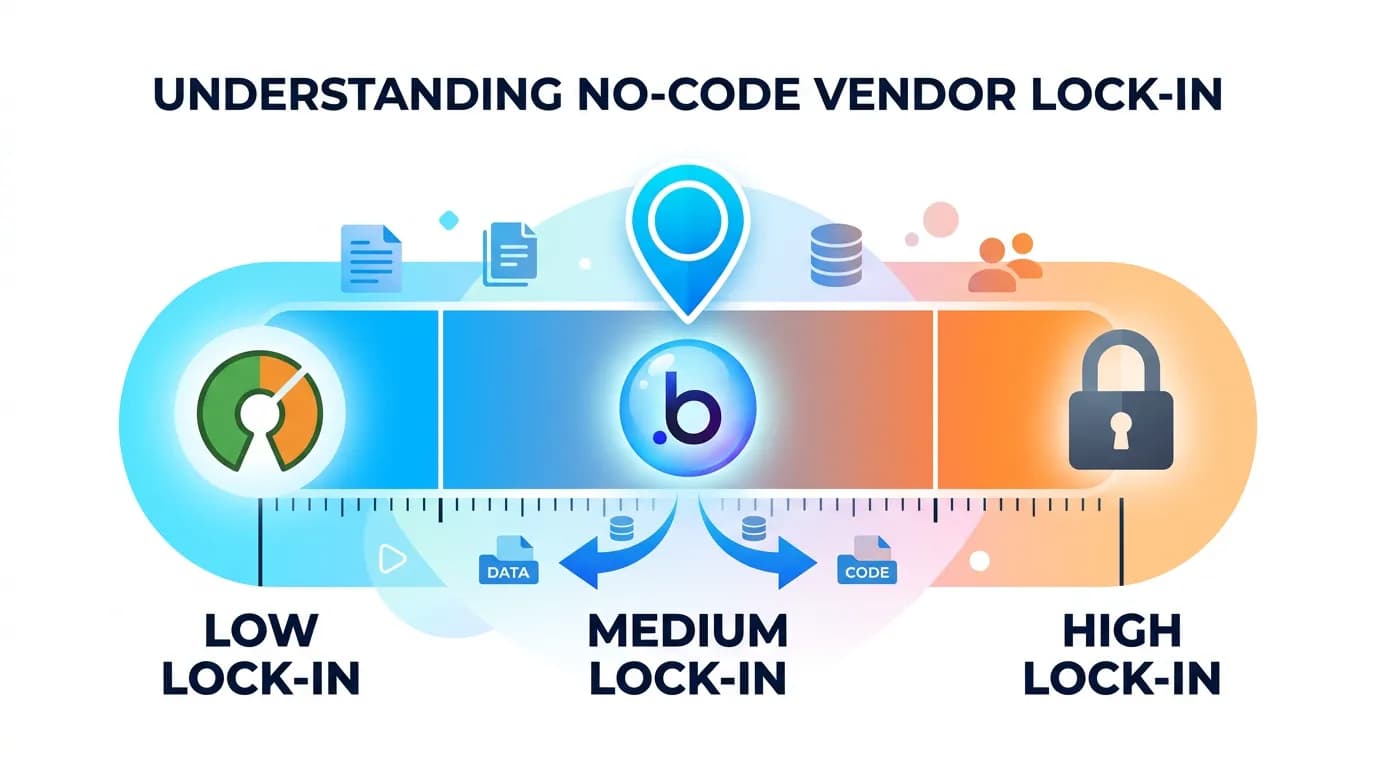
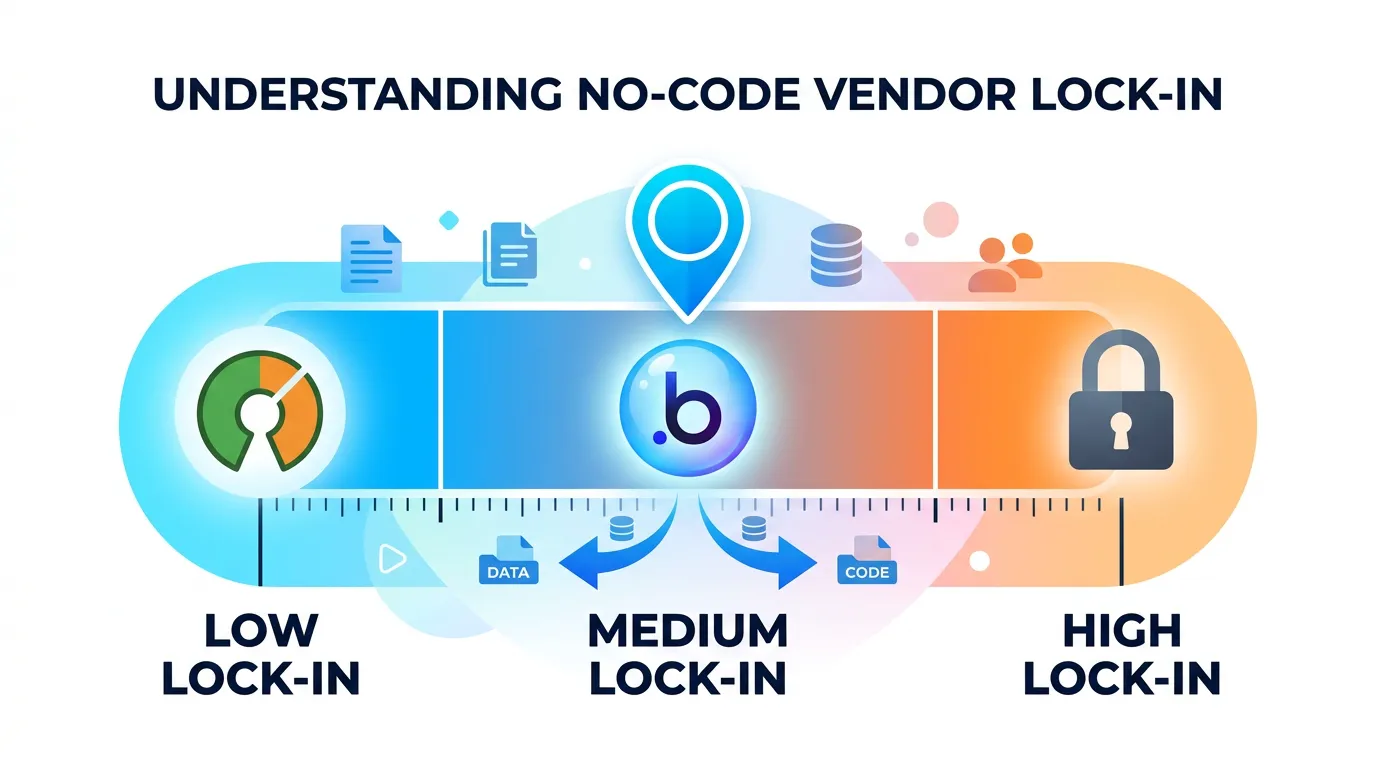
The reality is a spectrum. You own some things completely (your data records, your brand, your customer relationships). You own some things conceptually but not portably (your business logic exists in Bubble's proprietary format — the ideas are yours but the implementation is locked). And some things you do not own at all (the runtime, the hosting, the ability to fork and self-host). Understanding exactly where each part of your app falls on this spectrum is the difference between informed planning and panic-driven migration.
The Lock-In Spectrum: It Is Not Binary
Lock-in is not a switch — it is a gradient. Every technology platform creates some degree of lock-in. AWS has lock-in (try moving from DynamoDB to another database). React has lock-in (try rewriting your frontend in Vue). The question is not "is there lock-in?" but "how expensive is it to exit, and can I reduce that cost?"
Bubble's Lock-In Profile
Bubble sits on the higher end of the lock-in spectrum compared to custom code — but on the lower end compared to many other no-code platforms. Unlike Wix or Squarespace, Bubble provides a Data API for full data extraction. Unlike Adalo or Glide, Bubble supports complex backend logic that translates to custom code with reasonable fidelity. The lock-in is real, but it is manageable with preparation.
The Cost of Exit
The concrete measure of lock-in is exit cost: how much does it cost to leave? For Bubble, the exit cost is the migration cost — $12,000 to $60,000+ depending on architecture complexity. This is significant but finite. Compare this to a platform with no data export capability (exit cost = rebuild from scratch + data loss) or a platform with proprietary integrations that cannot be replicated (exit cost = rebuild + re-negotiate every partnership).
What You Own on Bubble
Three categories of your Bubble app are fully owned and portable.
Your Data
Bubble provides two data export methods: CSV export (manual, per data type) and the Data API (programmatic, paginated). Both give you complete access to every record in every data type. Your data is portable — you can extract it at any time and import it into any database. The data migration playbook covers the complete process.
Your Business Logic (Conceptually)
The business rules encoded in your workflows, privacy rules, and conditional logic are your intellectual property. A privacy rule that says "Users can only see records in their organization" is your business decision. The concept transfers to any platform. What does not transfer is the implementation — the specific Bubble configuration that enforces this rule. You need to re-implement the logic, not re-invent it.
Your Users and Brand
Customer relationships, email lists, brand assets, domain names, and business reputation are entirely independent of Bubble. These are yours regardless of platform. The only caveat: Bubble does not export password hashes, so users need to re-authenticate after migration (via magic link or password reset).
What You Do Not Own
Three categories are partially or fully locked to Bubble's platform.
The Implementation Format
Your workflows, page layouts, and conditional logic exist in Bubble's proprietary format. There is no export function that produces code, no API that returns your workflow definitions, and no way to convert your Bubble logic to another platform's format. The only way to access this logic is through Bubble's editor — which means the only way to document it is manually (40 to 120 hours for a medium app) or via automated extraction tools like Relis.
The Runtime Environment
You cannot self-host a Bubble app. You cannot run it on your own servers. You cannot fork it. Your app runs on Bubble's infrastructure, subject to Bubble's performance characteristics, uptime guarantees, and pricing decisions. If Bubble changes pricing (as it did with workload units), you adapt or leave. If Bubble has an outage, your app is down.
The Plugin Ecosystem
Bubble plugins are tied to the platform. A Stripe plugin that works on Bubble does not work anywhere else. The functionality (payment processing) is portable — the specific integration wrapper is not. Each plugin must be rebuilt using direct API access or equivalent libraries.
| Asset | Ownership | Portability | Exit Cost |
|---|---|---|---|
| Data records | Full | High (CSV/API export) | Low ($1K–$5K for migration) |
| Business logic concepts | Full (IP) | Medium (needs re-implementation) | Medium ($10K–$30K) |
| Users and brand | Full | High (except passwords) | Low (re-auth flow needed) |
| Workflow implementations | Shared (your logic, their format) | Low (proprietary format) | High (manual audit or extraction) |
| Runtime environment | None (Bubble's infrastructure) | None (cannot self-host) | High (full rebuild required) |
| Plugin integrations | None (platform-specific wrappers) | Low (must rebuild with direct APIs) | Medium ($5K–$15K) |
The Five Lock-In Risk Factors
Lock-in risk increases with five factors. The more of these that apply to your app, the more urgently you should implement the mitigation strategies in the next sections.
Factor 1: Platform Pricing Dependency
If your margins depend on Bubble's current pricing, a price increase becomes a business crisis. The workload unit pricing change demonstrated this — teams that were profitable at $349/month suddenly faced $1,000+ monthly bills with no way to reduce consumption below the new pricing floor.
Factor 2: Architecture Complexity
The more complex your Bubble app (more data types, more workflows, more integrations), the more expensive migration becomes. An app with 10 data types and 3 API connectors can migrate in 6 weeks. An app with 40 data types, 25 backend workflows, and 12 API connectors needs 16+ weeks. Complexity increases lock-in because it raises the exit cost.
Factor 3: Compliance Requirements
If your business operates in a regulated industry (healthcare, finance, government), platform-level compliance becomes critical. Bubble publishes SOC 2 Type II for its infrastructure — verify current scope on their trust page — but you cannot independently audit your application logic, you cannot implement HIPAA controls, and you cannot satisfy data residency requirements that mandate specific geographic hosting.
Factor 4: Team Dependency
If your team's technical skills are exclusively Bubble-specific, you have human capital lock-in in addition to platform lock-in. A team that only knows Bubble cannot maintain a custom codebase without retraining or new hires. This doubles the exit cost: migration plus team transition.
Factor 5: Integration Depth
Each Bubble plugin and API Connector represents an integration that must be rebuilt during migration. An app with 15 plugins has 15 exit dependencies. Some plugins (Stripe, SendGrid) map to well-documented APIs. Others (Bubble-native plugins with no external equivalent) require creative replacement.
Lock-in is a cost, not a binary state. Calculate yours: count your data types, backend workflows, API connectors, and plugins. Use the cost framework to estimate your migration cost. That number is your lock-in cost — the price of exiting. If it is 2x your annual Bubble spend, you have moderate lock-in. If it is 5x or more, you have high lock-in that warrants active mitigation.

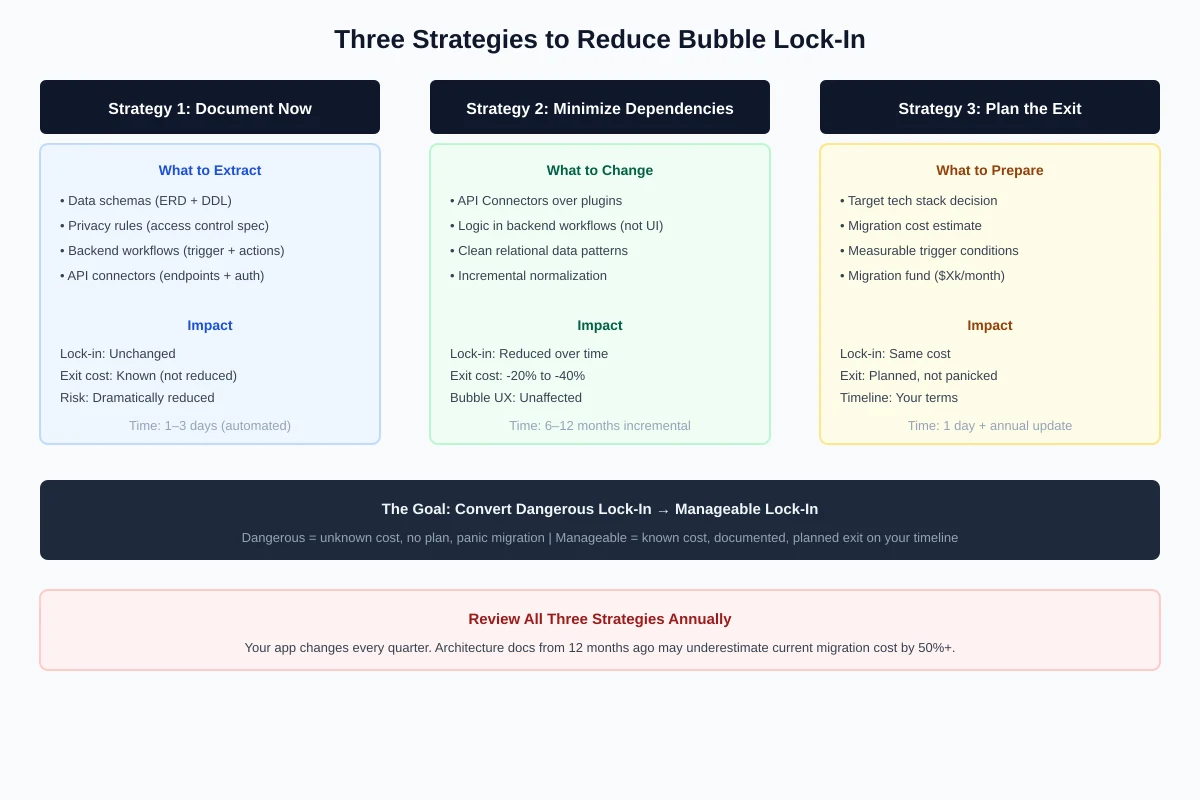
Strategy 1: Document Your Architecture Now
The single highest-ROI action for reducing lock-in is documenting your architecture before you need to migrate. Documentation does not reduce migration cost — it reduces migration risk and timeline.
Why Documentation Reduces Lock-In
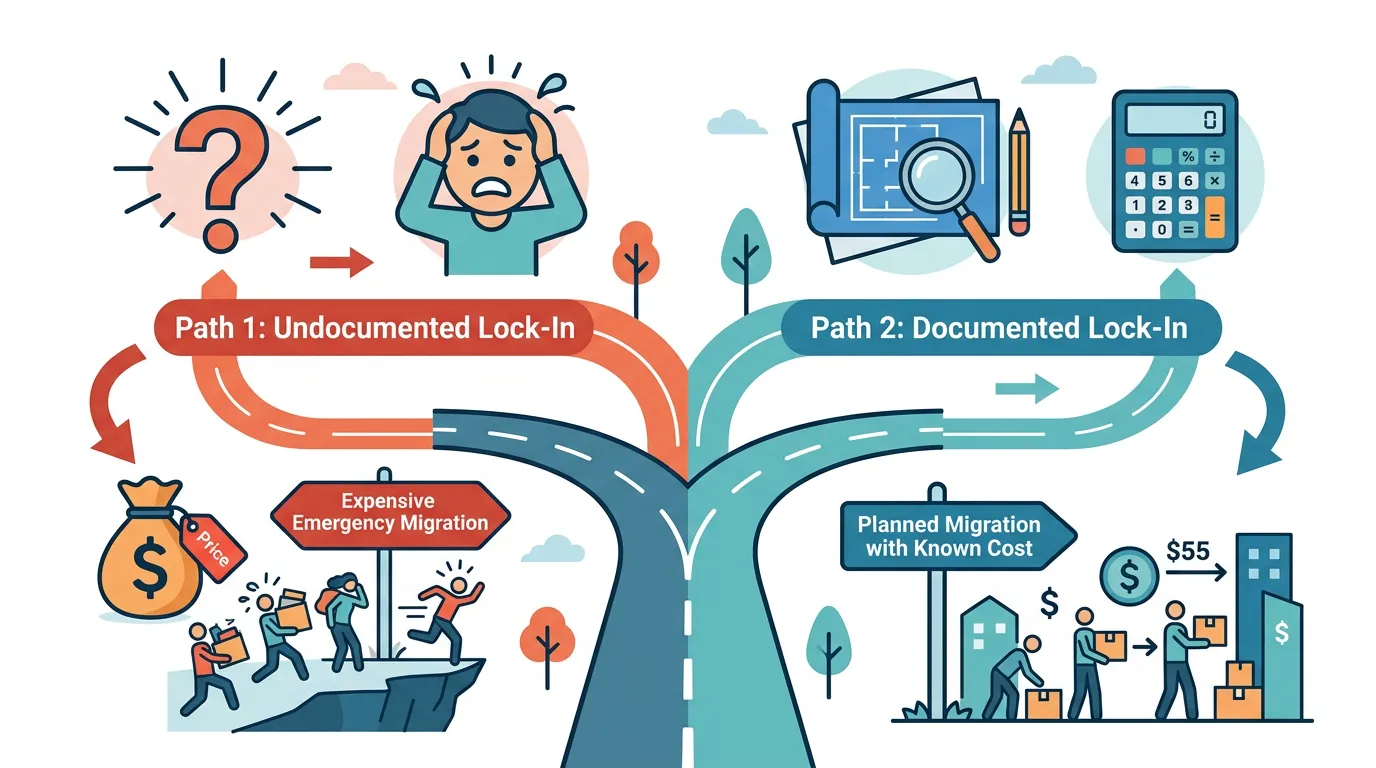
Undocumented lock-in is dangerous because you do not know your exit cost. Documented lock-in is manageable because you can plan for it. When your architecture is documented — every data type, every workflow, every integration — you know exactly what migration entails. You can get accurate quotes from agencies. You can timeline the project. You can budget for it in your financial model.
What to Document
The four architecture layers that define your Bubble app: data schemas (ERD, DDL, data dictionary), privacy rules (access control specifications), backend workflows (trigger conditions, action sequences, schedules), and API connectors (endpoint specs, auth configs, parameters). Together, these produce the migration specification — the document that turns migration from an excavation into an engineering project.
Strategy 2: Minimize Proprietary Dependencies
Every Bubble-specific dependency increases your exit cost. Reducing proprietary dependencies does not mean leaving Bubble — it means building in a way that makes leaving easier when the time comes.
Prefer API Connectors Over Plugins
When you have a choice between a Bubble plugin and a direct API Connector integration, choose the API Connector. Why: API Connector configurations document the exact endpoints, auth methods, and parameters — the same information a developer needs to rebuild the integration in custom code. Plugin configurations are opaque — the developer cannot see what API calls the plugin makes.
Keep Business Logic in Workflows, Not Page Elements
Conditional logic in page elements (conditionals on visibility, conditional formatting) is the hardest Bubble logic to document and migrate. Business logic in backend workflows is the easiest to document and translate. When possible, move business rules to backend workflows where they can be extracted and translated as discrete, testable units.
Use Standard Data Patterns
Bubble-specific data patterns (deeply nested list fields, circular references, denormalized structures) increase migration complexity. Where possible, use clean relational patterns (one-to-many with explicit types, foreign-key-style references) that map directly to SQL schemas. The database design guide covers patterns that reduce migration friction.
You do not have to fix every Bubble-specific data pattern at once. Pick the two or three data types with the highest migration complexity (usually your core entity and its primary relationship) and normalize those first. Each incremental improvement reduces your exit cost without requiring a full-app refactor. A six-month incremental cleanup can cut migration complexity by 40%.
Strategy 3: Plan the Exit Before You Need It
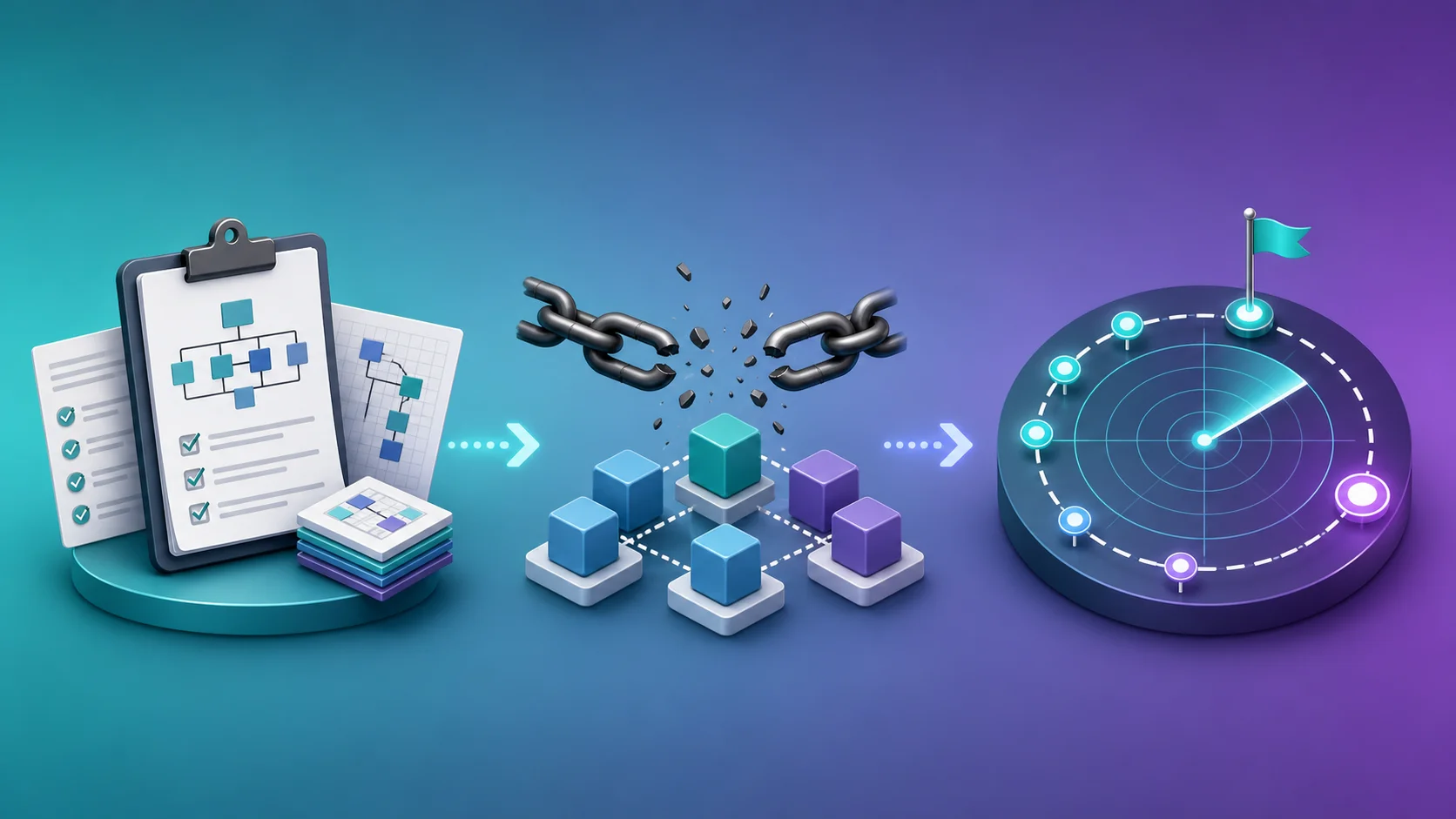
An exit plan is not a commitment to leave. It is insurance that makes leaving possible on your timeline, not on a crisis timeline.
The Migration Readiness Document
Create a one-page document that covers: target tech stack (based on your architecture profile), estimated migration cost (from your architecture documentation), estimated timeline (by complexity tier), trigger conditions (what specific events would initiate migration — WU cost threshold, user count threshold, compliance requirement), and team plan (who would execute the migration — current team, agency, or hybrid).
The Financial Reserve
If your migration cost estimate is $30,000, setting aside $3,000 per month builds a migration fund in 10 months. This fund means migration is always an option — not a financial crisis. For investor-backed companies, include the migration budget in your financial model and discuss it proactively with your board.
The Trigger Framework
Define specific, measurable triggers that initiate the migration process — not vague feelings of frustration. Examples: "Migrate when monthly Bubble costs (plan + WU + plugins) exceed $2,000 for three consecutive months." "Migrate when a signed enterprise customer requires SOC 2 for our application layer." "Migrate when average page load time exceeds 4 seconds after optimization." These triggers remove emotion from the decision and replace it with data.
Update your exit plan once per year. Re-extract your architecture documentation (your app has changed). Re-estimate migration cost (your complexity has likely increased). Re-evaluate your trigger conditions (your business context has evolved). An exit plan that was accurate 18 months ago may underestimate your current migration cost by 50% if you have added significant features.
Frequently Asked Questions
Q. Is Bubble more locked-in than other no-code platforms?
Less than most. Bubble provides data export via CSV and API (many platforms do not), supports complex backend logic that translates to custom code (many platforms limit to simple CRUD), and has a growing ecosystem of migration tools and agencies. Compare to Adalo (no data API), Glide (tied to Google Sheets), or AppGyver (SAP ecosystem dependency). Bubble's lock-in is moderate, not extreme.
Q. What would happen if Bubble shut down tomorrow?
You would lose access to the runtime but not your data. Immediate actions: export all data via CSV/API (possible until shutdown), use your architecture documentation to rebuild on a new stack, and re-authenticate all users via magic link or password reset. Teams with documentation could begin rebuilding immediately. Teams without documentation would need to reconstruct their architecture from memory — a much slower and riskier process.
Q. Does Bubble's terms of service give them rights to my app?
No. Bubble's terms state that you retain ownership of your content and data. Bubble has a license to host and run your app on their platform (necessary for the service to function), but they do not claim ownership of your business logic, data, or intellectual property. Review the current terms for your specific situation.
Q. Can I reduce lock-in to zero while staying on Bubble?
No. Some lock-in is inherent in using any managed platform — you cannot self-host Bubble, and your logic is in their format. You can reduce lock-in to a manageable level by documenting your architecture, minimizing proprietary dependencies, and maintaining an exit plan. Zero lock-in requires owning the full source code — which means migration to custom code.
Q. How often should I update my architecture documentation?
After every major feature addition or data model change, and at minimum once per quarter. Architecture documentation is only useful for exit planning if it reflects your current app, not your app from six months ago. Automated extraction tools make this a 10-minute process rather than a multi-day manual audit.
Q. Is vendor lock-in a reason not to build on Bubble?
No. Lock-in is a cost to manage, not a reason to avoid the platform. Building on Bubble saves 3 to 6 months of development time and $50K to $200K in initial build cost. The migration cost ($12K to $60K) is a fraction of the initial savings. The rational approach: build on Bubble for speed, document for portability, and migrate when the business justifies it — not before.
Own Your Architecture, Even If You Do Not Own the Runtime
- Lock-in is a spectrum, not a switch: You own your data completely, your business logic conceptually, and your users and brand independently. You do not own the runtime, the implementation format, or the plugin wrappers. Knowing exactly what falls where determines your exit strategy.
- Exit cost is the true measure of lock-in: For Bubble, exit cost equals migration cost — $12K to $60K depending on complexity. This is significant but finite, and it can be estimated precisely with architecture documentation. Unmeasured lock-in is dangerous. Measured lock-in is a line item.
- Documentation is the highest-ROI mitigation: Documenting your architecture does not reduce migration cost, but it eliminates migration uncertainty. You know your exit cost. You can plan for it. You can budget for it. Uncertainty is what makes lock-in feel dangerous.
- Build for portability without sacrificing speed: Prefer API Connectors over plugins, keep logic in workflows rather than page elements, and use clean data patterns. These choices cost nothing in development time but save weeks during migration.
- Plan the exit before the crisis: A migration readiness document, a financial reserve, and specific trigger conditions transform migration from an emergency into a scheduled project. The best time to plan your exit is when you do not need one.
Vendor lock-in is not a reason to avoid Bubble. It is a reason to build on Bubble with eyes open — documenting what you build, minimizing what you cannot take with you, and knowing exactly what it costs to leave when the time comes.
Measure Your Lock-In in Minutes
Relis extracts your complete Bubble architecture — every data type, workflow, API connector, and privacy rule — so you know exactly what migration entails before you need to migrate. Reduce uncertainty to a number.
Scan My App — FreeHow Complex Is Your Bubble App?
Find out in minutes. Relis automatically extracts and documents your entire Bubble architecture — data types, APIs, workflows, and settings.
How Complex Is Your Bubble App?
Find out in minutes. Relis automatically extracts and documents your entire Bubble architecture — data types, APIs, workflows, and settings.